Softbook 26
A major release: your school in one system
Release archive. This article describes an update at the time of publication. The release name and list of new features are preserved as product history. See the Softbook website for current features and terms.
Softbook LMS gets a full new marketing section. Learning, sales, and communication are upgraded across the board. A knowledge base builder is now part of the platform. Softbook Cloud is noticeably faster. Plus other improvements to stability and security.
Until now, a typical online school ran a separate stack of services alongside Softbook. Landing pages over there. Email marketing somewhere else. Automations on yet another platform. Each with its own subscription, its own logic, its own way of breaking at the seams. With this release, all of it moves inside Softbook LMS.
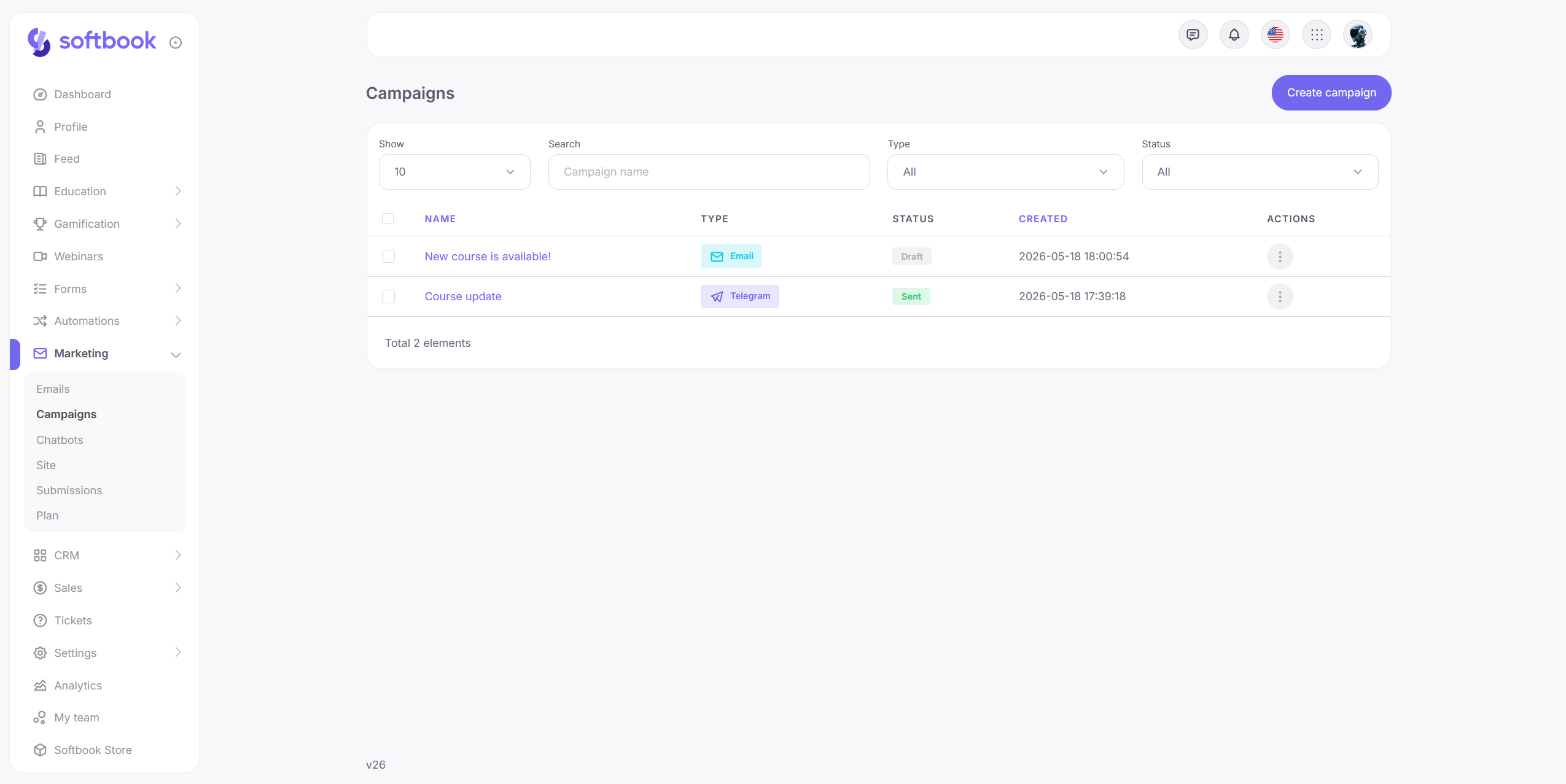
Why 26
We’ve switched to year-based versioning. It’s called 26 because this is the version of Softbook for 2026. It’s easier for everyone: the Softbook ecosystem is growing, and a year instead of a sequential number immediately tells you which release we’re talking about. This is how it’ll be going forward.
Marketing — now inside Softbook LMS 📣
Four separate tools: a landing page builder, an email editor, campaigns, and automations. All working with the same student base and the same analytics inside each school.
Landing page builder 🌐
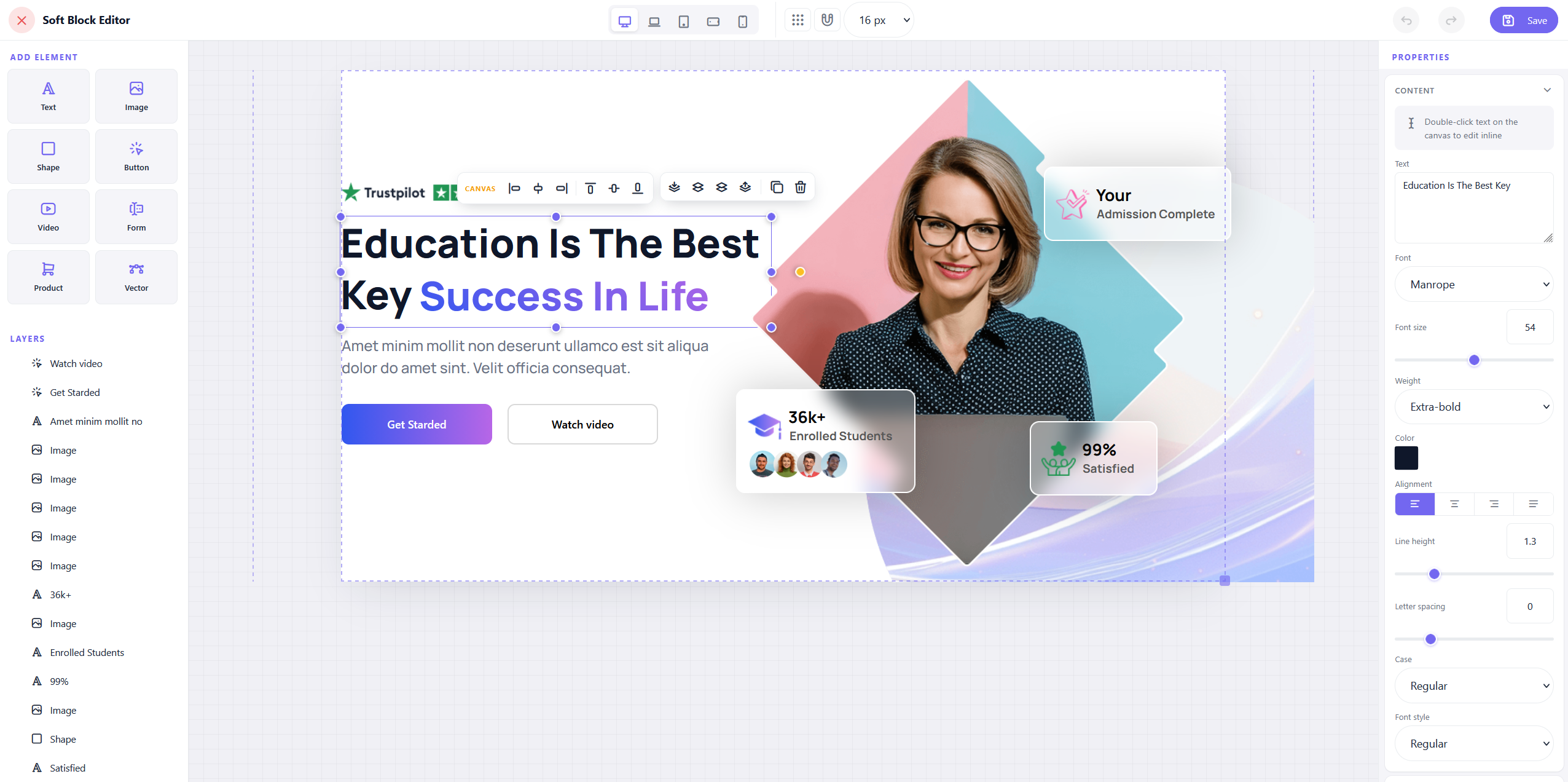
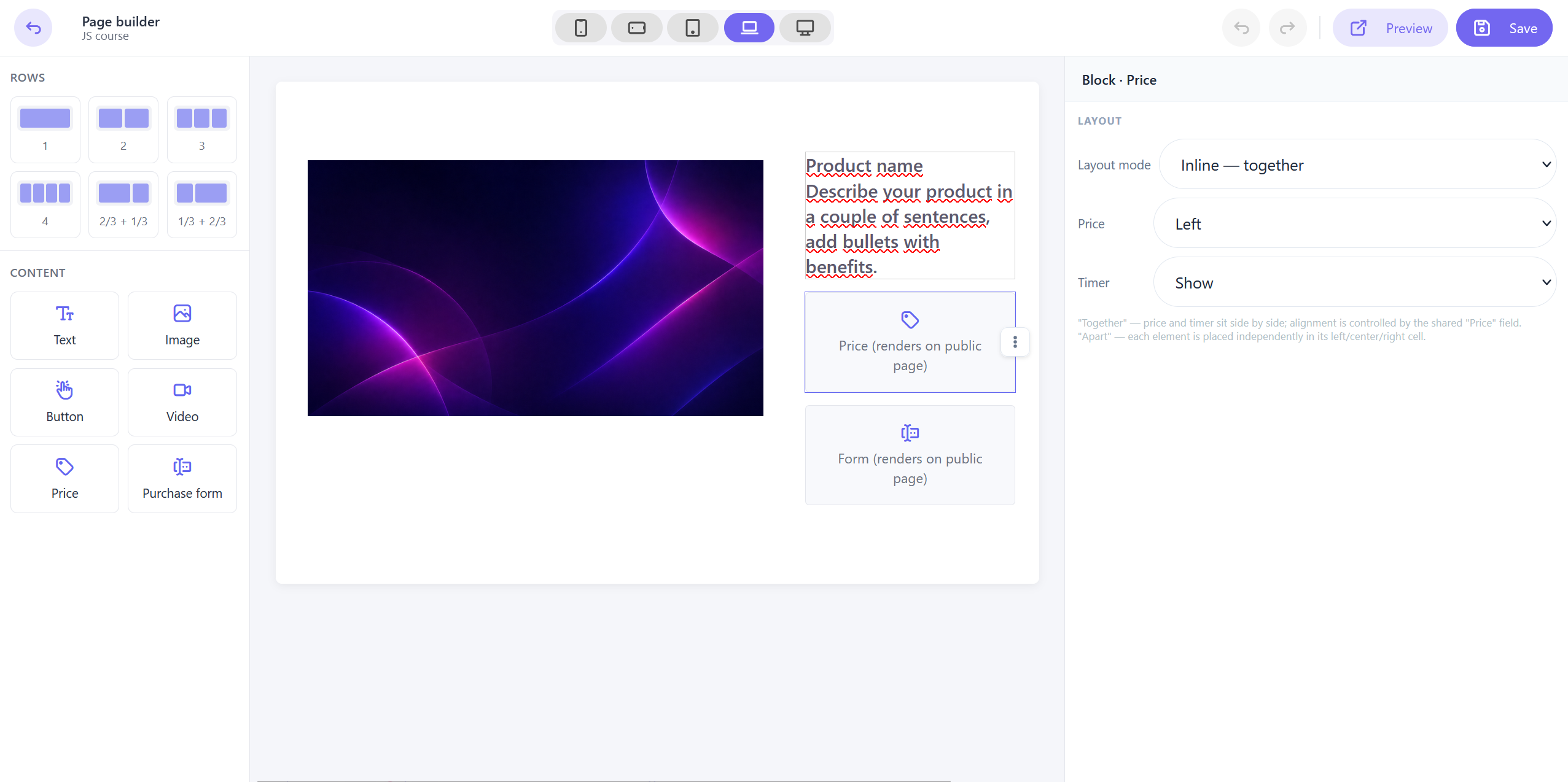
Build landing pages, course registration pages, and promo offers like you would in any visual builder — by dragging, dropping, no code involved. The library has dozens of ready-made blocks: hero sections, pricing, testimonials, FAQs, forms, calls to action. Plus a Soft block canvas for free-form layouts when the standard blocks aren’t enough.
Each section is configured separately — background, width, padding, font. Before publishing, preview the page across five screen sizes, from desktop to mobile. Save your favorite blocks to a personal library: build an “about the school” or “testimonials” section once, and reuse it on any page. 💾
A page can be duplicated with one click. Handy for A/B tests or similar landings for different courses.
For every page, you can set a custom URL, SEO title, meta description, and social preview image. Custom scripts plug in counters, pixels, and chat widgets — useful when you’re running ads and want to track the whole funnel.
And the key part — you can embed a form for an existing product directly on the landing. The student fills it out right there, goes straight to checkout, and gets immediate access to the course. No separate checkout page, no redirects to third-party services — the path from interest to access closes on a single screen. ⚡️
Email editor 📧
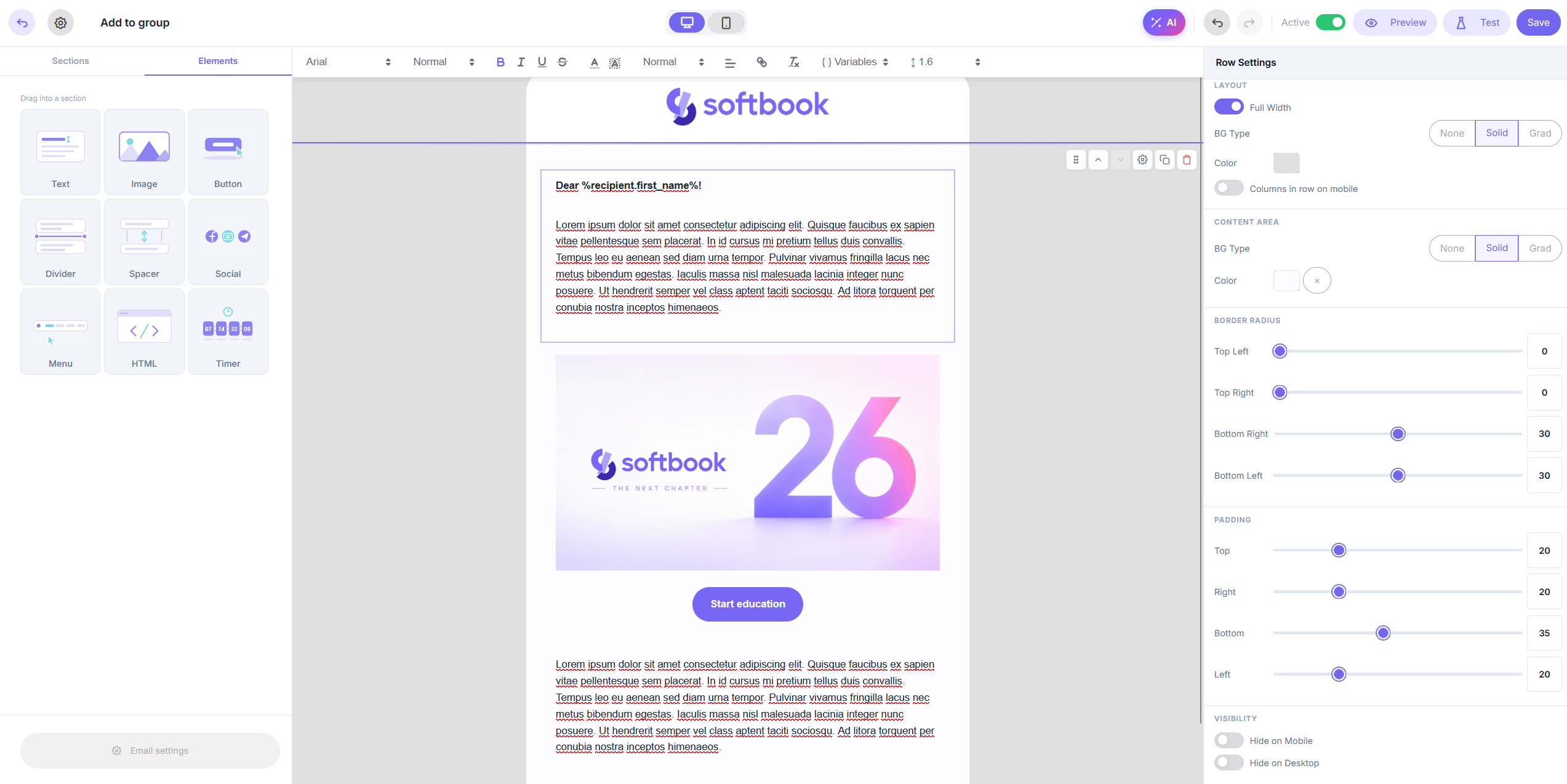
School emails used to all look the same — Softbook’s standard template. Now you have your own editor.
Build emails from scratch or replace system notifications — course enrollment, access details, the standard scenarios. The builder is block-based: text, images, buttons, timers, custom HTML. Recipient variables are inserted automatically — first name, last name, course name, login link.
🤖 AI works at the layout level. Describe what you need, pick an accent color and a language — you’ll get a welcome email, a promotion, or a course completion message. From there, you tailor it to your school.
A single template runs in eight languages at once: Ukrainian, Russian, English, Spanish, French, German, Polish, Portuguese. Each locale is styled separately — the email arrives in the language set by the course or school, never machine-translated.
Before publishing, send a test email to yourself or a teammate — see how it looks in the recipient’s inbox.
Campaigns 📈
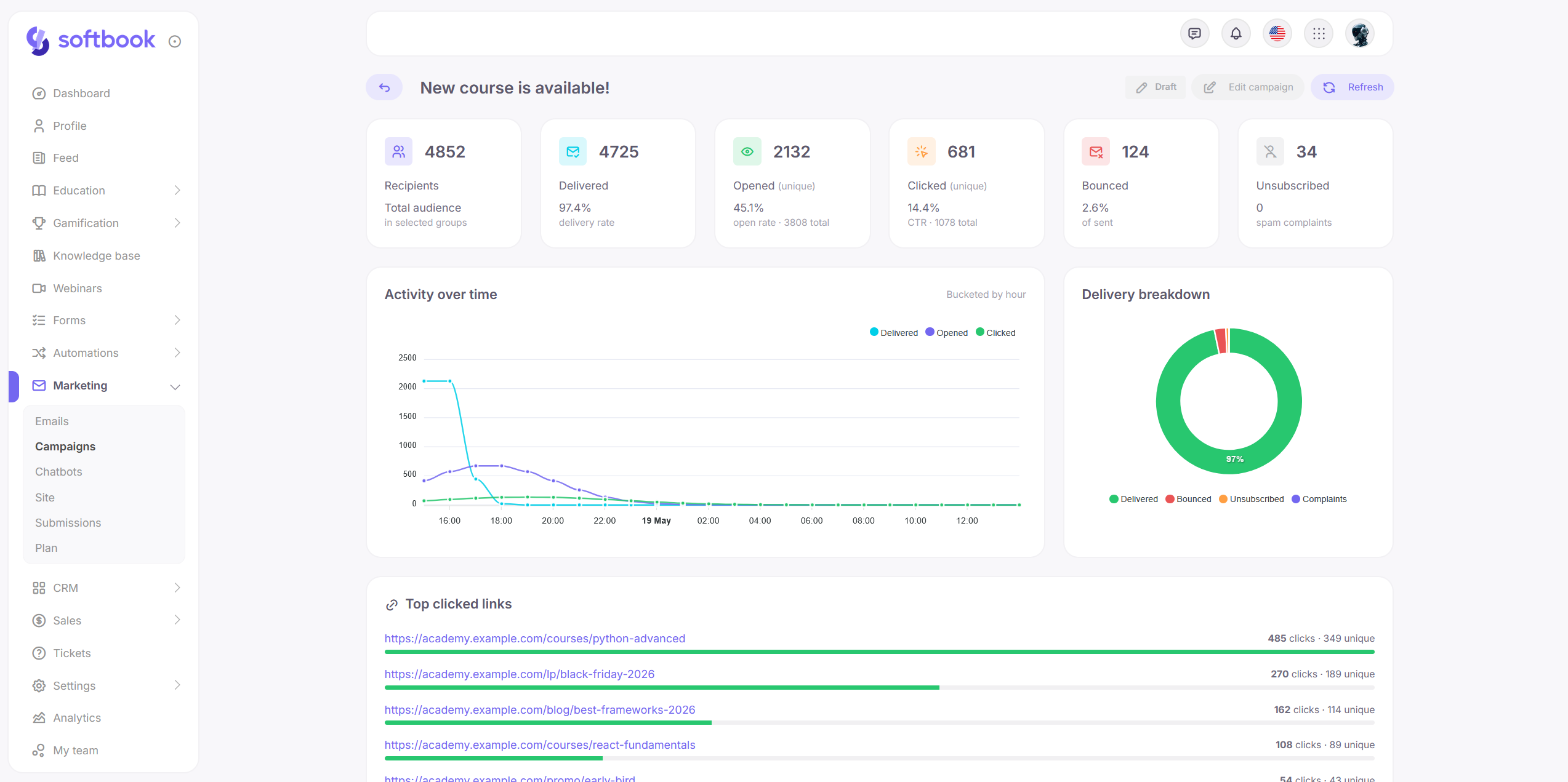
The Campaigns section sends emails and Telegram messages to your school’s students.
You pick recipients by groups. If several groups overlap, Softbook automatically removes duplicates — no one gets the same message twice. Send immediately or schedule for later.
Email quota is tracked in real time. Before launch, you can see whether your remaining quota covers the audience. If you run out mid-send, the campaign pauses with a clear message about how many emails fell short. There’s a quota log and the option to top up with extra packages.
Telegram messages now support interactive buttons. A button can open an external URL or trigger a chatbot flow when pressed.
Stats live on a dedicated page. Delivered, opened, clicked. For Telegram, you also see clicks per button. Filter recipients — for instance, view everyone who didn’t open the email, or everyone who clicked a specific button.
Automations ⚙️
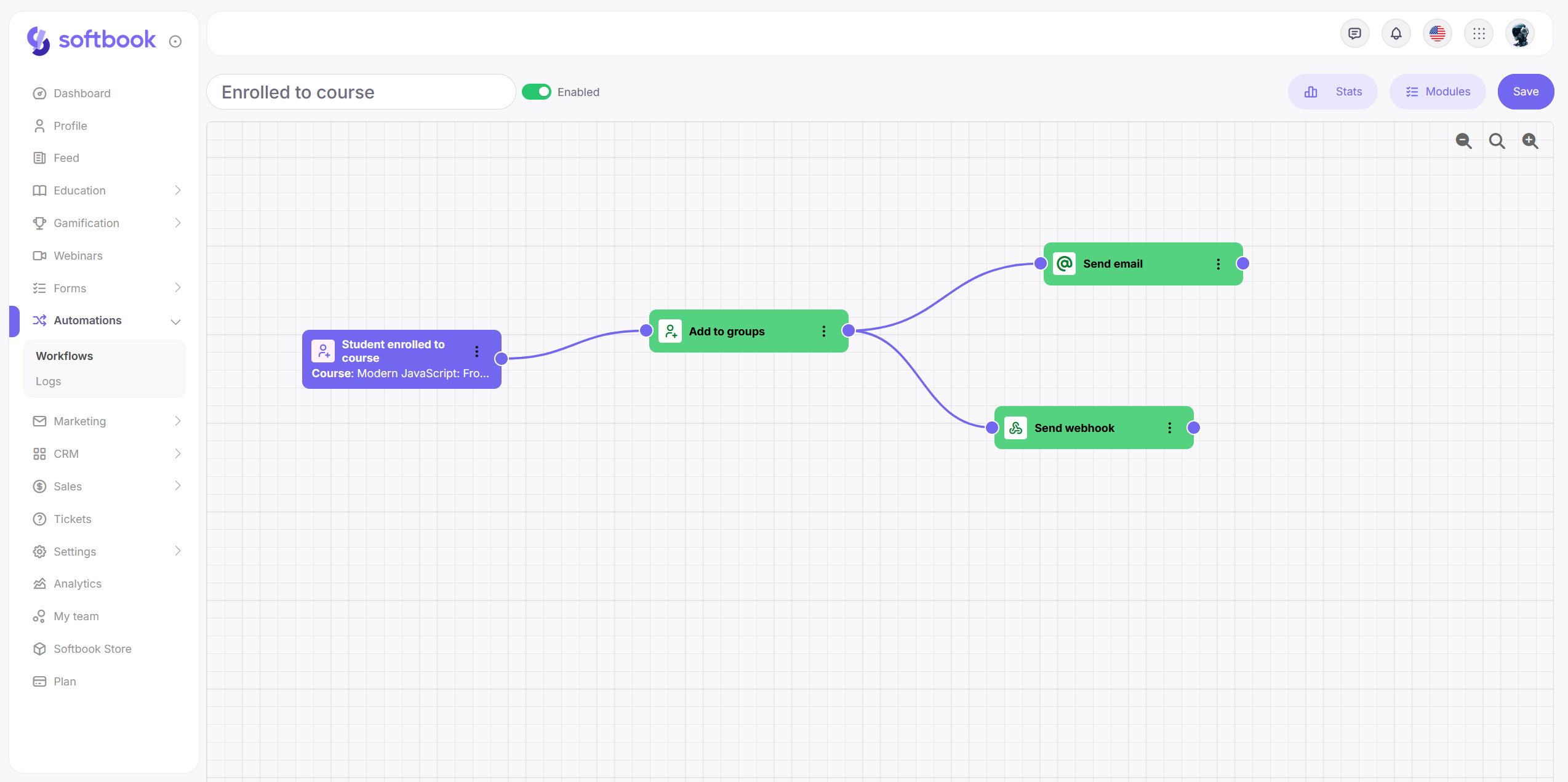
Until now, automating processes in a school meant a request to a developer. Now you build the scenario yourself, with a mouse, on a canvas.
It works like a flowchart: a trigger event, a sequence of actions, conditional branches. Triggers cover the main events — form submission on the website, a new deal or contact in CRM, a new order on a course or product and its payment, student enrollment, adding or removing from a group, lesson start and completion. Actions — send an email, enroll in a course, move between groups, push data to an external system via webhook or any HTTP request.
The scenario branches by conditions. Values that come in with the trigger get compared and route the student into different paths — for example, depending on which course they enrolled in or where their request came from.
On the same canvas where you built the scenario, you can see how it’s running. How many people passed each step. How many are stuck waiting. This shows immediately where the scenario is losing students and where to add another touchpoint.
Fewer services, fewer invoices
Landing pages, email, automations, analytics — all inside one interface now. No integrations, no seams, no additional subscriptions.
Learning 🎓
AI course generation got significantly deeper. Where it used to produce a skeleton you’d have to flesh out yourself, it now gives you a version complete enough that you mostly just refine the details in the author’s tone of voice.
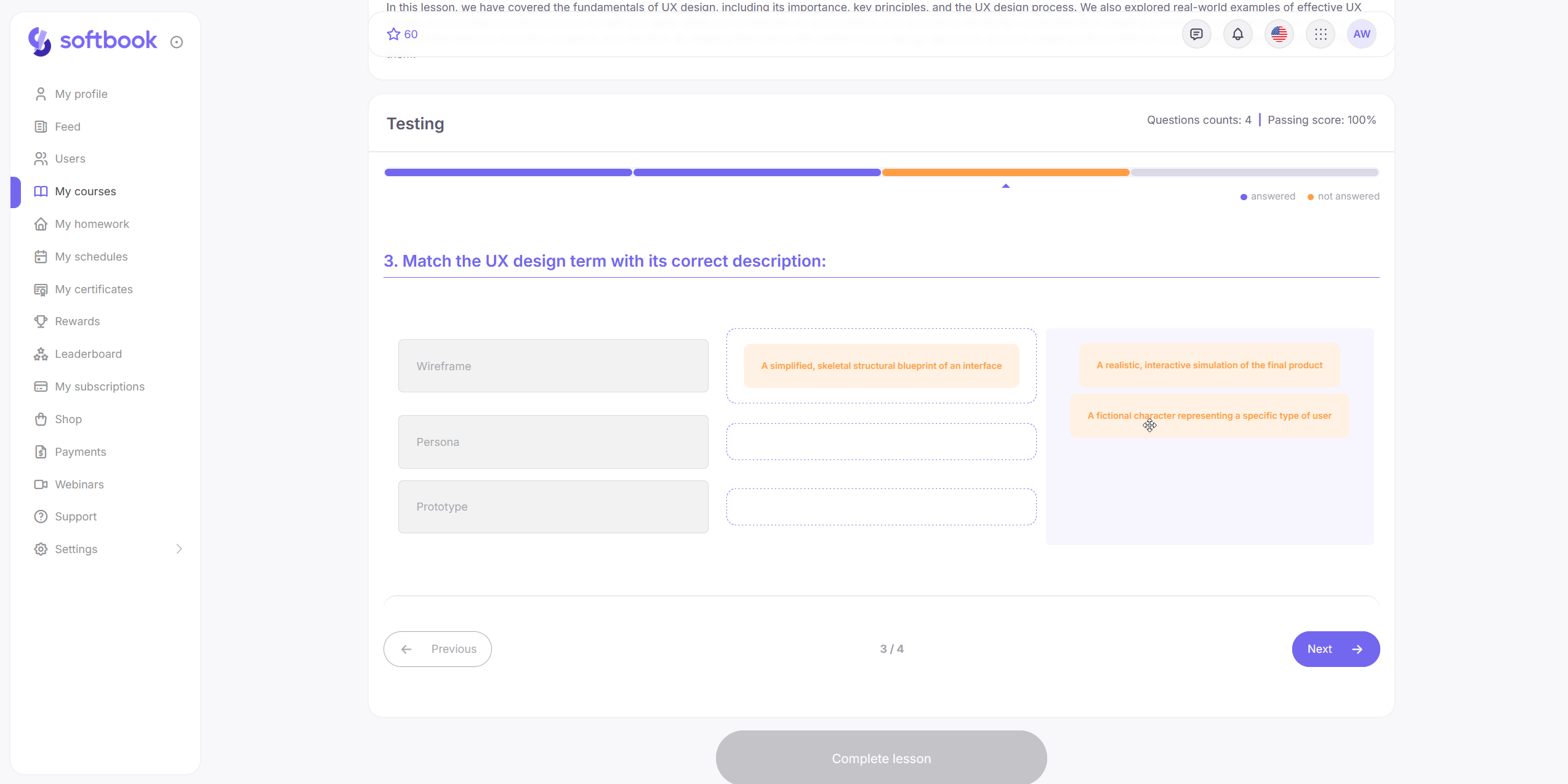
Tests gained six new question types — from filling in blanks and matching to sentence construction and categorization. Useful for language courses, step-by-step practice, anything where classic multiple-choice isn’t enough. Long tests can now be displayed one question at a time — a question navigation bar appears at the top, with unanswered questions highlighted, so the student doesn’t lose their place.
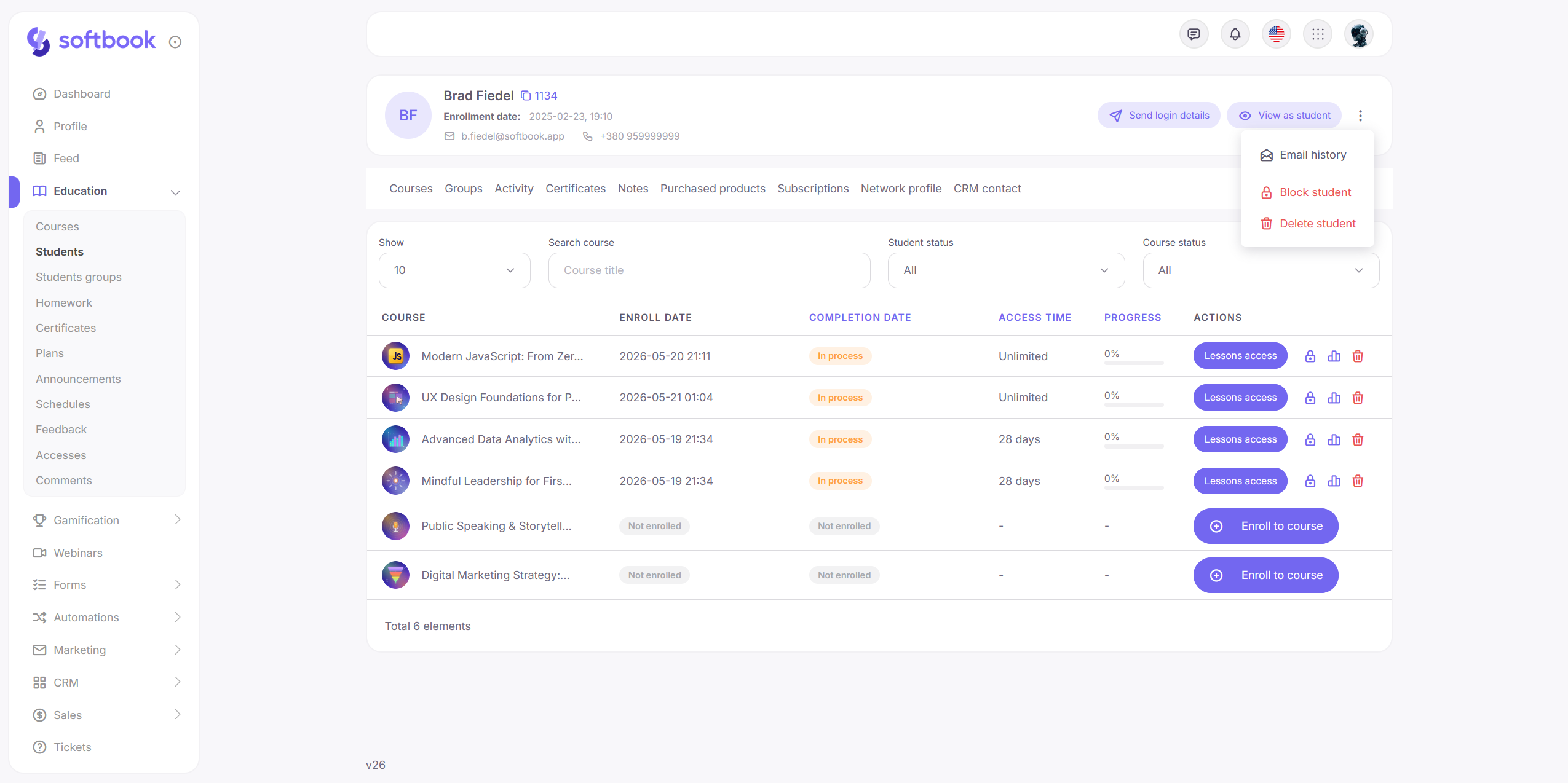
When a student writes “my lesson won’t open,” it used to mean diagnosing blind — you have one interface, they have another. Now there’s a “view the platform as this student” button on the student profile. You see exactly what they see, and you immediately know which course or lesson they can’t access. Right next to it — the full history of emails sent to this student: whether the access email arrived, which campaigns they received.
Dynamic-date schedules got more flexibility. You can now choose when the next lesson opens: when the student starts the current one, or when they finish it. Before, only the second scenario worked — now there are two, for different course structures.
The certificate builder is more flexible too. You used to have to fit certificate backgrounds into rigid proportions — now you can upload any image and it sits right. QR codes can be styled to match your school’s look: dot shape, solid fill or gradient, logo in the center. The grid now snaps elements into place for more precise positioning.
Webinars right inside Softbook LMS 🎤
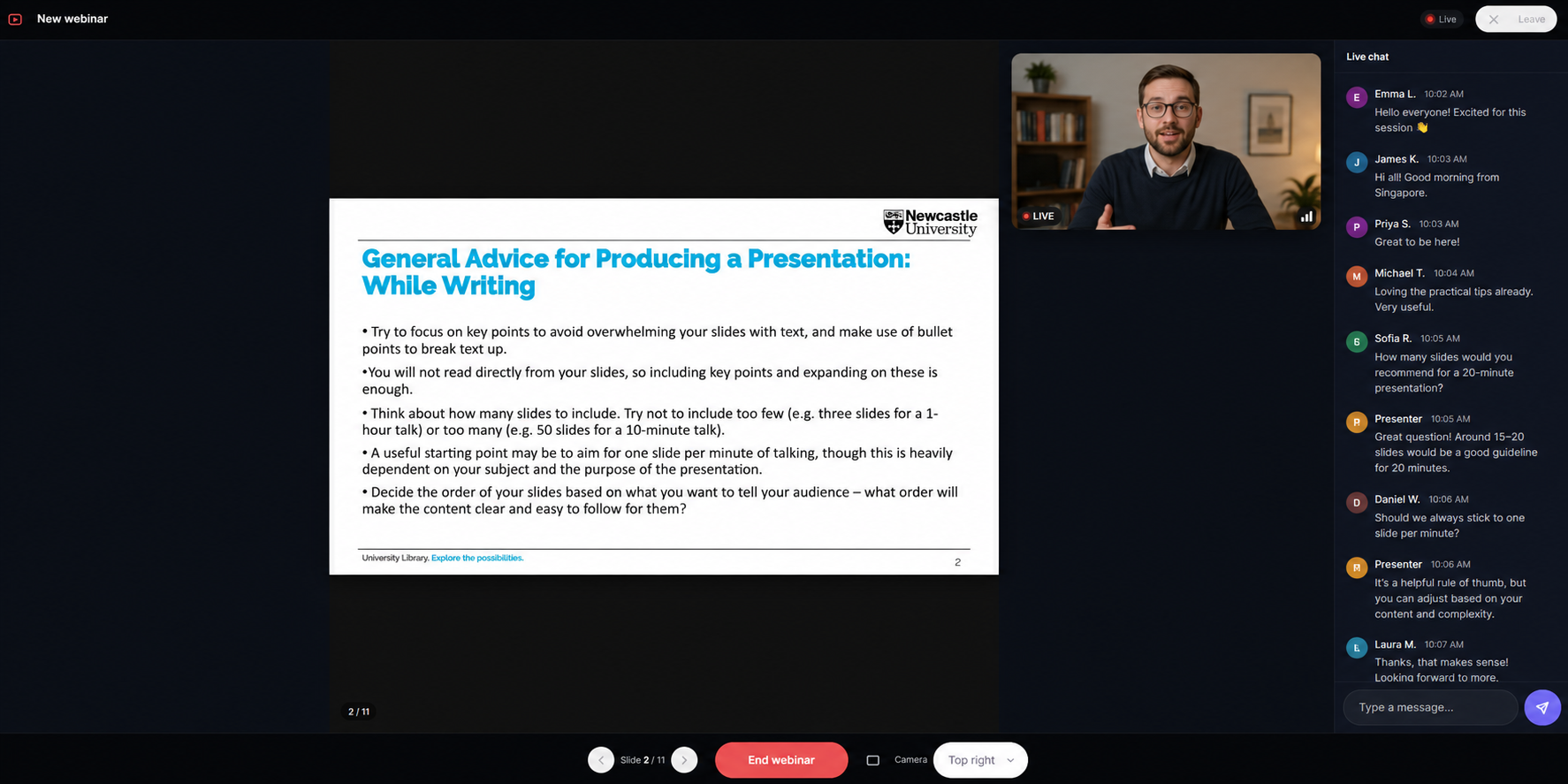
The headline of the learning update. Webinars now run inside the platform — a separate Zoom or OBS streaming setup is no longer needed.
Two modes. The first is host camera only, for short talks, Q&As, or announcements. The second is camera plus presentation: upload a PDF in the webinar settings, and during the stream you flip through slides in real time for all viewers. Chat can be enabled or disabled depending on the format.
It runs on YouTube under the hood, so stream quality and stability match what you’d get with an external setup. Only now it’s part of the platform, not a separate pipeline with its own settings, links, and integrations.
Knowledge base builder 📚
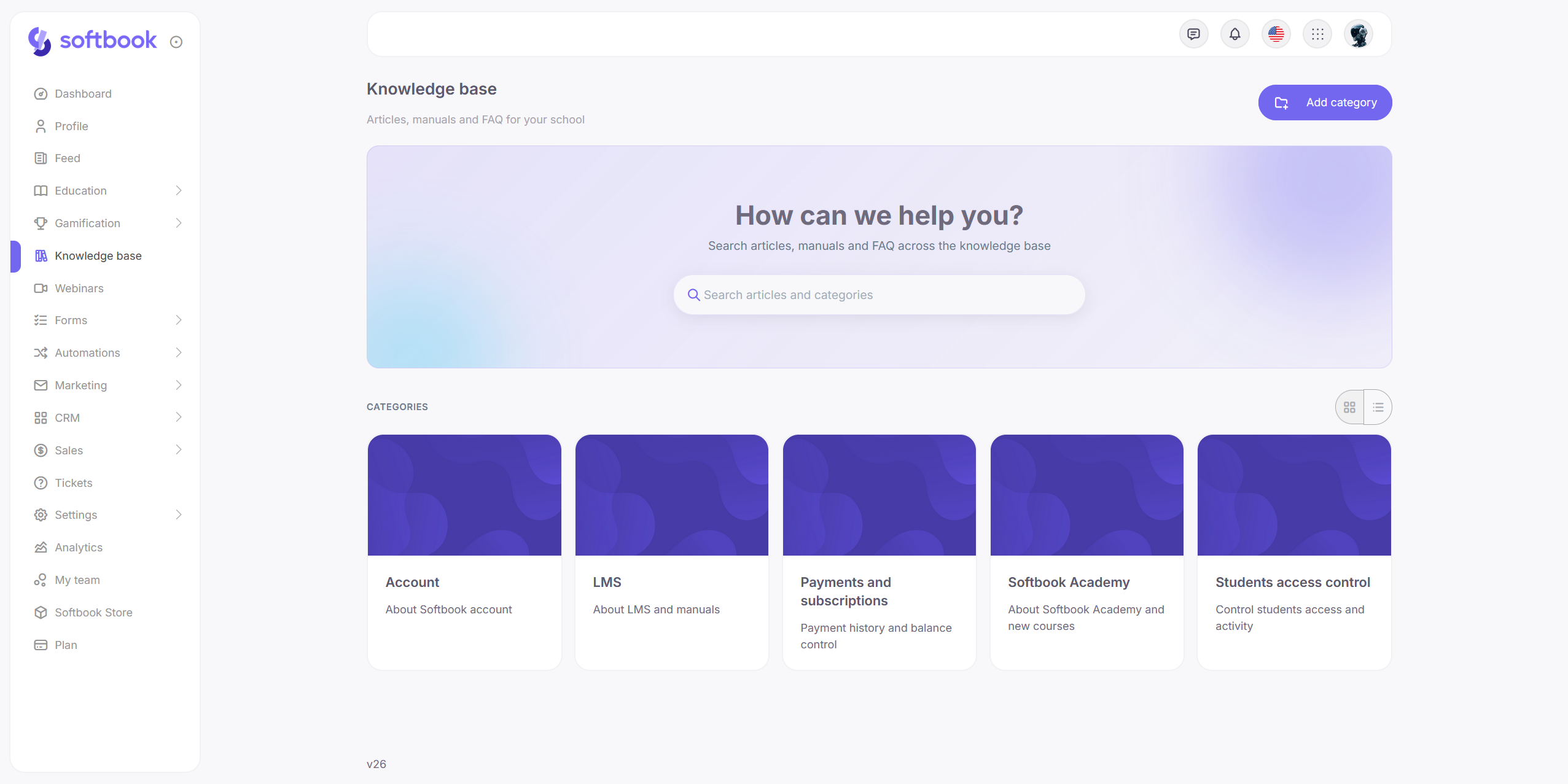
Softbook LMS now has a knowledge base builder — a dedicated section for everything that isn’t part of a course but that students need to have on hand: reference articles, instructions, answers to common questions, descriptions of school processes.
The structure is simple: categories, with entries or subcategories inside. Entries can have preview images and either a “draft” status or immediate publication.
Sales and subscriptions 💳
Subscriptions are clearer now. Before, when a recurring payment failed, the school only saw the fact of it — now you see the reason. For example, the payment processor doesn’t have a card token to charge. You know what to do and who to contact right away.
The subscription card now shows what’s in it — which courses are included and what level of access the student has. The subscription period and course access can be adjusted manually, with all changes saved in the history.
The product checkout page is now edited like a regular landing — same blocks, same logic. You can add a banner, a video, an extra button, a custom text. Set it up for one product, then export the configuration to others with a click.
Discounts got more flexible. You can now create multiple promo codes for a single product — each with its own discount, for different channels or campaigns. And, importantly, a promo code now stacks on top of a regular product discount, not instead of it.
The terms of service can be configured per product. If your school has its own global terms, you can override them for a specific course. If there are no global terms, you can enable a local one for just one product. The content can be an external link or a popup with formatted text.
A small but useful fix: the product edit page now works correctly on mobile. The status toggle and primary buttons no longer break on narrow screens.
School as a community 👥
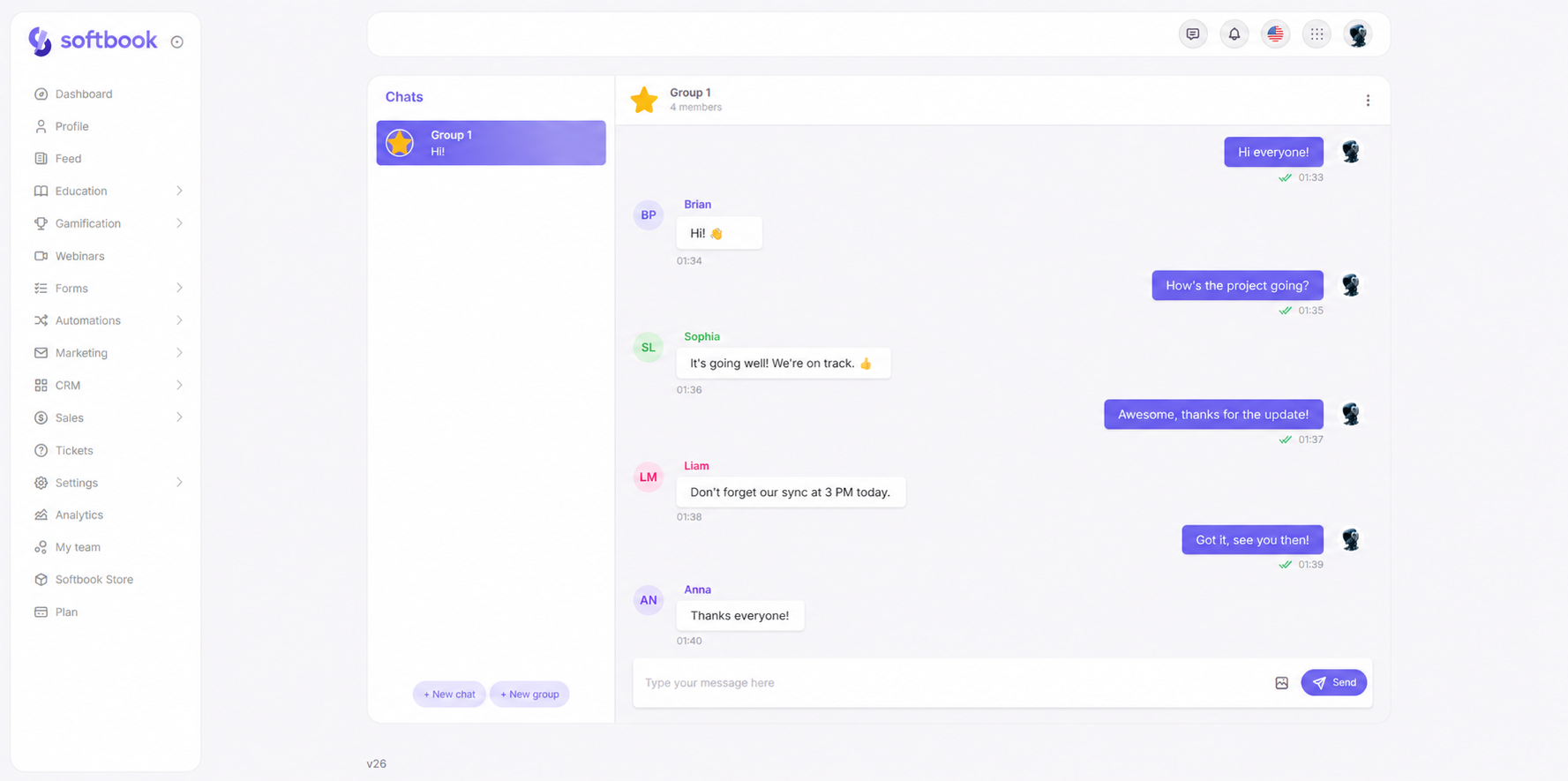
The messenger feels more like the messengers you’re used to. You can reply to a specific message, reactions are reworked, important messages get pinned to the header with a quick jump.
The main thing in the messenger is group chats. Assign admins, invite students with a unique link or directly from the interface. And in the Student Groups section, there’s now a “create chat” button — all students in that group are added to the new chat automatically.
The school feed has changed too. Paid posts are now possible: set a price, a currency, and a payment system, and the post opens only to those who paid. The feed itself is now real-time — new posts, reactions, and comments appear without a page refresh.
Support
The same reply-to-message, reactions, and pinning features from the messenger are now in support conversations too.
Analytics for any period 📊
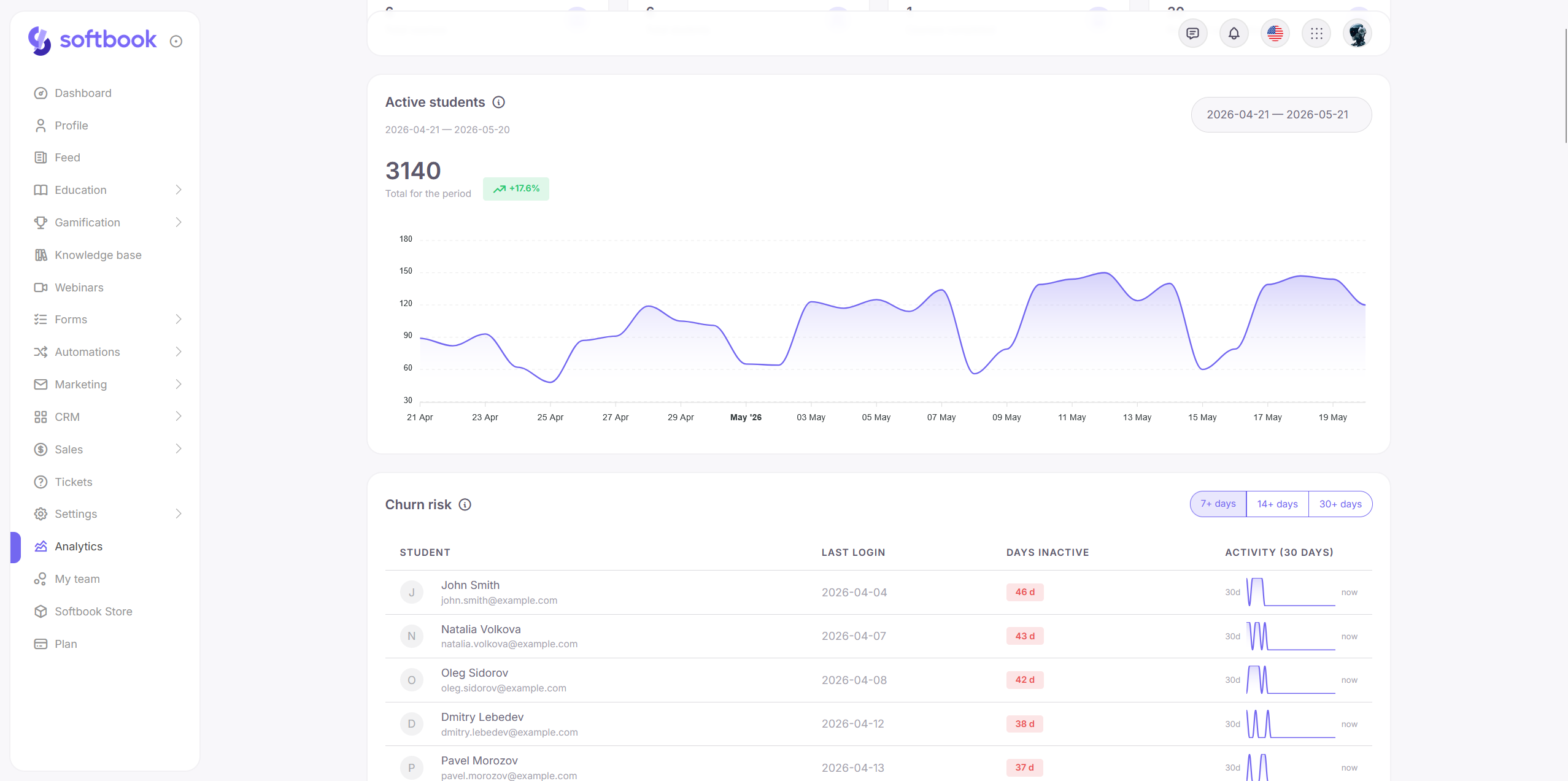
Analytics is more flexible. In widgets where it makes sense, you can now set a custom date range instead of the fixed breakdown.
The Discount effectiveness widget used to show stats across all time. To compare two campaigns, you’d have to do the subtraction by hand. Now you pick the period you need and see clean numbers for that specific campaign.
The same logic applies in widgets for active students, lesson completion, course duration, the course funnel, UTM source revenue, and deal closing speed.
API 💻
The API documentation has been rewritten. There’s now a v2 with new methods for developers. v1 is marked as deprecated but continues to work — existing integrations won’t break. New integrations should be built on v2 from the start.
Softbook Cloud — noticeably faster
Softbook Cloud got its own dedicated performance work. All pages load faster, especially the directory of inactive files. Plus a refreshed design.
P.S. A quick note on design. Alongside the interface update, we’ve removed dark mode — for stable, predictable rendering across all sections and products.
How to try it
Everything described is already live. Open Softbook and take a look.
Share what you know.
Frequently asked questions
Why is the release called Softbook 26?
Softbook switched to year-based versioning, so “26” identifies the platform release for 2026. The name makes versions easier to understand as the ecosystem grows: users can immediately see which annual release an update belongs to instead of remembering a long sequence of version numbers.
Which marketing tools are included in Softbook 26?
Softbook 26 brings a landing page builder, email editor, campaigns, and visual automations into the LMS. These tools use the same student database and analytics, so schools can build pages, send email or Telegram messages, segment audiences, and automate actions without connecting several external services.
Can I run webinars directly inside Softbook LMS?
Yes. Softbook 26 supports webinars inside the LMS in two formats: host camera only, or camera with a PDF presentation. You can enable or disable chat, move through slides during the broadcast, and rely on YouTube technology for streaming quality without configuring Zoom or OBS separately.
What changed for course creation and student support?
AI course generation now produces more complete drafts, while tests gained six additional question types and an optional one-question-at-a-time view. Administrators can also open the platform as a specific student, review sent emails, manage more flexible lesson schedules, and create better-customized certificates.
How does Softbook 26 reduce the number of external services?
Landing pages, email design, campaigns, automations, analytics, webinars, learning, and sales now work inside one platform. Because they share the same student data, schools need fewer integrations, subscriptions, and separate invoices, while reducing the risk of broken connections between marketing, course delivery, and communication tools.