
Starter
25 certificates
$5
$0.20 per certificate
Get startedSoftbook Certify is an online service for creating and issuing certificates: you design a template once, issue certificates by list with email delivery, by personal link or through the API, and each one gets a serial number, a QR code and a public check page.
Works without an LMS, with any course, webinar or event.
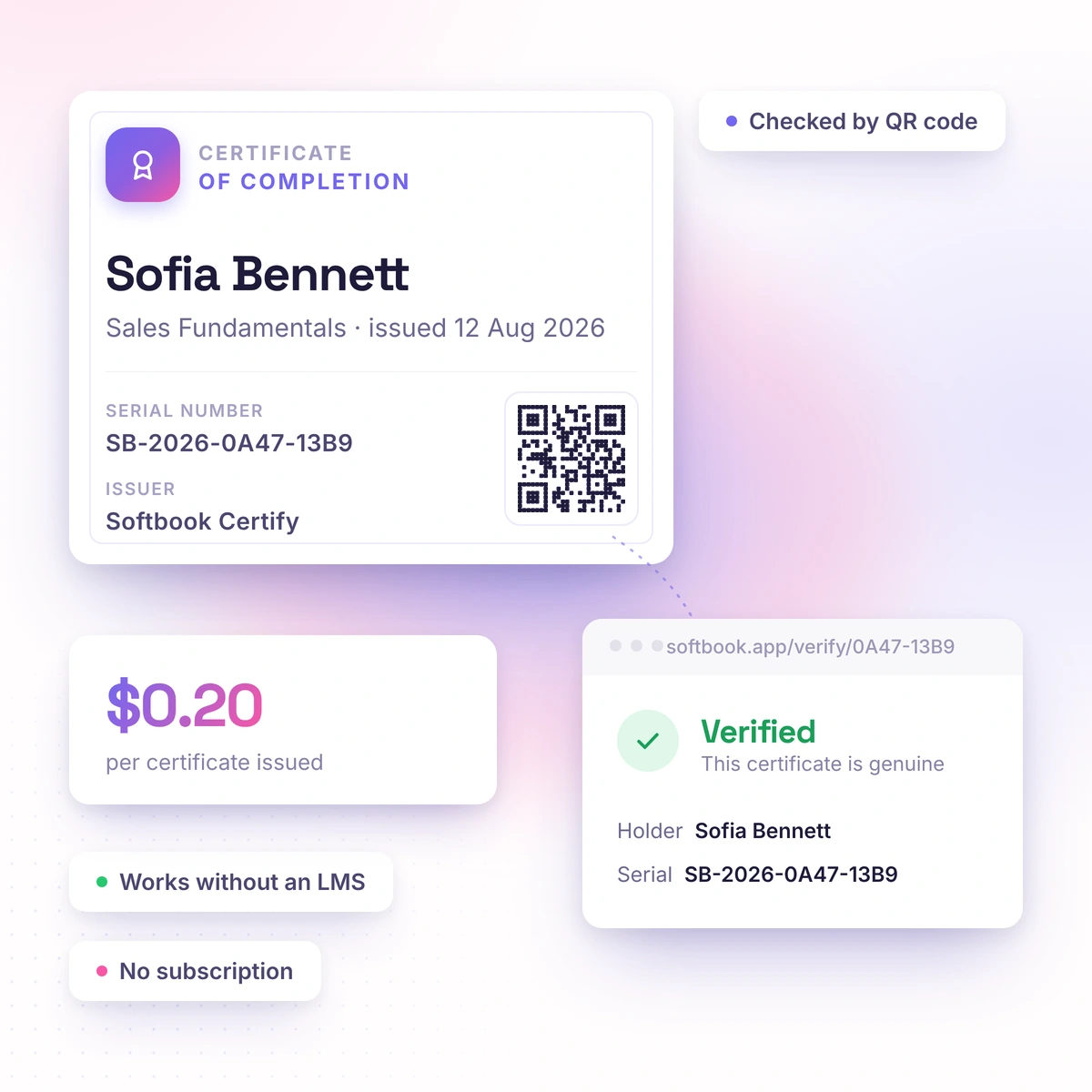
A certificate nobody can check is just a picture. Anyone can draw one. Certify gives every certificate a serial number and a public check page — and it starts to mean something.
The interface is available in 8 languages. Sign in with email or Google, and an existing Softbook account works too.
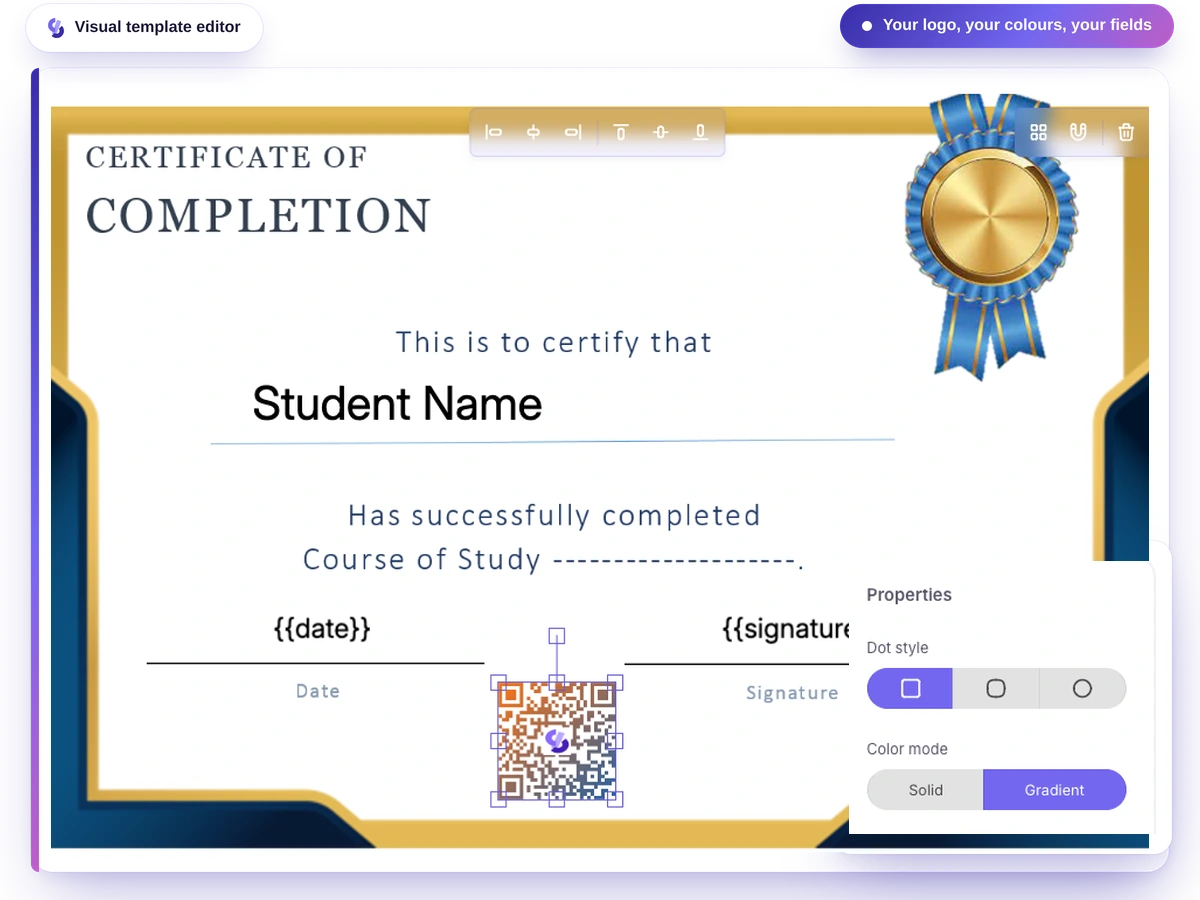
Put together the background, logo and text in the visual editor, and mark the fields that change for each person: name, course, date.
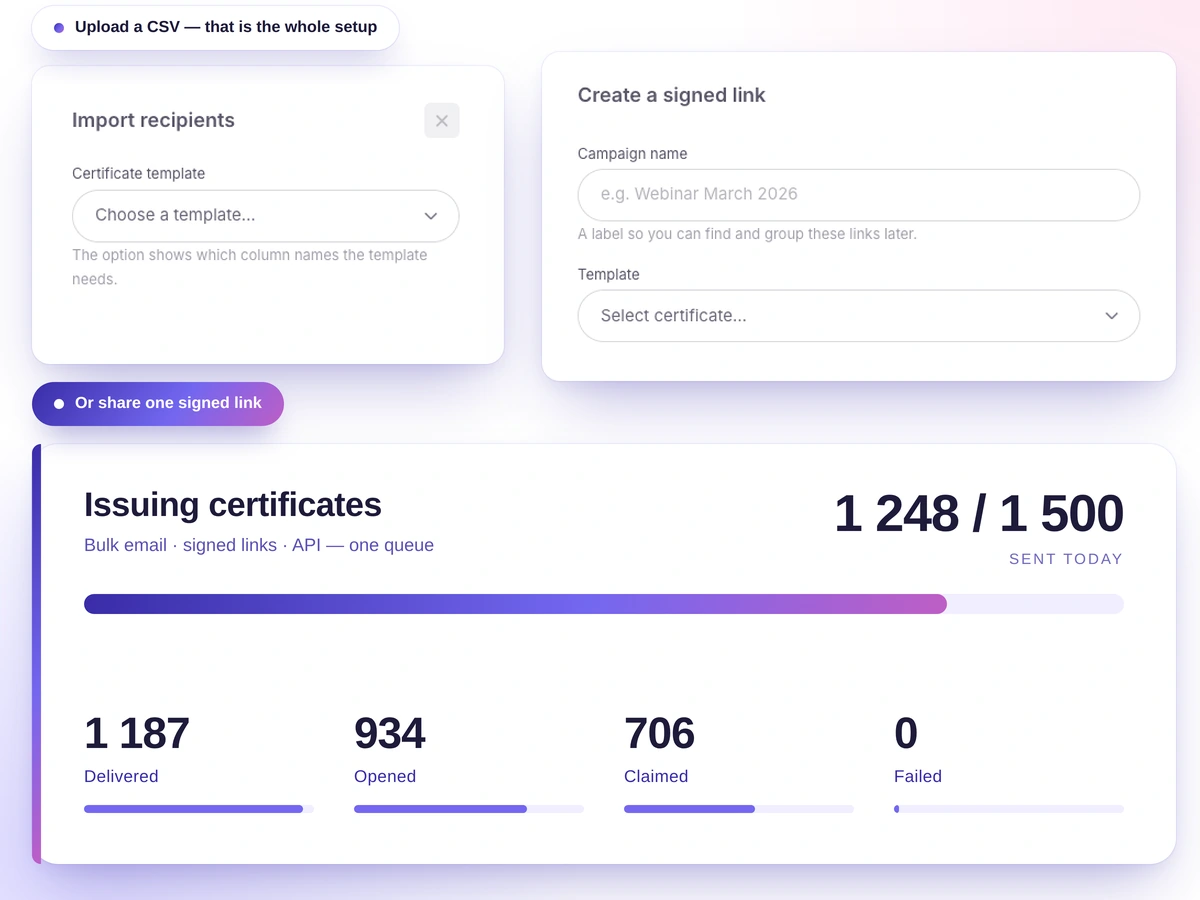
Upload a CSV or TXT list with emails, send personal links, or let your system issue through the API.
Each certificate arrives by email or is collected by link, with a serial number and a QR code. Anyone can check it without creating an account.
You don't pay a designer for every event and you don't fix five hundred files by hand. In the visual editor you put together the background, text, logos and images, shapes and a QR code, then mark the fields that change: name, course, date, hours, any column from your spreadsheet. The serial number is added automatically, nobody types it in.
You don't bend your process to fit the service. You have a list, you upload it. You have no emails, you send a link. You need it automatic, you connect the API. The template stays the same whichever way you choose.
Your certificate stops being a picture: it no longer has to be taken on trust — which means people start taking it seriously. That's the difference between "they sent a PDF" and "I can check it myself." Every certificate has a serial number and a public check page, and the QR code on the certificate itself leads to the same place.
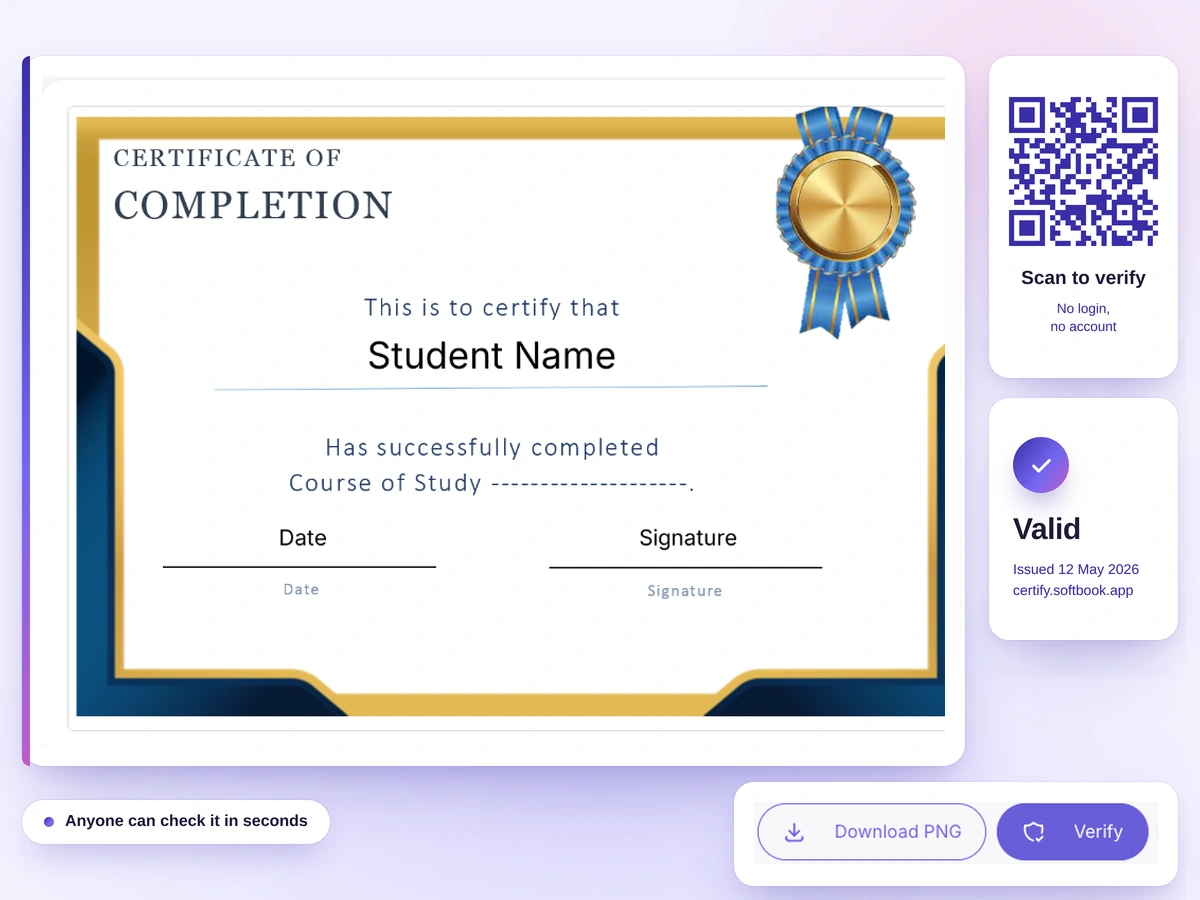
Whoever received your certificate can check it whenever they need to — even if your conference happened once and the company closed long ago. That's exactly why the check can be trusted: it doesn't depend on whether the issuer is still around. An issued certificate stays valid and checkable even if you close the project, the account or the company. You can't delete it after the fact — only revoke it, and the revocation shows on the check page. If the issuer could erase a certificate retroactively, the check would be worth nothing.
Issued certificates stay valid even if you close the project
Each certificate keeps its serial number and its own check page
The check doesn't depend on whether the project that issued the certificate still exists
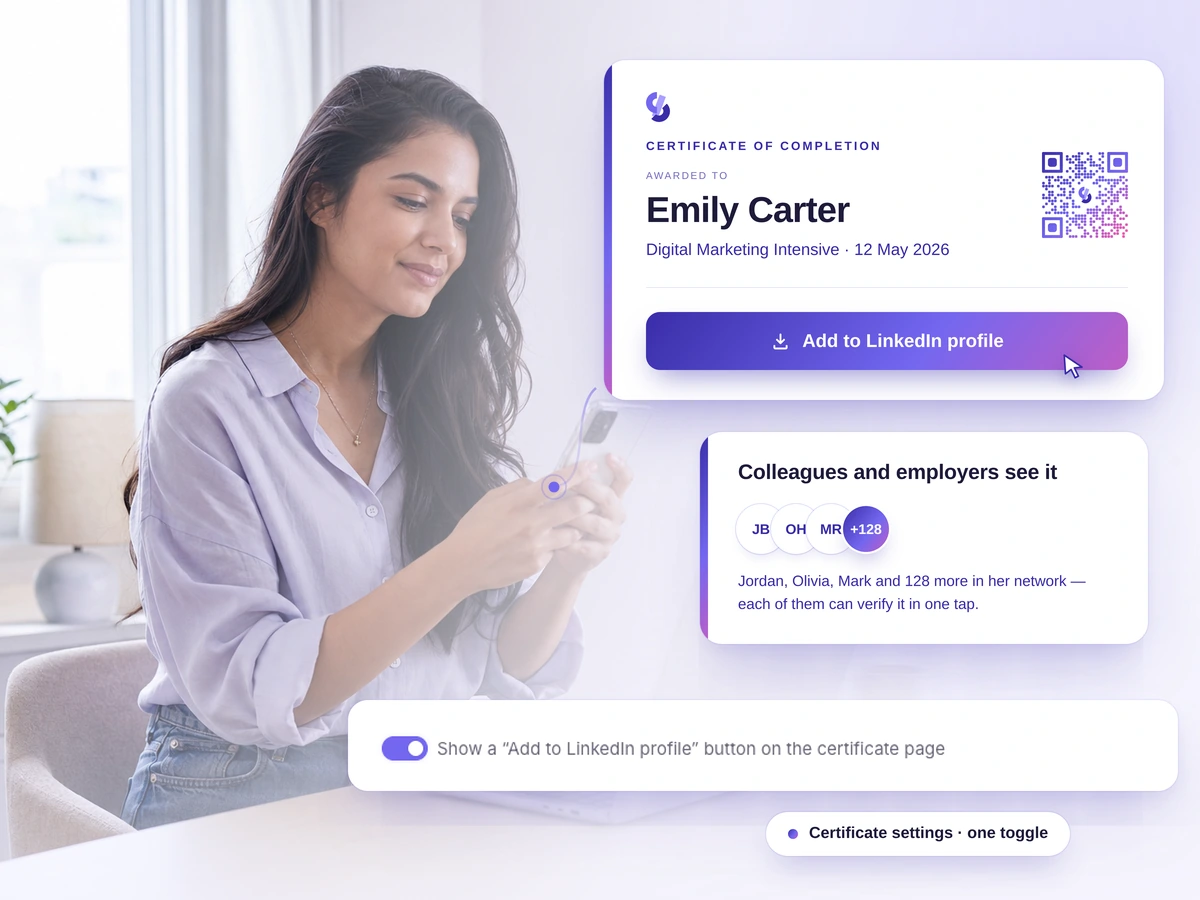
Your participants tell people about you themselves, for free and by choice. Usually a certificate stays in the Downloads folder and nobody sees it again. Here it goes into a profile that colleagues and employers read: the certificate page has a button that adds it to LinkedIn with the fields already filled in.
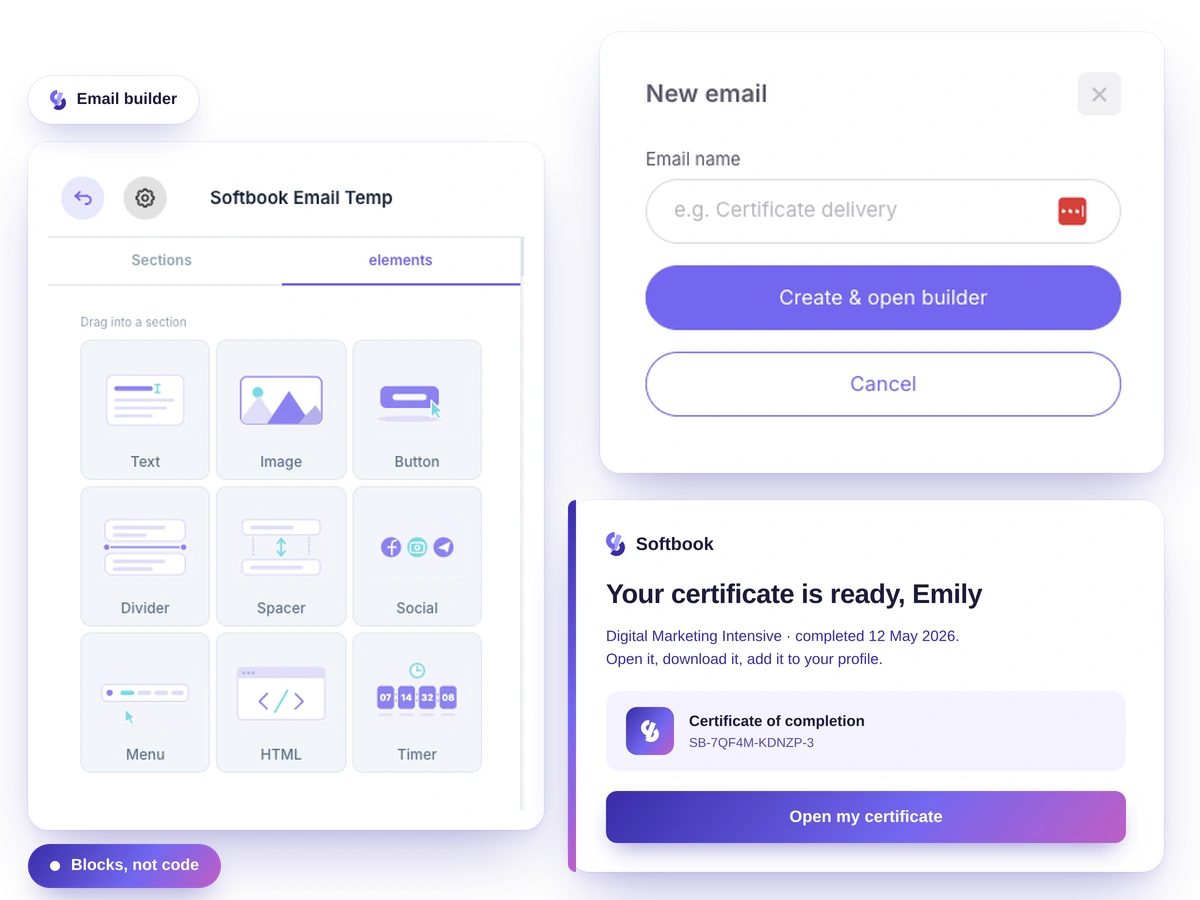
The email comes from a sender people know: they were expecting a certificate from your conference, and it arrives from your conference. To connect your sending domain, the service shows the DNS records to add, with copy buttons, and then checks the domain. Until it's connected, emails go out from a shared Softbook address. If you have a school on Softbook LMS, you can use the domain you've already verified there.
After an issue you see it in numbers: how many certificates went out, how many emails were delivered, who had an error and how many tokens are left. Unsent emails can be sent again for free, and the token history shows what each token was spent on.
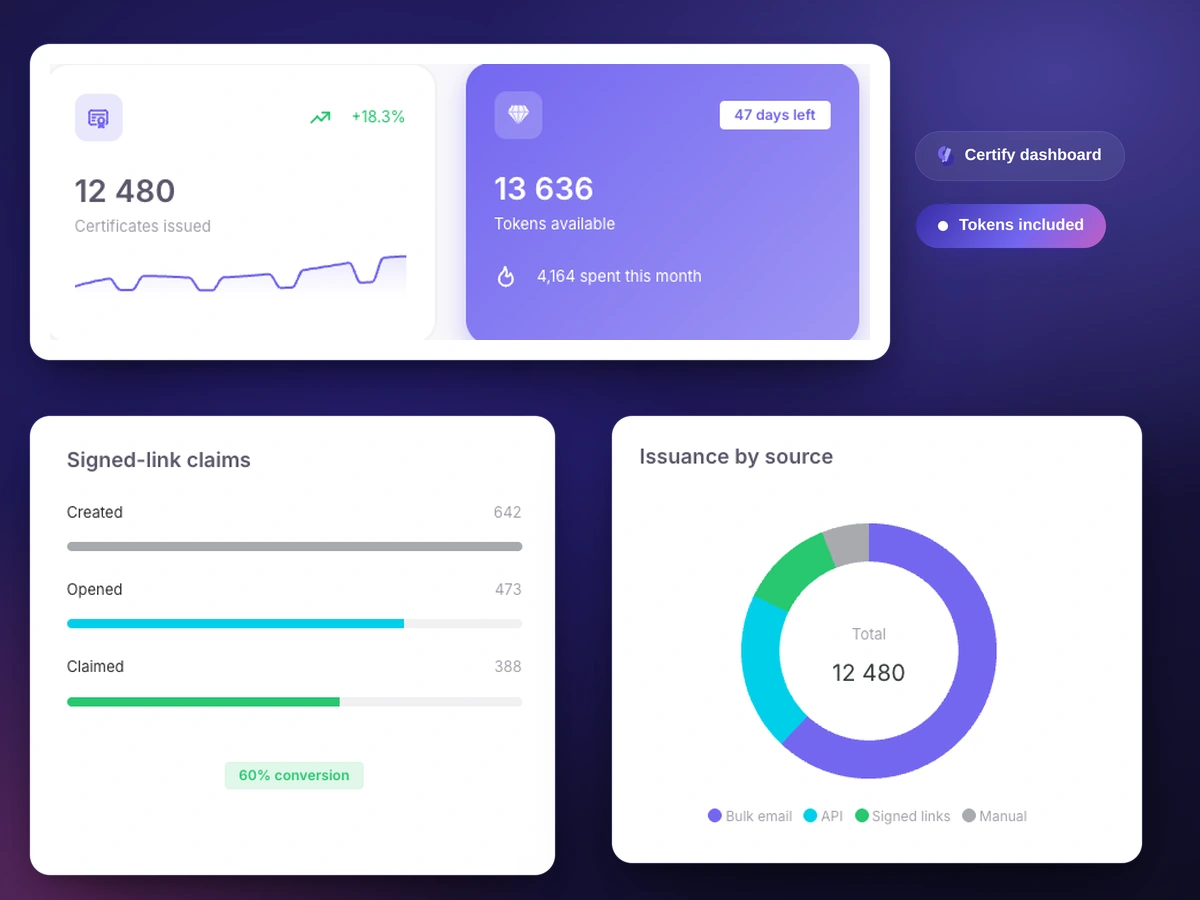
A token is spent when a new certificate is issued. Checking the result, fixing a mistake and sending again are free.
Issue one in your own name from the template preview and see the certificate page, the check and the buttons before you buy anything.
Same person, same data, same template: the email goes out again, and no new certificate is created.
Changed the template? Issue again within 14 days, and the certificate is redrawn in the new design with the same number.
If some emails didn't go through, you see the reason and send them again.
Wrong column names, missing fields or an empty file show up before a single token is spent.
A person who opens their link twice sees the same certificate, and it isn't charged again.
Certify is about your case, even if you don't have an online school and never will.
Export the attendee list, upload it, and every participant gets a named certificate by email.
Separate templates for participants, speakers and volunteers, emails from the event's domain, and its logo on LinkedIn.
Graduates show certificates to employers, and employers check them by QR code without calling you.
Your course lives on another platform, and the certificate comes from Certify: send a graduate a link, and they collect it.
A certificate after every internal training, with a searchable record of who received what and a CSV export.
Certificates for members and participants. If a status is withdrawn, revoke the certificate, and the check page shows it.
1 token = 1 certificate issued. Take a pack or a custom amount — tokens are spent as you issue and they don't expire. The bigger the pack, the cheaper each certificate.
Starter
25 certificates
$0.20 per certificate
Get startedPro
100 certificates
$0.18 per certificate
Get startedBulk
500 certificates
$0.15 per certificate
Get startedPay as you go: 500 to 10,000 certificates
Set any amount on the slider, in steps of 100. The more you take, the less each certificate costs — and that price applies to the whole amount.
You pay per certificate issued: 1 token = 1 certificate. Packs: 25 for $5, 100 for $18, 500 for $75. For 500 to 10,000 there's a slider, from $0.12 per certificate. There's no subscription.
Yes. A test issue from the template preview is free: you get a certificate in your own name with its own page. To issue certificates to other people you need tokens, and the smallest pack is 25 certificates for $5.
No. You design the template with the mouse, upload the list as an ordinary spreadsheet and start issuing with one button. The API is optional: with it, your own system issues certificates automatically, for example when a student completes a course.
There are no ready-made integrations with specific services. Export the participant list as a CSV file and upload it to Certify, or automate issuing through the API.
Errors in the file, such as wrong column names or missing fields, show up before any tokens are spent, and you see every recipient before sending. If you find a mistake in the design after sending, fix the template and issue again within 14 days: the certificates are redrawn for free and keep their numbers.
Use personal links. Send each person a link in a messenger, a course chat or anywhere else, and they collect the certificate themselves.
An email with the certificate and a button to its page. The page shows the certificate image and serial number, with buttons to download it, check it and, if you've turned it on, add it to LinkedIn.
They open the check page by link or QR code. It shows that the certificate was issued through Softbook Certify on behalf of the organization named on it, the date it was issued, and whether it has been revoked. No account needed.
Yes. A revoked certificate is marked invalid on the check page.
Certify confirms that a certificate was issued through Softbook Certify on behalf of the organization named on it and has not been revoked. Softbook doesn't verify the issuer's identity. It isn't a state education document, and its legal weight depends on who issues it and on what grounds.
Nothing happens: the certificate keeps its serial number and its check page, and there's no need to issue it again.
No. Issued certificates stay valid and checkable even if you close the project, the account or the company. You can't delete an issued certificate after the fact — only revoke it, and the check page then marks it as revoked.
No. Tokens you've bought don't expire: you pay for the act of issuing, and unused ones stay on your balance — you can buy a pack ahead of a future event.
The interface is available in 8 languages: English, Russian, Ukrainian, German, French, Portuguese, Spanish and Polish. You sign in with email and password or with Google, and an existing Softbook account works too.
No. Certify stands on its own; no LMS required. If you do have a school on Softbook, you can reuse the sending domain you've already verified.
Not if you issue certificates for your own courses: they're already included in the LMS. Certify is for certificates that aren't tied to a course — a conference, a webinar, internal training, membership in a community.
Start with a free test certificate in your own name. When you're ready, 25 certificates cost $5, with no subscription.