Automate your online school: the system takes the busywork
Automations in Softbook are "if this event happened → then do this action" workflows without code: payments, enrollment, emails, groups and data transfer to outside services all fire on their own.
- Workflows without code
- Works across the whole platform
- 30 days free
How it works
Set it up once — the school runs itself
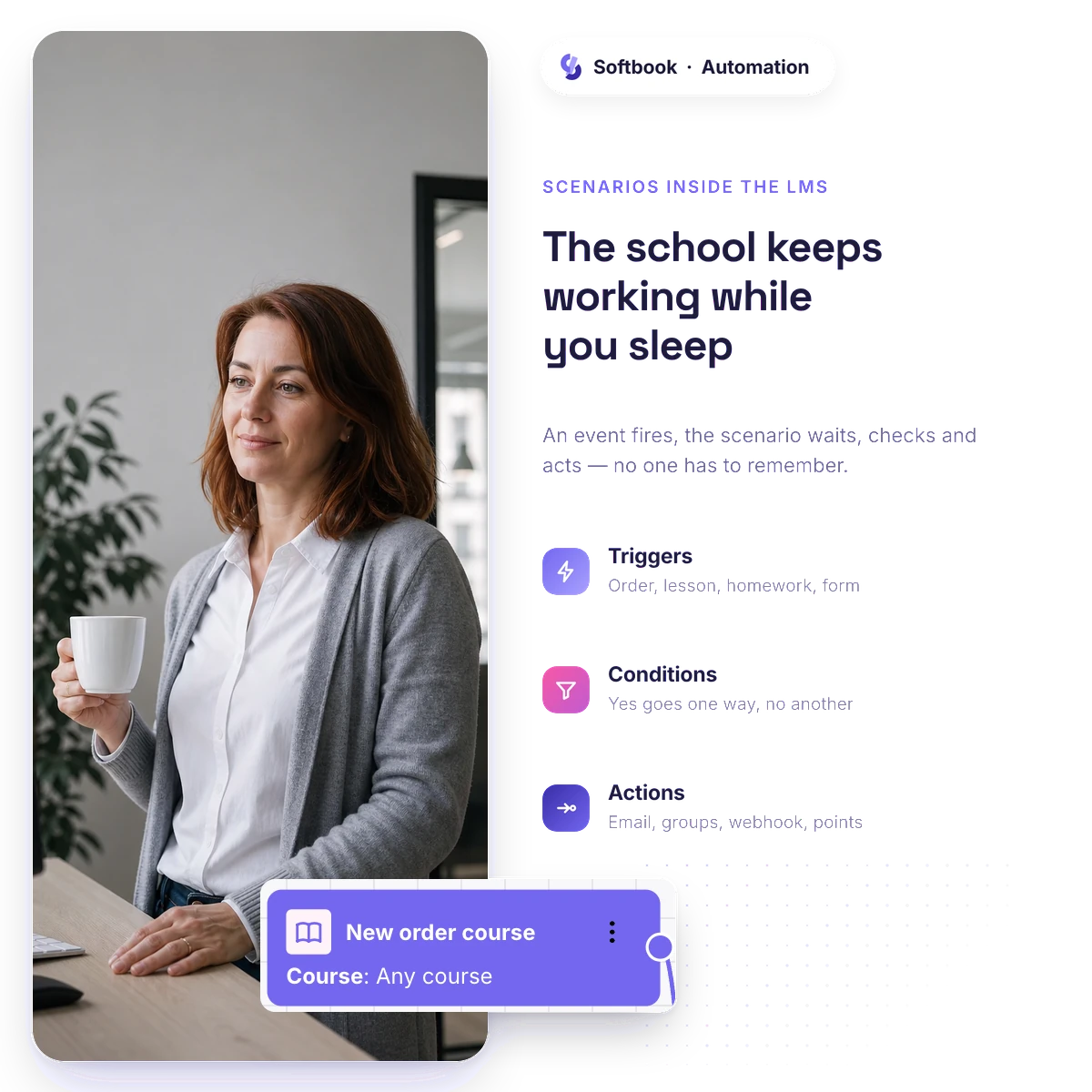
The more students there are, the more busywork there is — and all of it lands on you. Build the workflow once: "if this event happened → do this action." From there the platform runs it for every student, around the clock, without you.
- You assemble the workflow with the mouse on a canvas: trigger → condition → action, no code
- Check it on a test run and switch it on — it works the same way for every student
- Logs show what fired and when, filtered by a student's email: "why didn't Smith get the email" takes a minute to check
- Loop protection — workflows won't set each other off in circles
The whole platform
Sales and learning automated — on one base
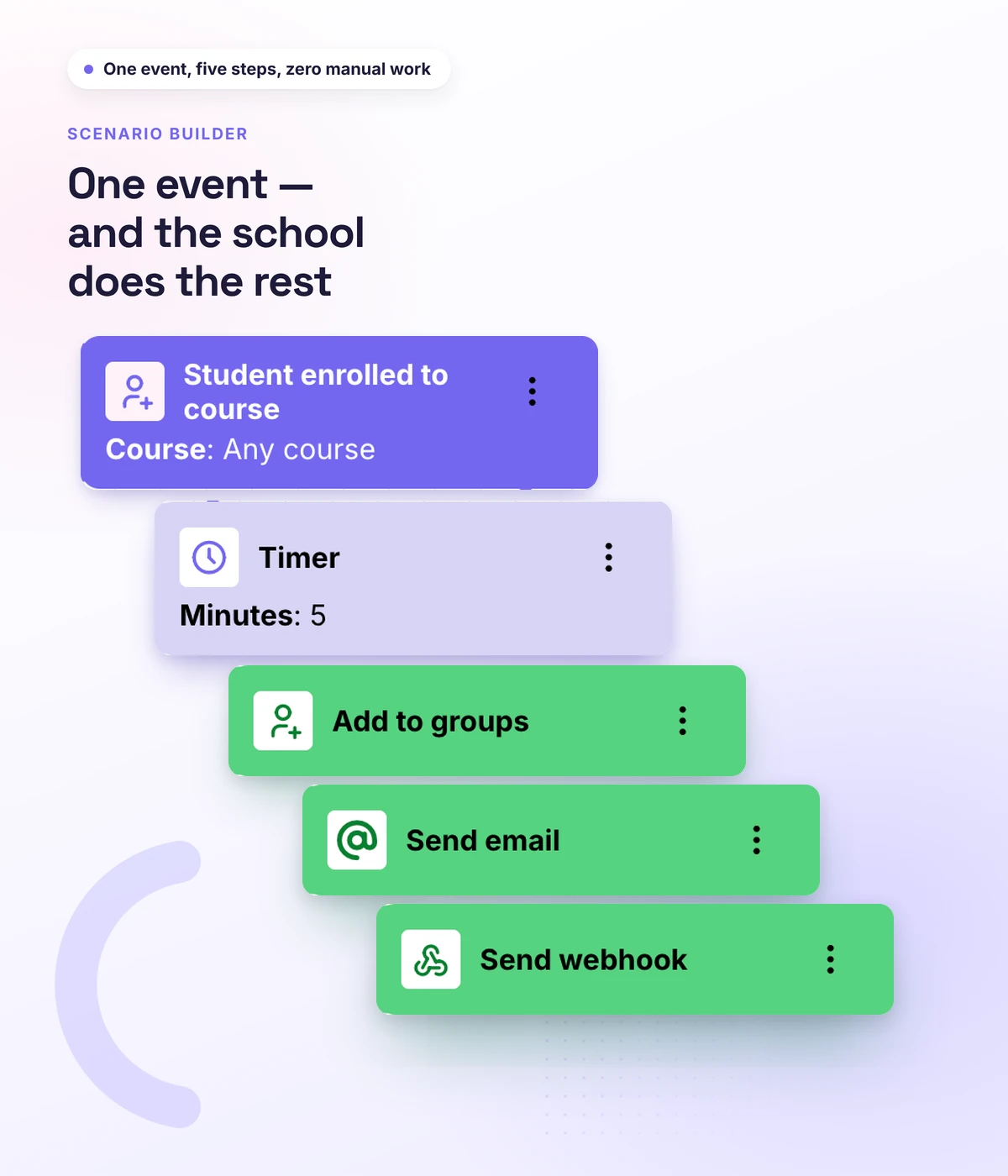
A payment lands at two in the morning — the student is already on the course, the welcome email has gone out, the deal in the CRM is updated. Without you. Workflows fire across the whole school: learning, sales and CRM run on one student base.
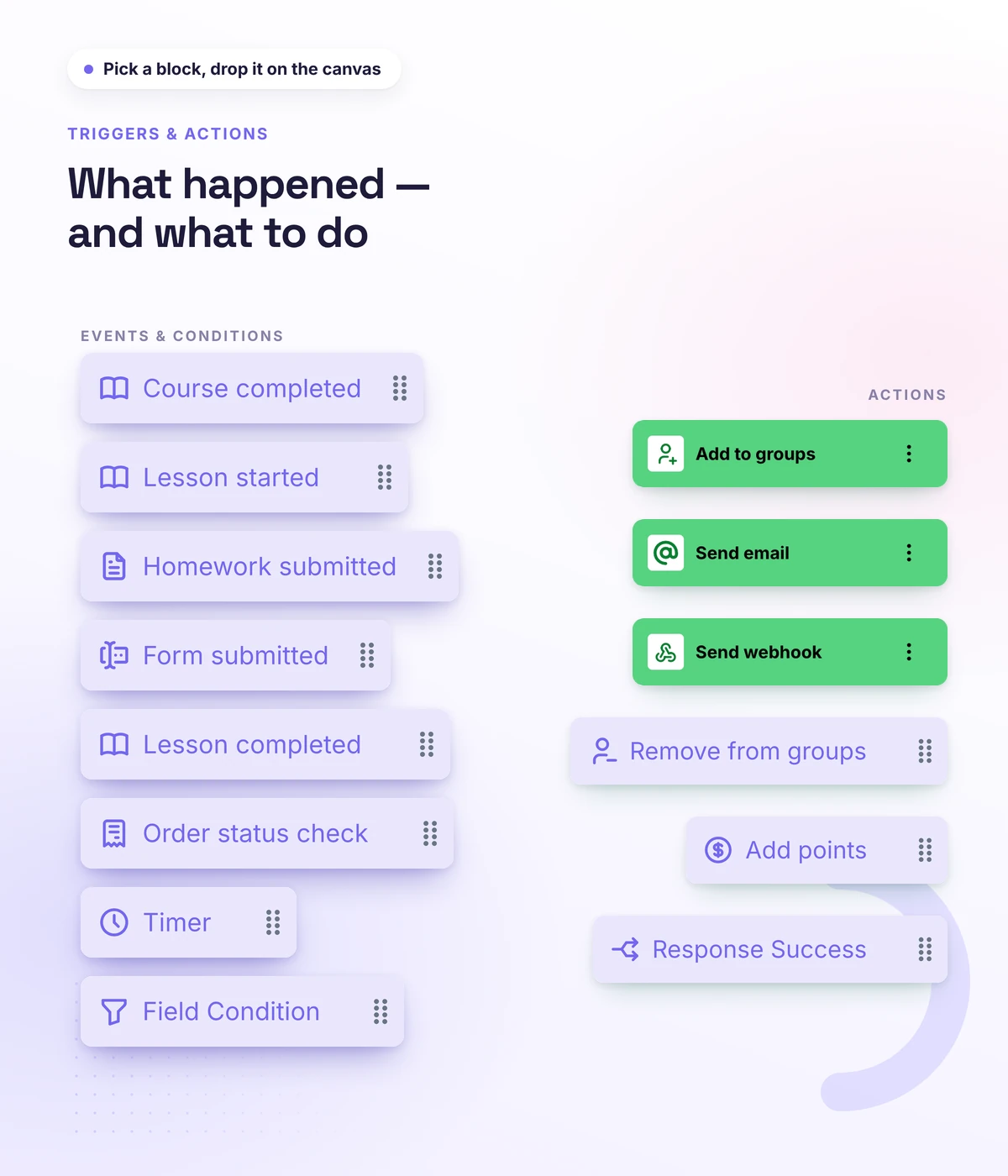
- Triggers across the whole school: order paid, enrollment on a course, lesson or course completed, test submitted, a lead from the site
- Actions: open course access, add to a group or remove from it, send an email or a Telegram message
- CRM events are in play too: a contact or a deal is created — start your workflow
- No shuttling data between services — it's all on one student base
Follow-up
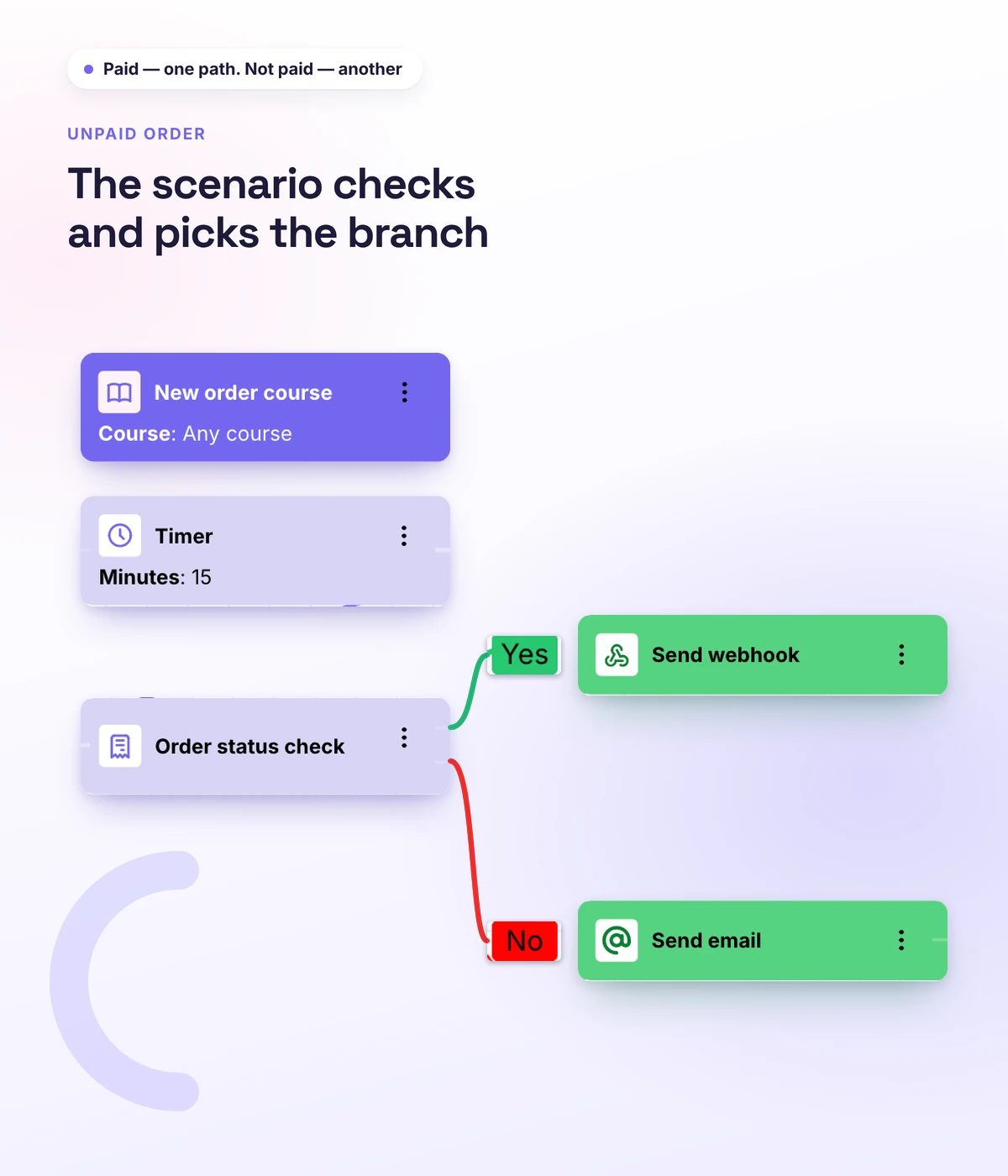
Someone placed an order and didn't pay — the workflow reminds them
You win back money that had almost walked away: the person reached the payment step, so the decision is nearly made, and one email an hour later is often enough. "New order" and "Order paid" are separate triggers, so on anyone who placed an order you hang a timer and then an email or a Telegram message, if the payment never arrived.
- "New order" trigger → delay → email or Telegram
- The condition checks whether the order is paid: people who paid get nothing
- The name and the product title are inserted into the message
- There's no separate "abandoned cart" trigger in the platform — you build the workflow yourself from "New order" and a timer
Outside services
Reach any service — through a webhook
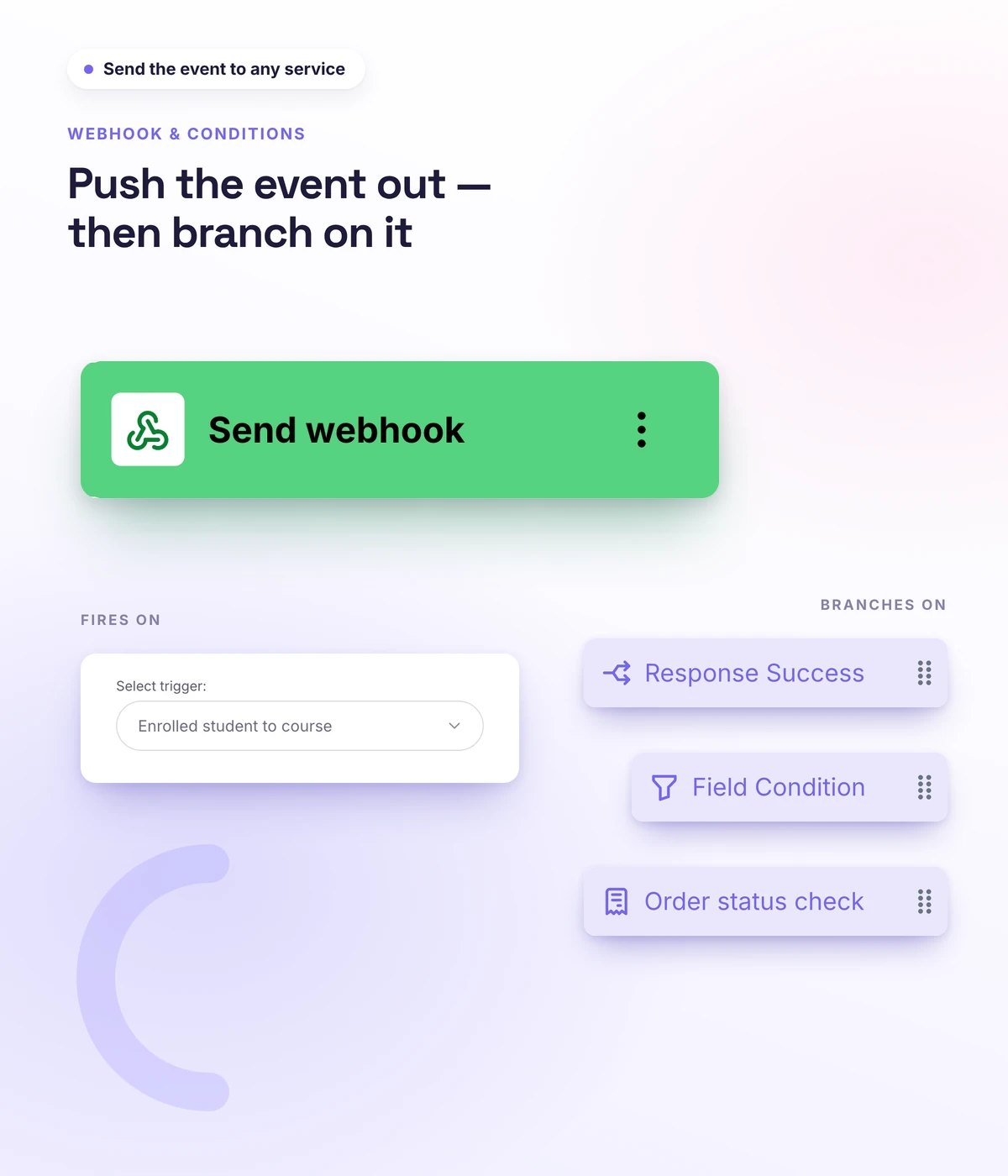
Sometimes the action belongs outside the school: mark a payment in your own system, pass data to an outside service, kick off a process on your side. An HTTP request and a webhook do this straight from the workflow. And a condition and a timer decide who it fires for, and when.
- Data passed to outside services through an HTTP request and a webhook
- Branching on a condition: a different path for different students
- A timer delay: remind them a day later, for example
- Variables insert the student's name and the course title into messages
Real schools. Real results. Real people.
Founders and creators on what works best for them in Softbook.

"We picked Softbook because we needed one platform for selling courses and managing students. What we value most: video uploads, clear pricing with no surprises, and support that actually listens and acts."
Mike Pritula
Mike Pritula Academy

"The team moved all my lessons over by hand — I have no idea how I would have done it myself. They were careful about it. They keep improving the platform, they listen to what you ask for, and they genuinely look after every client."
Tanya Mykhalchenko
PPC advertising school

"Before we switched, we tried selling video lessons through Instagram, but without an admin it was impossible. Here I uploaded the courses, set up automatic payments — and the system runs itself. The courses bring in steady income without me being involved every day."
Olga Miller
Director, recruiting school

"We built a big knowledge base for our students on Softbook. No more 'live' sessions with speakers — everything is recorded and laid out in modules with tests and assignments. Our instructional designers can finally breathe."
Alexey Dinar
Personal coach
"Your platform solved a problem I had been struggling with for a long time. I uploaded a few courses, set up automatic payments — and stopped worrying about the technical side. I can see the courses selling and bringing in income every month."
Alla
Massage therapist

"Softbook let us scale our cleaning school into new regions with no extra spend on technology."
Yevhen Sukharev
Founder, Kyiv School of Cleaning
"In two years with Softbook we have built a full agency with an education arm. The platform covers everything we need."
Myroslav Liaskovets
Founder, LeadMarketing
Questions about automating a school
No. The workflow is assembled with the mouse: you pick a trigger, a condition if you want one, and an action. No code.
Opening access after payment, enrollment into a group, emails and messages on an event, passing data to outside services. Triggers cover learning, sales and CRM.
Automated funnels are sequences of emails that carry people to a purchase (the marketing page → Marketing). This is an engine for the whole school: any event and any action, including course access, groups and outside services.
The logs will show whether the event fired and whether the workflow passed its conditions — and they can be filtered by a specific student's email. Loop protection stops endless cycles on its own.
Yes. "New order" and "Order paid" are separate triggers, so you hang a timer on an unpaid order and follow it with an email or Telegram. There's no separate "abandoned cart" trigger in the platform — you build the workflow yourself from these two steps.
Set up a school that runs itself
30 days free, no card. You build the workflows once — from there the platform handles the busywork without you.