
Course builder: put an online course together without code
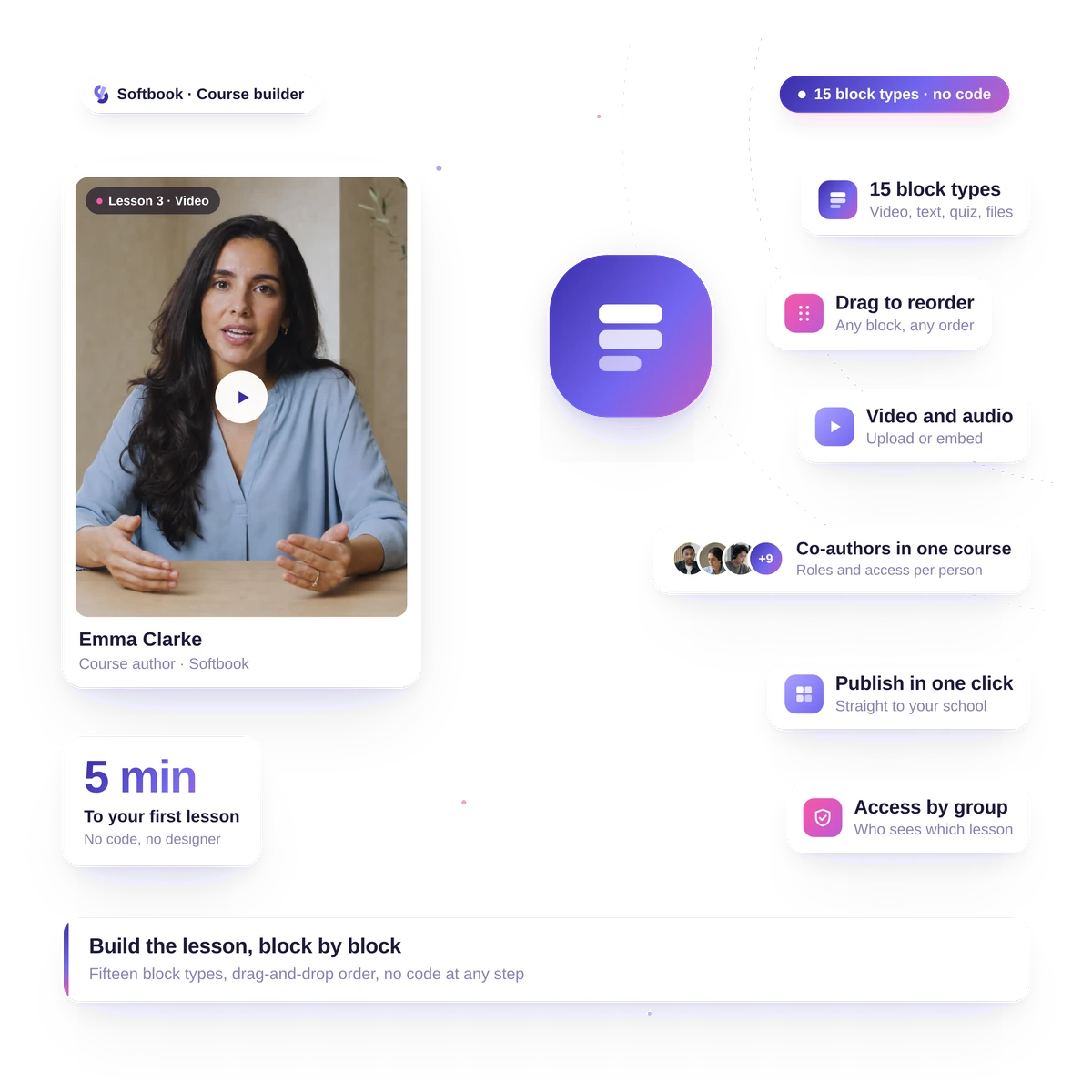
A course builder is an editor where you put an online course together without code. In Softbook you set up modules and lessons, assemble each lesson from blocks such as video, text, audio and files, add tests and assignments, and choose how lessons open: one after another, on fixed dates or with a delay. On completion the student gets a certificate. Courses and students are unlimited.
- No code, no layout work
- Unlimited courses and students
- 30 days free
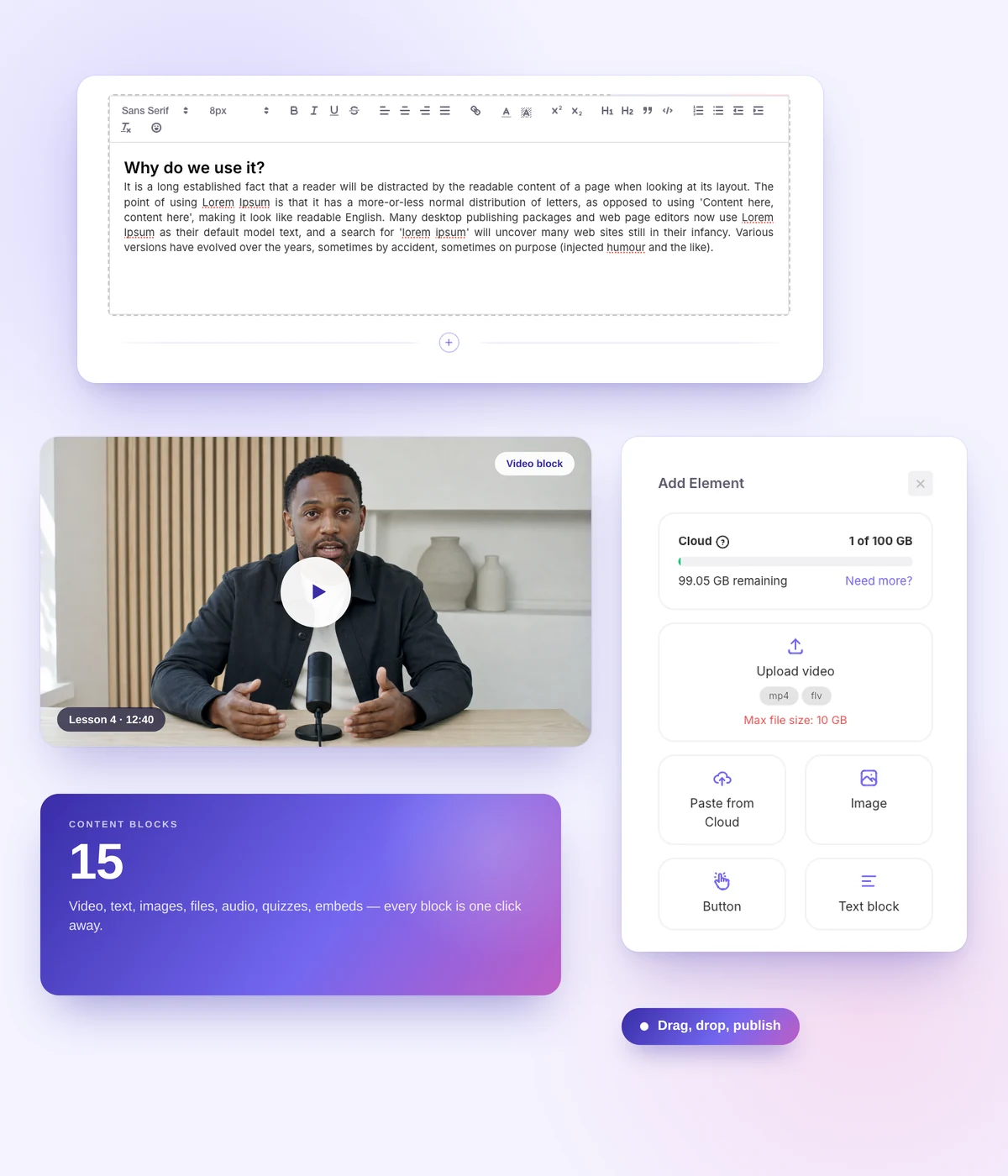
Lesson builder
Lesson builder — drag it together, no layout work
Add elements in any order and move them with the mouse. A long lesson splits into steps so the student has an easier path through the material. Course structure — modules and lessons — is set up the way that suits you. Bring your existing material or start from scratch.
- Video: upload your own or embed from YouTube and Vimeo
- Audio, formatted text, images
- Files right inside the lesson — pdf, doc, xls, slides, with page-by-page viewing
- Link buttons and custom HTML
- Steps inside a lesson: split the material into blocks, reorder them with the mouse and require every step to be viewed
- Course copying and a trash bin: a deleted course can be restored
- Reuse material across courses through Softbook Cloud
- Students can take lessons in the iOS and Android app too: video, audio, text and PDFs open right inside it
Tests
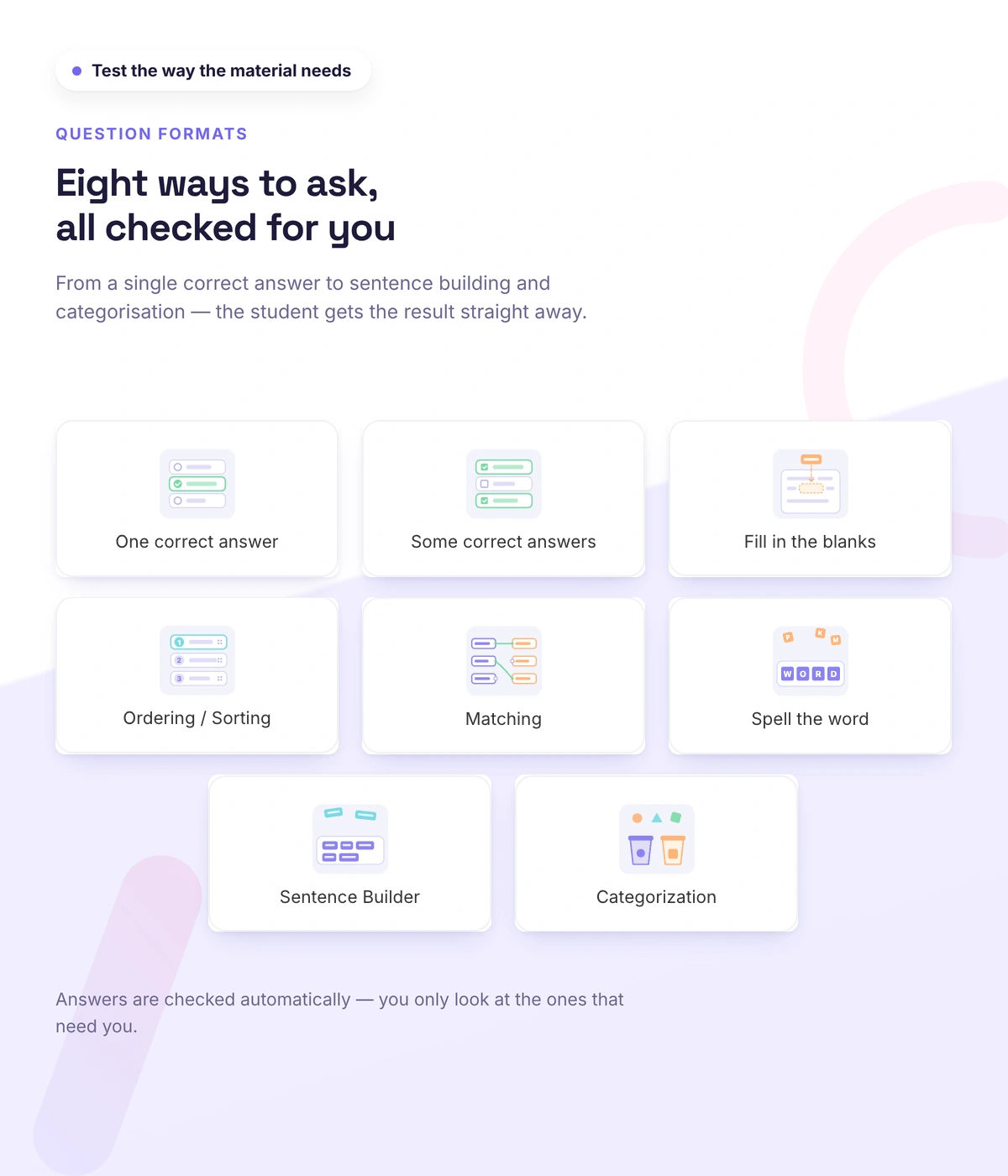
Tests and assessments: understanding, not memory
Eight question types, six of them interactive: the student builds a sentence, assembles a word from letters, matches pairs and sorts items into groups — guessing doesn't work.
Assignments
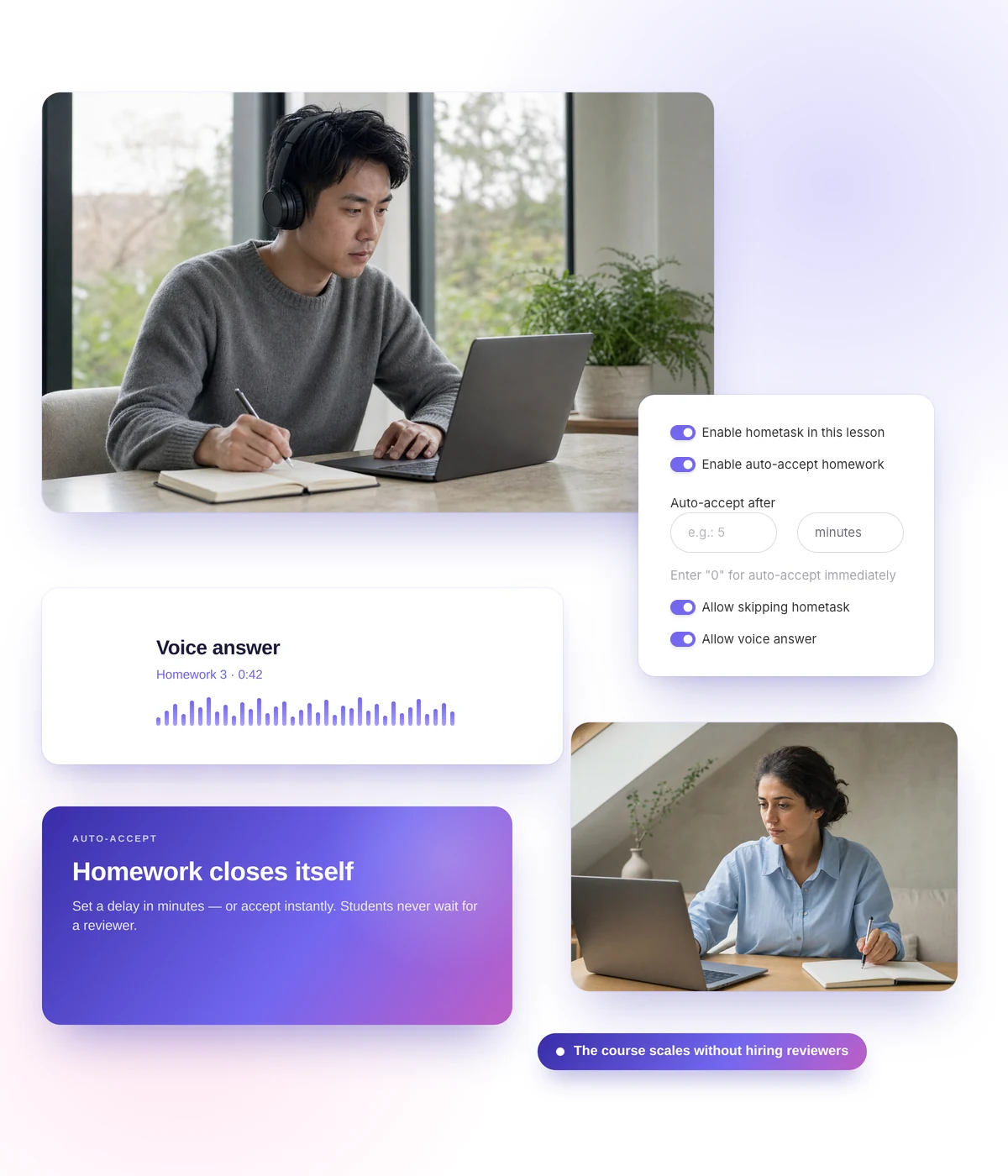
The course scales without hiring reviewers
The cohort grows, your staff doesn't: an assignment can accept work automatically on a timer, so the student isn't waiting a week to be graded. Where the review genuinely matters, you keep it — the student answers in text or by voice, and the teacher can reply with a voice message too.
- Timed auto-accept — for a large cohort without a teaching staff
- Voice answers from students and voice replies from teachers: you hear pronunciation, not just text
- Assignments can be required or skippable
- Comments under the lesson: questions and answers in front of the group
Student reviews
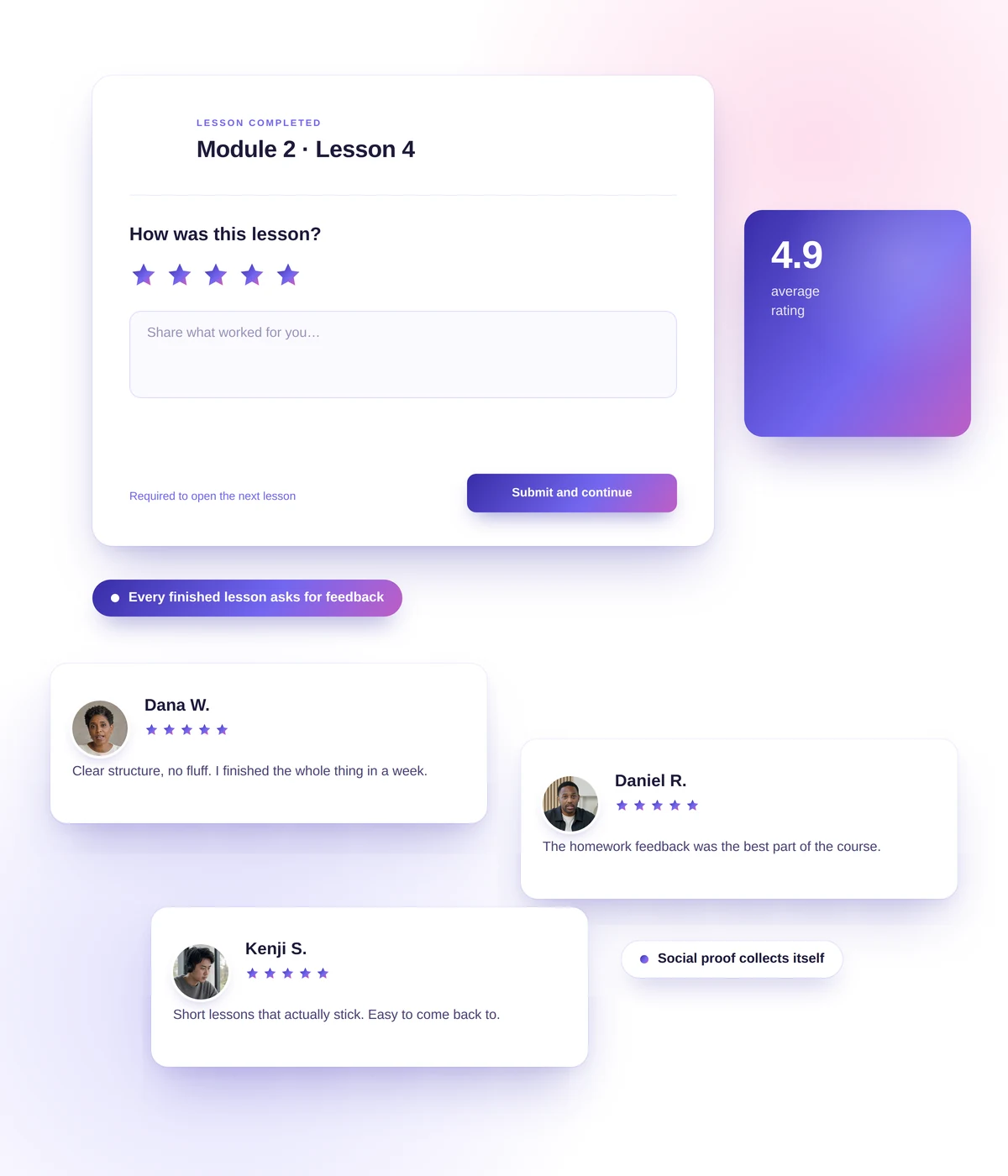
Social proof collects itself
The question of how to coax a review out of someone stops being a problem: a lesson or a course can require one, and without it the student doesn't move on. The review arrives while the student has just finished the material and is still under the impression — not a month later, after a reminder email.
- "Require a review" — at lesson or whole-course level
- The review is collected at peak engagement
- A body of real reviews of your courses builds up
AI help
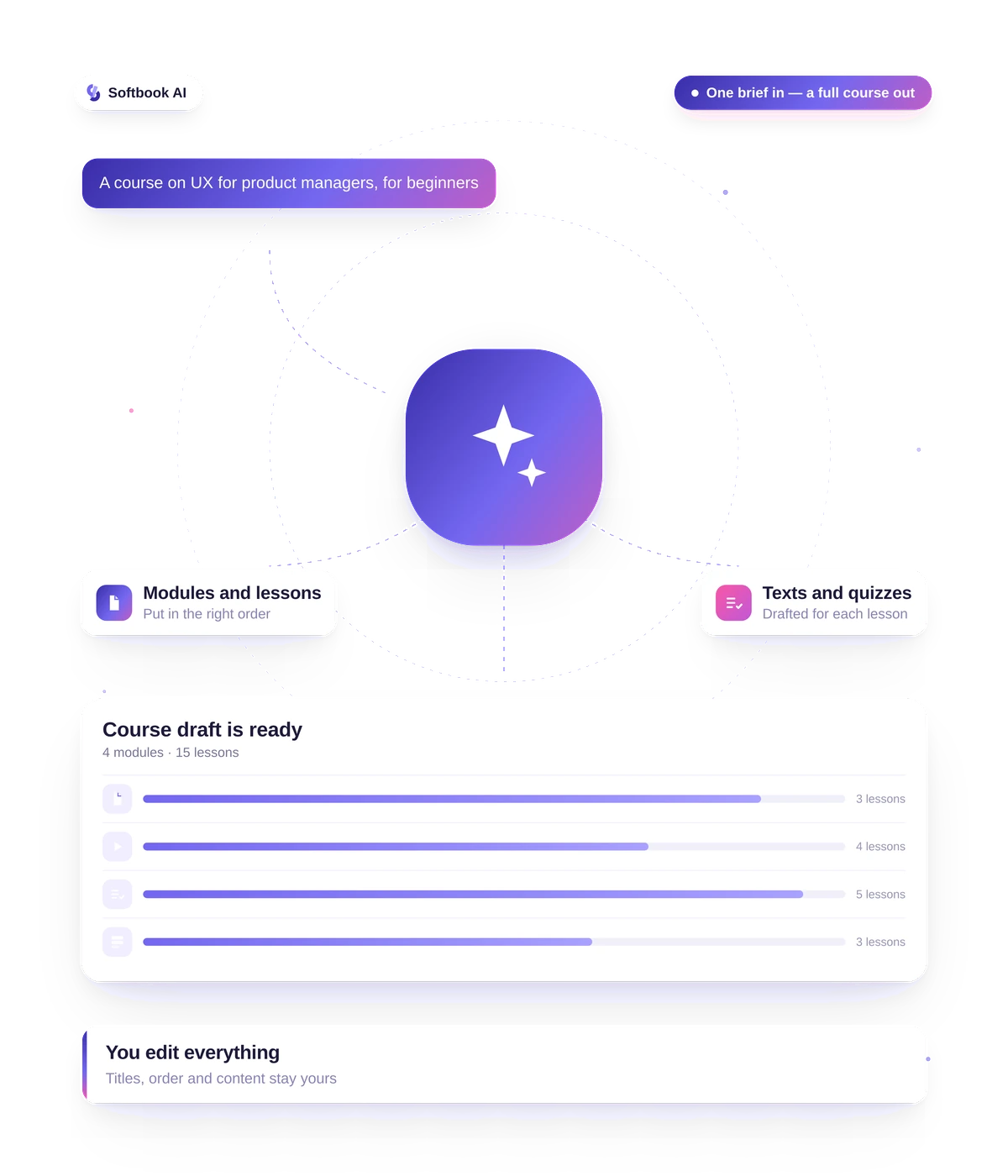
Not sure where to start? AI will draft it
Describe the topic and the outcome, pick the length and the audience — AI prepares a course structure and rough drafts of the lessons. From there you shape it yourself in the regular editor. AI is included in your plan, with no separate subscriptions to AI services.
Certificates
Issue certificates in your school's brand
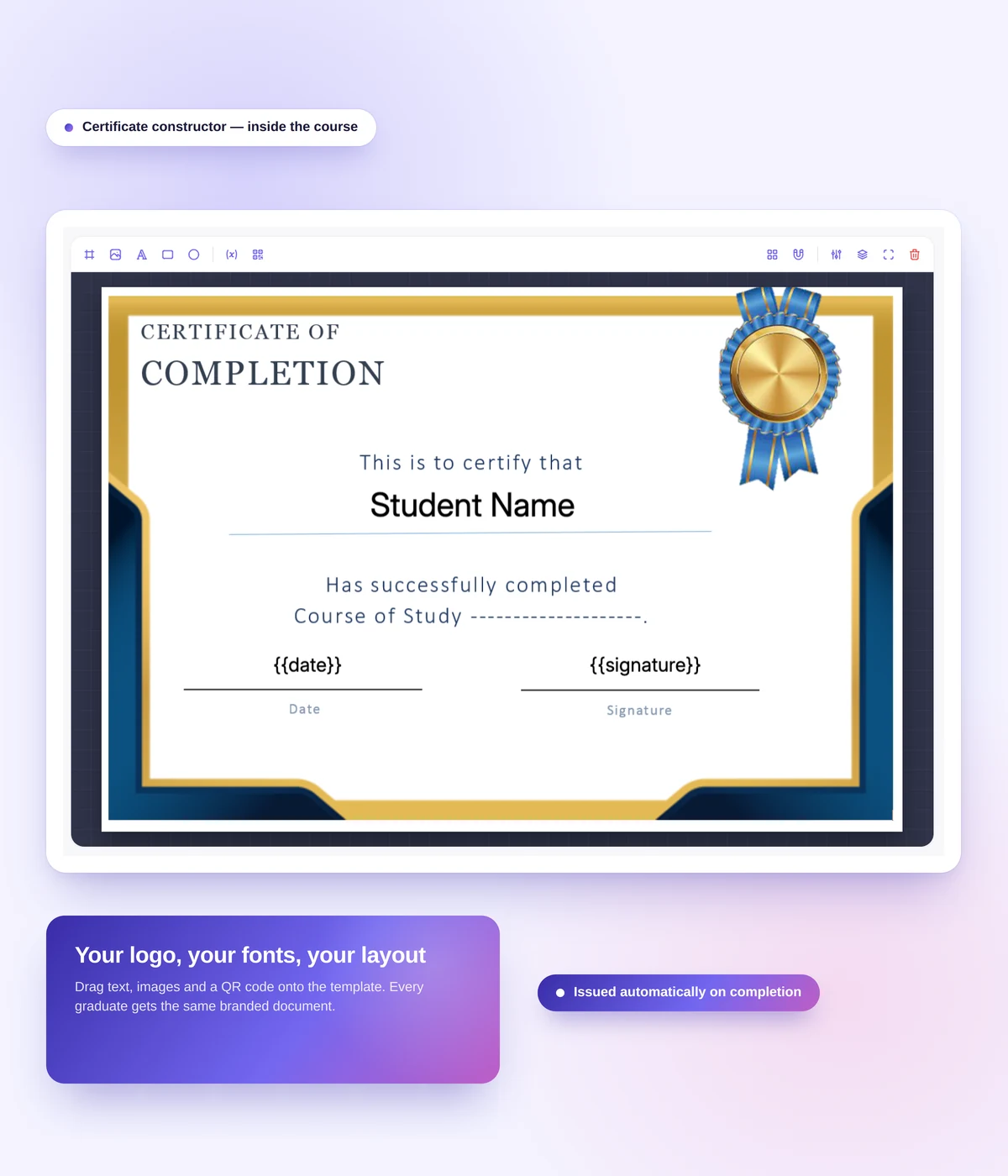
Put a certificate together in the builder: your background, your school logo, your text, elements aligned on a grid. The student receives the certificate automatically on finishing the course and can download it.
- Builder: background, logo, text, shapes, grid alignment
- Serial number and QR code to check a certificate publicly
- Ready-made templates, if you'd rather not build from scratch
- Certificates are stored and available to the student in their account
Need certificates outside your courses, for a webinar, a conference or partners? Softbook Certify issues them without an LMS, checkable by QR code.
Access and schedules
Access and schedules: open lessons at the right pace
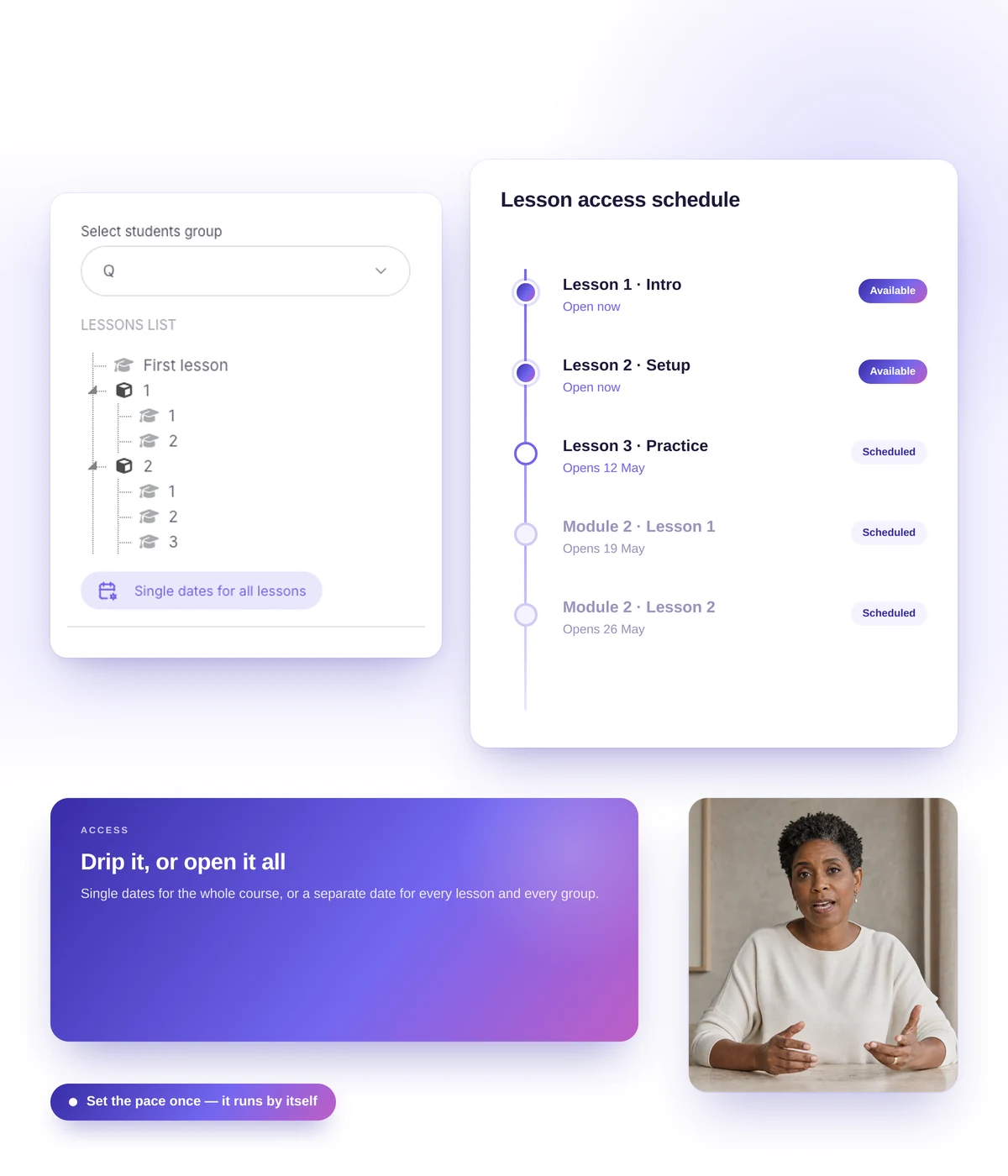
Sequential access walks the student through step by step. On a schedule, lessons open either on fixed dates for a cohort or dynamically — the next lesson a set time after the previous one starts or finishes.
- Sequential progress — lesson after lesson
- Fixed dates for cohorts and groups
- Dynamic release: after minutes, hours or days
- Different schedules for different groups on the same course
Real schools. Real results. Real people.
Founders and creators on what works best for them in Softbook.

"We picked Softbook because we needed one platform for selling courses and managing students. What we value most: video uploads, clear pricing with no surprises, and support that actually listens and acts."
Mike Pritula
Mike Pritula Academy

"The team moved all my lessons over by hand — I have no idea how I would have done it myself. They were careful about it. They keep improving the platform, they listen to what you ask for, and they genuinely look after every client."
Tanya Mykhalchenko
PPC advertising school

"Before we switched, we tried selling video lessons through Instagram, but without an admin it was impossible. Here I uploaded the courses, set up automatic payments — and the system runs itself. The courses bring in steady income without me being involved every day."
Olga Miller
Director, recruiting school

"We built a big knowledge base for our students on Softbook. No more 'live' sessions with speakers — everything is recorded and laid out in modules with tests and assignments. Our instructional designers can finally breathe."
Alexey Dinar
Personal coach
"Your platform solved a problem I had been struggling with for a long time. I uploaded a few courses, set up automatic payments — and stopped worrying about the technical side. I can see the courses selling and bringing in income every month."
Alla
Massage therapist

"Softbook let us scale our cleaning school into new regions with no extra spend on technology."
Yevhen Sukharev
Founder, Kyiv School of Cleaning
"In two years with Softbook we have built a full agency with an education arm. The platform covers everything we need."
Myroslav Liaskovets
Founder, LeadMarketing
Questions about course creation
Create a course and split it into modules and lessons. Put each lesson together from blocks, add tests and assignments, set up access and a schedule, then enroll students or open sales. If you'd rather not start from a blank page, AI drafts the structure, and you finish it in the editor.
No. A lesson comes together with the mouse in the editor, without code or layout work. You add video, text, tests and assignments, and put them in the order you want.
Video — your own or from YouTube and Vimeo, audio, text, images, files (pdf, doc, xls, slides), link buttons, and custom HTML.
Yes. The Softbook team will help move your courses, students and settings. Learn more
Eight question types, six of them interactive: the student builds a sentence, assembles a word from letters, matches pairs and sorts items into groups. Learn more
For a large cohort, turn on timed auto-accept: work is accepted automatically after a set time, and you don't need a grading staff. Where a real review matters, the teacher replies in text or with a voice message.
Turn on "Require a review" for a lesson or a course: the student doesn't move on until they leave one. It arrives while the impression is still fresh.
Yes. From the topic, outcome, size and audience, AI prepares a course structure and rough drafts in every lesson — you shape it from there. Learn more
In your school on Softbook, on a Softbook subdomain or your own domain. Students take it in the browser or in the iOS and Android app. How hosting, sales and certificates fit together: online course platform.
As many as you need. Courses, lessons and students are unlimited on every plan.
Build your first course on Softbook
30 days free, no card. Unlimited courses and students on every plan.