
Interactive tests in an online course: measure knowledge, not luck
Tests in Softbook are eight question types, six of them interactive: fill in the blanks, build a sentence, match pairs, put things in order, assemble a word from letters and group into categories.
- 8 question types
- Drag-and-drop tasks
- 30 days free
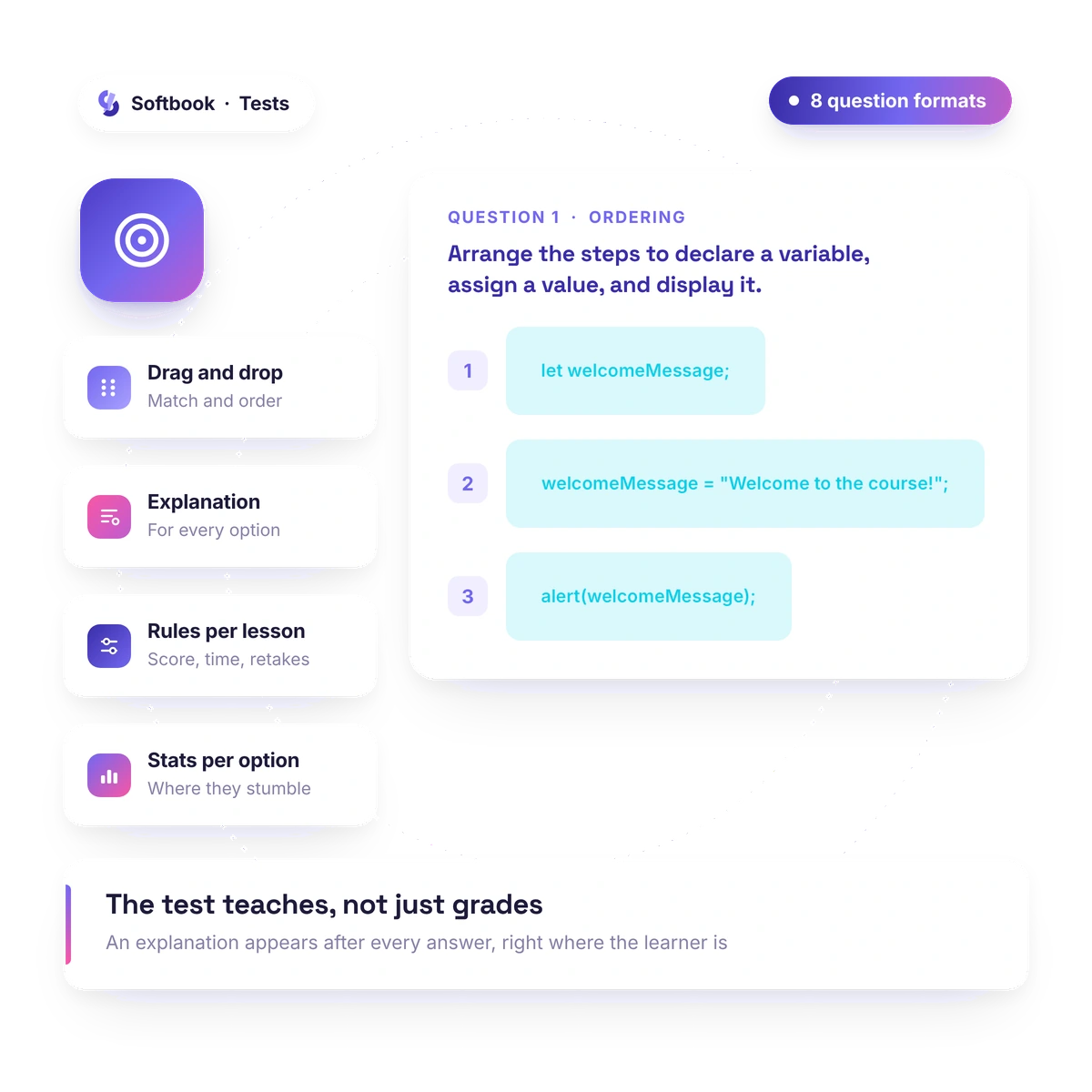
Picking one of four options measures luck. Building a sentence, matching concepts, assembling a word from letters — that measures knowledge.
Question types
Eight question types — and six of them can't be guessed
Grading stops being a lottery — you see the real level, not the result of guessing, and the course comes alive: the student isn't clicking, they're doing. Alongside the familiar "one correct answer" and "several correct answers," there are six interactive types where something has to be assembled, reordered or sorted.
- One correct answer · several correct answers
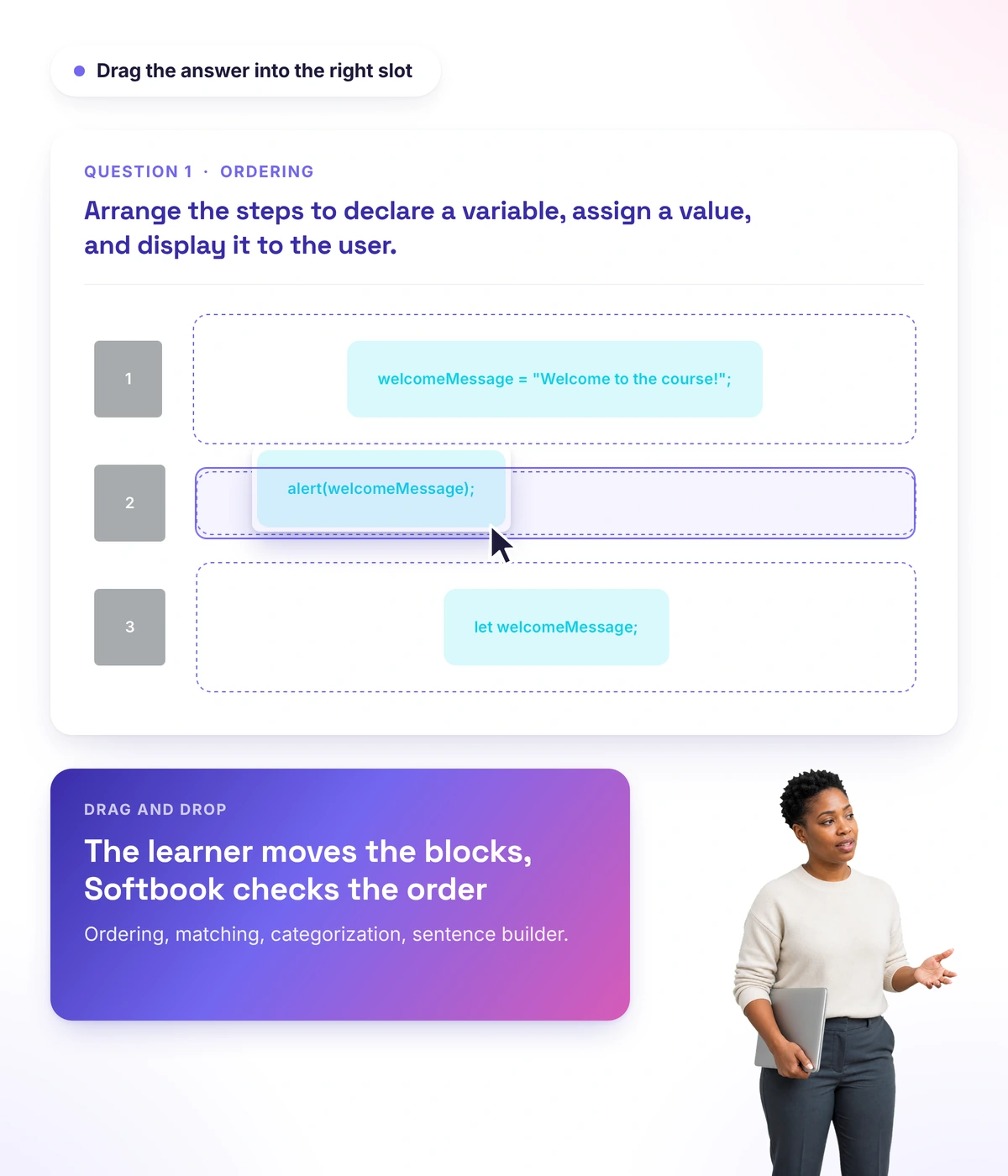
- Fill in the blanks · order and sorting · matching
- Assemble a word from letters · sentence builder · categorization
- The answer here isn't a letter — you can't forward it as a ready-made list, and the order is different for every student
- Decoy words, decoy letters, an empty category as a trap
Explanations
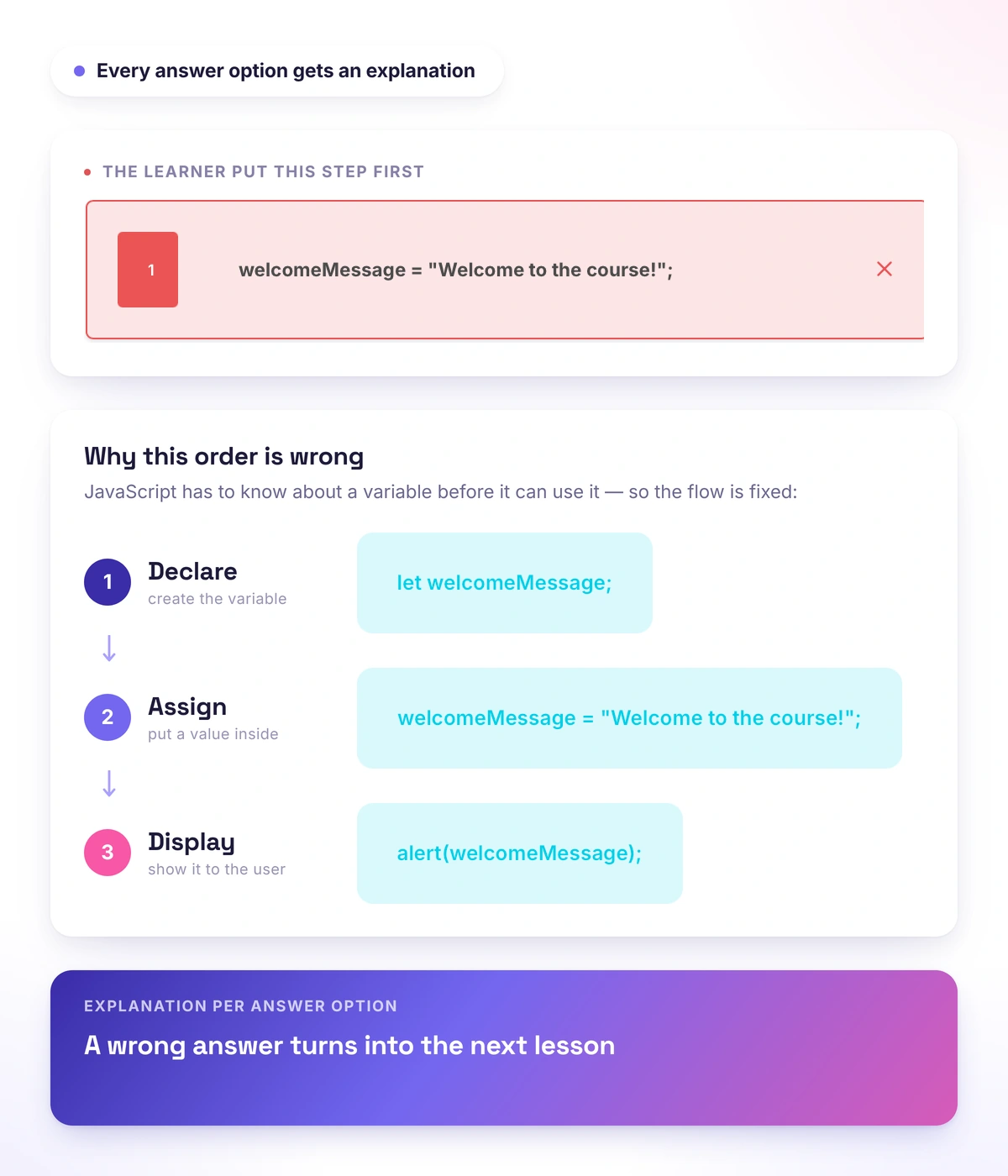
The student leaves with the mistake explained, not just a score
The test stops being an exam and becomes the last lesson of the topic: usually a student gets a score and is left alone with it, but here they see where they went wrong and why, right after submitting. You add an explanation to any answer option — correct or not — and the student reads it in the results.
- Explanations for correct and incorrect options — in the test results
- Correct answers shown after submitting: the breakdown stays with the student
- Meaning counts, not spelling: synonyms separated by | inside a blank, plus an option to ignore diacritics and letter variants
Rules
Test rules — shaped to your format
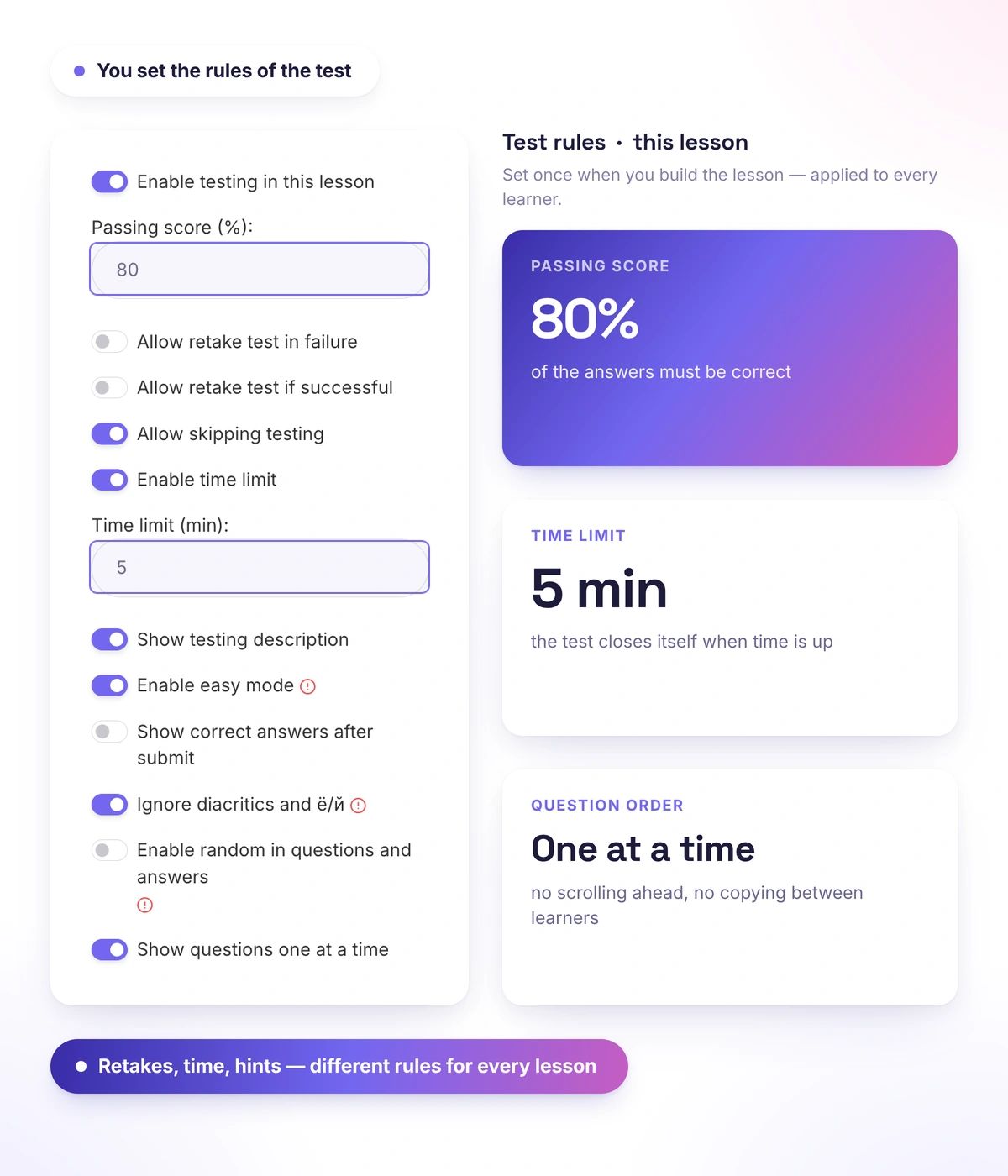
The same tool works as a gentle self-check inside a lesson and as a strict timed exam before a certificate is issued. You set the passing score, the number of retakes, the time limit, and what the student sees after submitting.
- Passing score as a percentage, and a time limit
- Retakes after a fail — and after a pass, for those beating their own record
- Questions shown one at a time with a progress indicator
Statistics
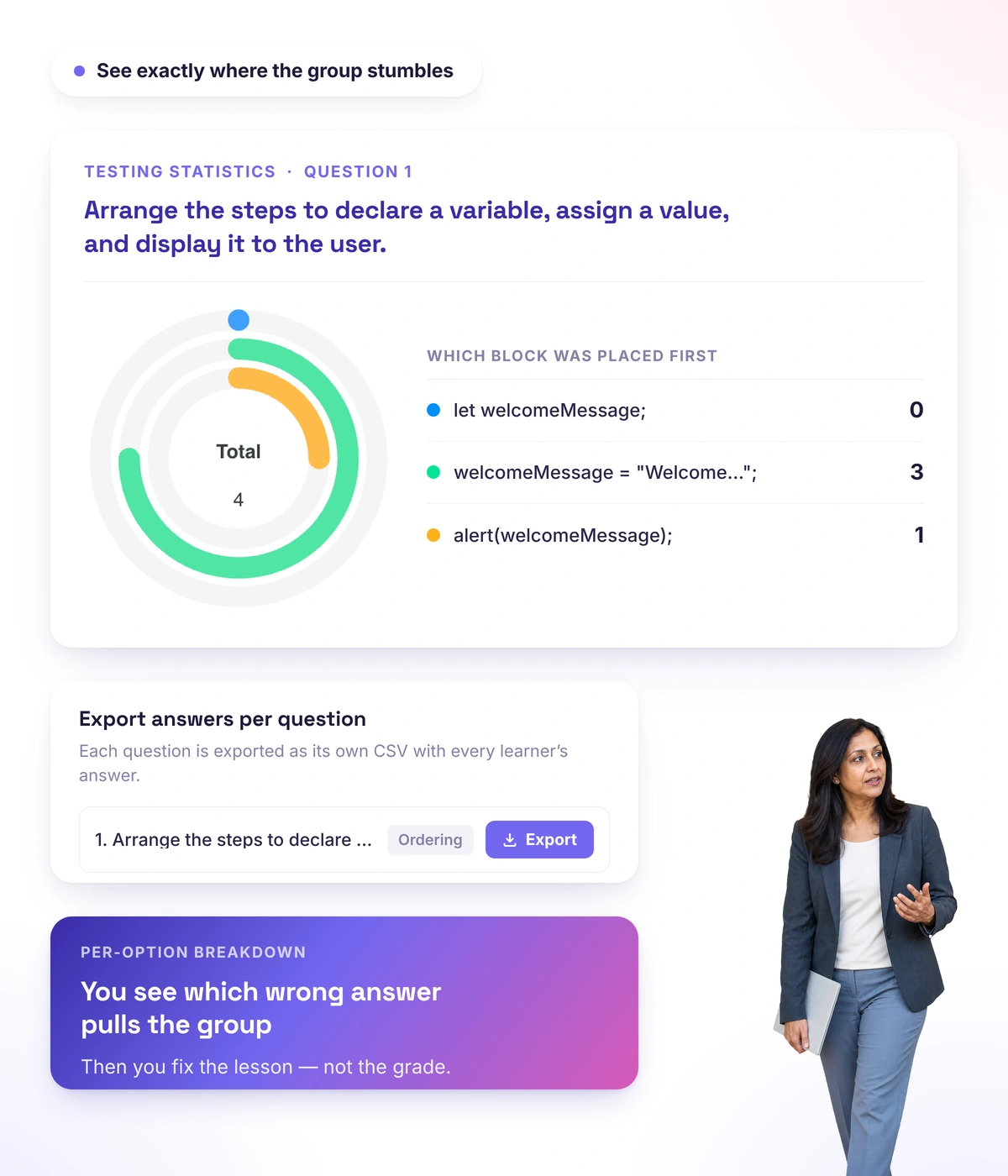
You can see which question most students fail
If 70% picked the same wrong option, the problem isn't the students — it's the lesson or the wording of the question, and you fix the cause instead of the symptom. Test statistics show the percentage of students for every answer option, and answers can be exported question by question.
- Percentage of students for every answer option
- Export of answers for every question
- You see the specific point of failure, not an "average score"
Real schools. Real results. Real people.
Founders and creators on what works best for them in Softbook.

"We picked Softbook because we needed one platform for selling courses and managing students. What we value most: video uploads, clear pricing with no surprises, and support that actually listens and acts."
Mike Pritula
Mike Pritula Academy

"The team moved all my lessons over by hand — I have no idea how I would have done it myself. They were careful about it. They keep improving the platform, they listen to what you ask for, and they genuinely look after every client."
Tanya Mykhalchenko
PPC advertising school

"Before we switched, we tried selling video lessons through Instagram, but without an admin it was impossible. Here I uploaded the courses, set up automatic payments — and the system runs itself. The courses bring in steady income without me being involved every day."
Olga Miller
Director, recruiting school

"We built a big knowledge base for our students on Softbook. No more 'live' sessions with speakers — everything is recorded and laid out in modules with tests and assignments. Our instructional designers can finally breathe."
Alexey Dinar
Personal coach
"Your platform solved a problem I had been struggling with for a long time. I uploaded a few courses, set up automatic payments — and stopped worrying about the technical side. I can see the courses selling and bringing in income every month."
Alla
Massage therapist

"Softbook let us scale our cleaning school into new regions with no extra spend on technology."
Yevhen Sukharev
Founder, Kyiv School of Cleaning

"In two years with Softbook we have built a full agency with an education arm. The platform covers everything we need."
Myroslav Liaskovets
Founder, LeadMarketing
Questions about tests
Eight: one correct answer, several correct answers, fill in the blanks, order and sorting, matching, assemble a word from letters, sentence builder and categorization.
Yes — six of the eight types are interactive: the student assembles, reorders or sorts tiles instead of picking from ready-made options.
Yes, in "fill in the blanks" tasks: synonyms are set inside the blank with a | — for example, color|colour|colour scheme. Any correct variant counts.
There's an option to ignore diacritics and letter variants: Café counts as Cafe. Useful for language courses, where the point is the meaning rather than character-by-character spelling.
Yes. You set the passing score, the time limit and retakes — both after a fail and after a pass.
Yes. Test statistics show the percentage of students for every answer option, and answers are exported question by question.
Mainly this: six of the eight types are interactive, and the answer there isn't a letter but a sentence you build or a word you assemble from letters. You can't forward that as a list. On top of that, the order is different for everyone — ordering, matching, spelling, and categorization are always shuffled, and the rest shuffle if you turn the option on.
Build your first test
30 days free, no card. Eight question types and statistics that show which questions most students fail.