
Online course platform: from the first lesson to the certificate
Softbook is an online course platform for creating and hosting courses. You build lessons from video, text, files and quizzes without code, release them on a schedule, review assignments and issue certificates. Students learn in your school on a Softbook subdomain or your own domain, or in the iOS and Android app. Courses and students are unlimited.
- Unlimited students on every plan
- iOS and Android app
- 30 days free
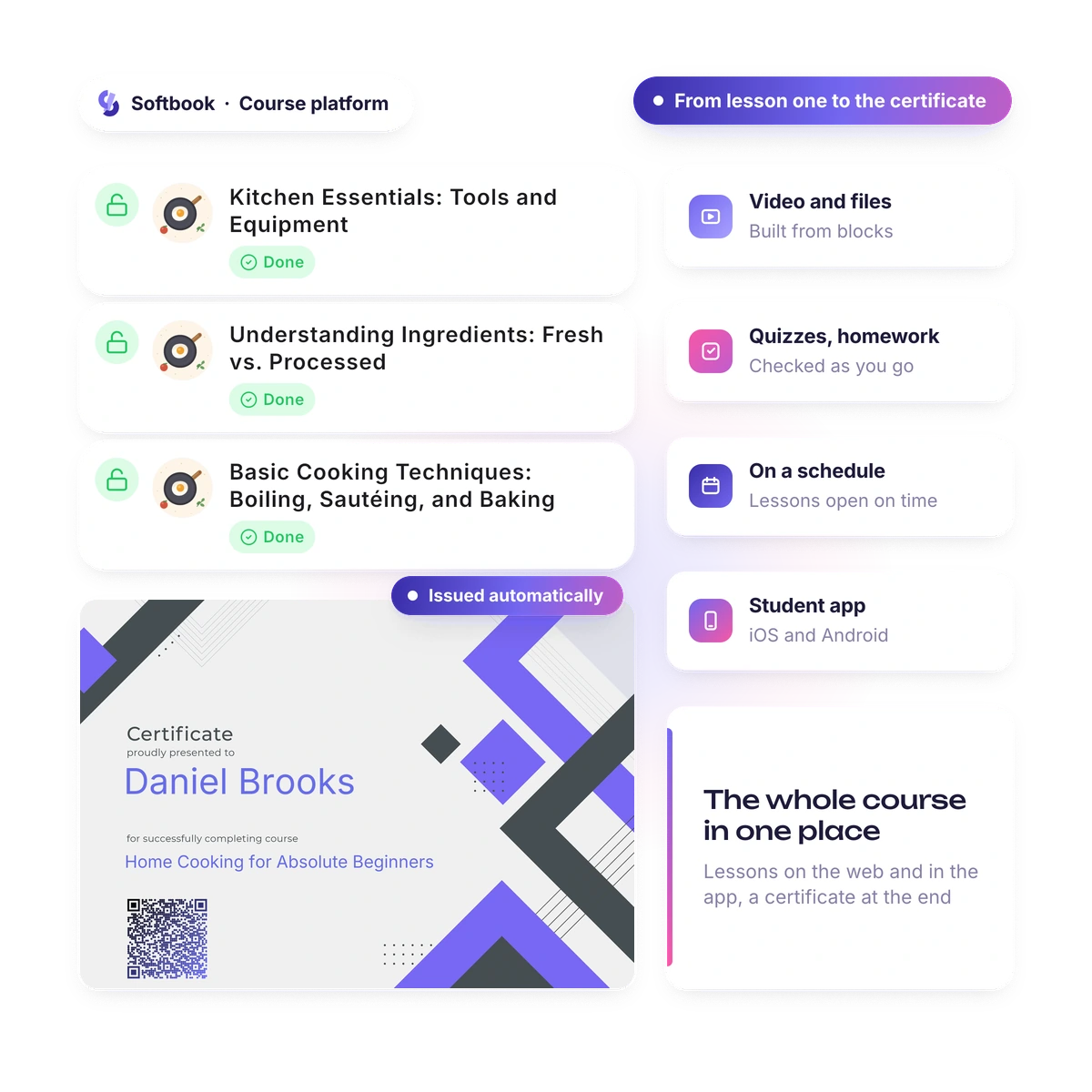
Recording the lessons is half the job. The other half is getting the student to the last one: a schedule, reviewed assignments, a certificate at the end and reminders on their phone.
Creation
What do you need to create an online course?
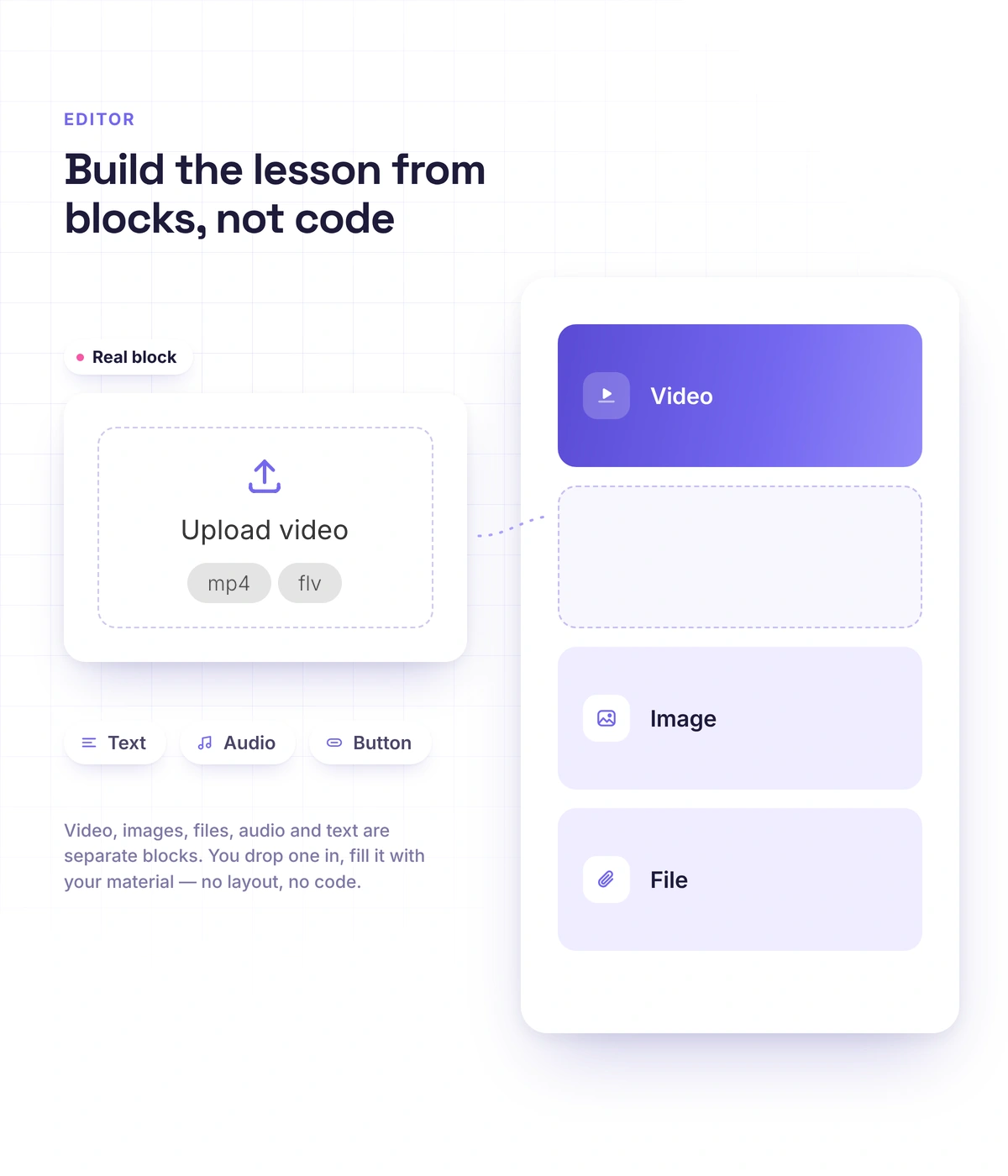
Your material and a browser. A lesson comes together from ready-made blocks with the mouse, with no code and no layout work. You don't hunt for a developer or stitch services together: video, text, files and quizzes go into one editor, and the finished course opens to students in the same place.
- Video from your computer or from YouTube and Vimeo, audio, text, images
- Files in the lesson: PDFs with page-by-page viewing, documents, spreadsheets, archives
- Modules, lessons and steps inside a lesson
- Wordwall activities and custom HTML
- AI drafts the course outline and lesson drafts, and you finish them in the editor
- Course copying, so the next cohort starts from a finished course
Hosting
Where do you host an online course so it looks like yours?
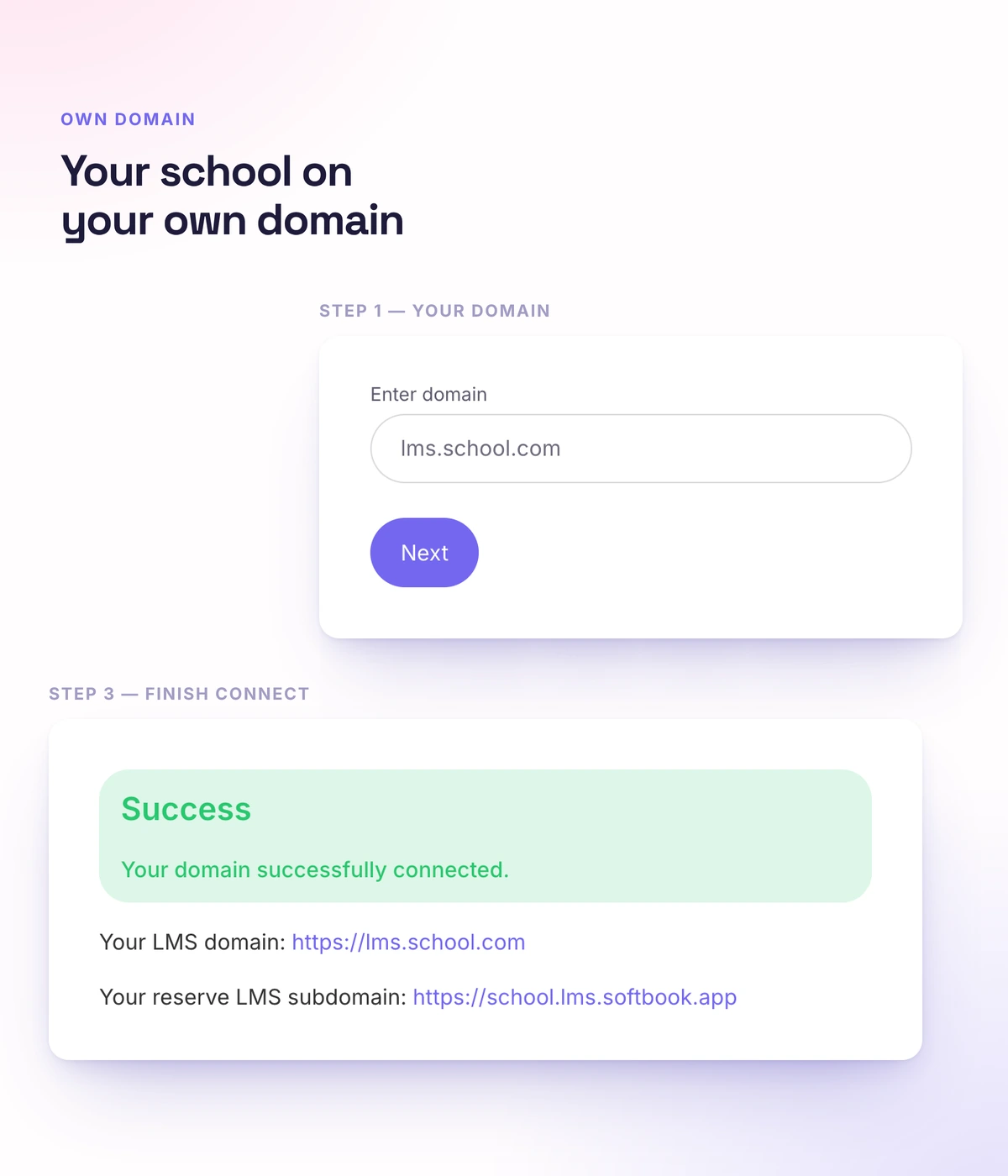
In your own school on Softbook: on a platform subdomain or your own domain, with your logo and colors. The student signs in to a school with your name, and you build the course website in the same dashboard, with blocks, a sign-up form and checkout right on the page.
- Your own domain or a Softbook subdomain
- School logo, favicon and color palette
- Website builder: home page, course landing page, pricing, reviews, FAQ
- The student interface in eight languages
- In the app, your school opens in your colors
Access
How does a student get access to the course?
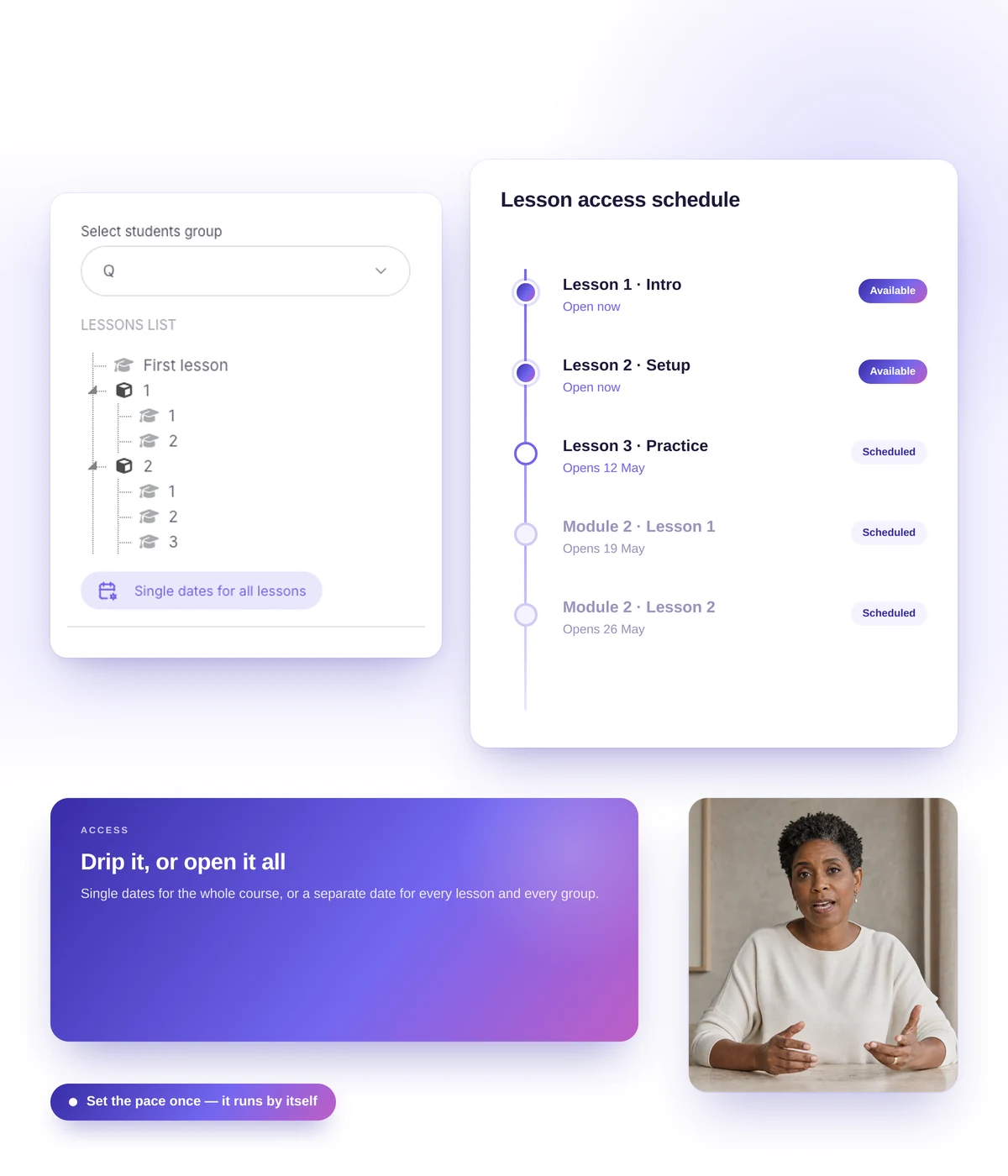
Access opens automatically after payment, after sign-up through a link, or when you enroll the student yourself. Then you set the pace: everything at once, lesson by lesson, or on the cohort's schedule. You don't hand out access one by one, even when a cohort runs into the hundreds.
- Automatic enrollment after payment, a form or sign-up through a link
- Student import from CSV, up to 500 at a time
- Access period: days, months or unlimited
- Fixed dates for a cohort, or the next lesson after minutes, hours or days
- Groups with their own schedules on the same course
- An access manager to open or close a course or single lessons for a group
Assessment
How do you check that a student has learned the material?
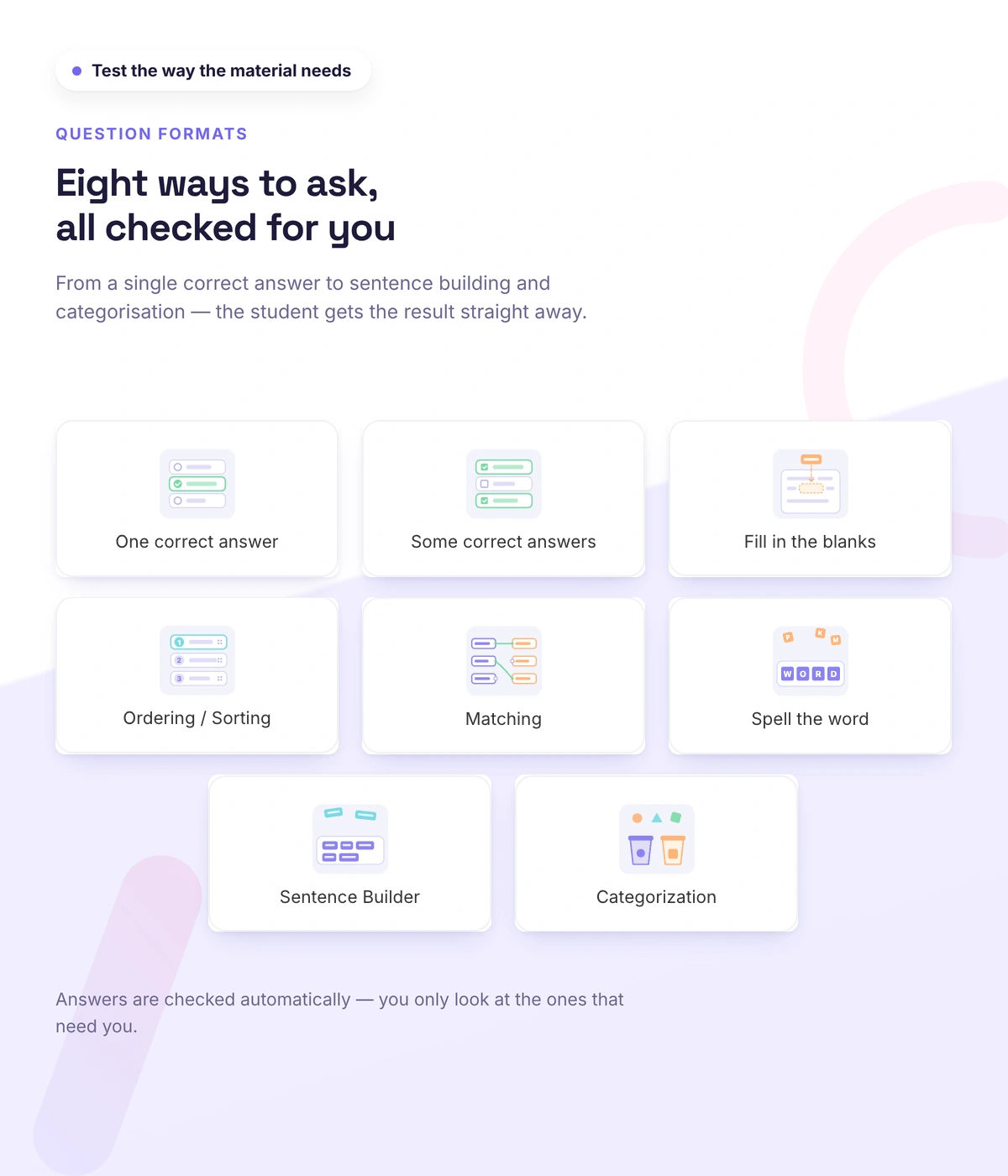
With quizzes, assignments and a requirement to finish every step of a lesson. You see more than a score: you see where students go wrong, so you fix the lesson before complaints come in.
- Eight question types, six of them interactive: build a sentence, match pairs, sort into categories
- Passing score, time limit and retakes
- Assignments with voice answers from students and voice comments from teachers
- Timed auto-accept for large cohorts
- Quiz statistics for every answer option
Certificates
How do you issue a certificate when the course ends?
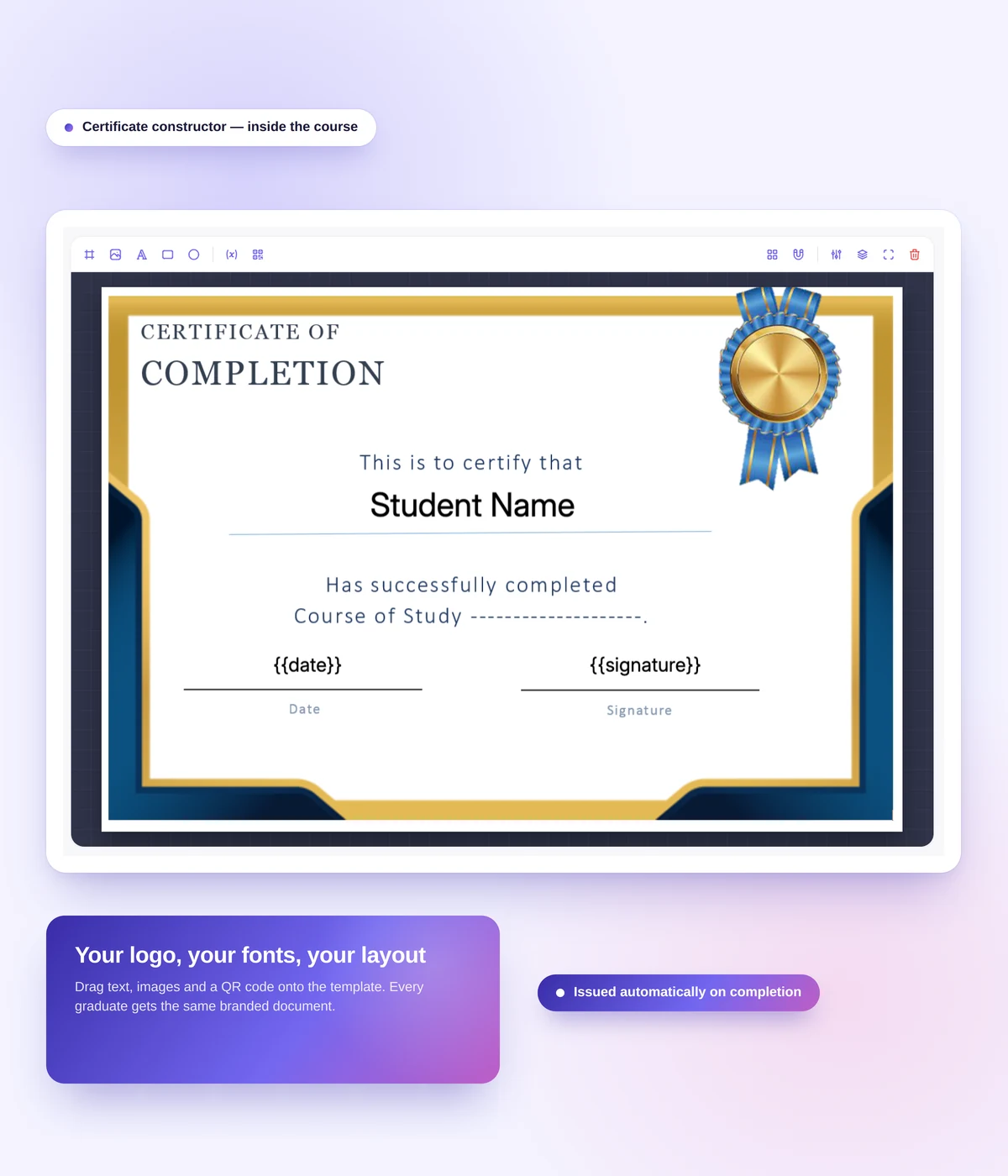
Automatically: the student finishes the course, and the certificate of completion appears in their account. You design it in the builder with your school's background and logo. Each certificate carries a serial number and a QR code, so anyone can check it on a public page.
- Templates and a certificate builder
- Serial number, completion date and a QR code
- Public verification at verify.softbook.app
- The certificate stays with the student and can be verified even if the school closes its account
Engagement
How do you keep students going to the end of the course?
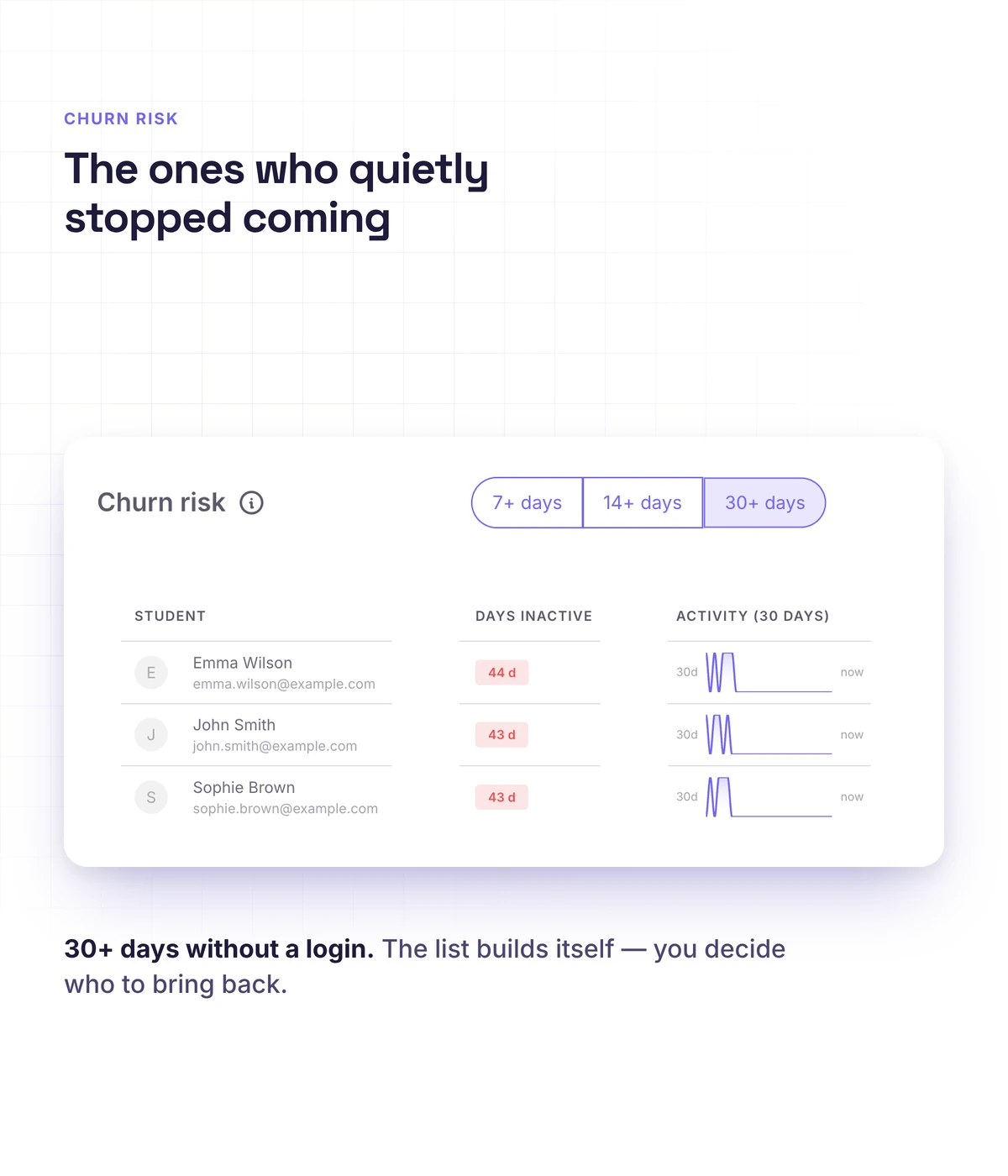
Spot who is dropping off while there's still time, and give them a reason to come back. Analytics shows students who haven't been active for 7, 14 or 30 days and the lesson where the course loses people.
- Dropout risk and a lesson-by-lesson course funnel
- Push notifications in the app: reviewed assignments, messages, class reminders
- Group chat, a school feed and comments under lessons
- Badges, points and leaderboards
- Automations: an email or Telegram message when a student finishes a lesson or passes a quiz
How to choose
What to look for when choosing an online course platform
Look at what growth will cost you. A platform that's cheap at the start can charge for every new student or take a percentage of sales, and then your success pays its bill. Check these five things before you choose.
- Student limits: Softbook has none, on any plan
- Sales commission: Softbook takes none, you pay only for your plan
- Payments: international payment providers
- A start without code: a school with a course and payment collection is technically live in 15 minutes
- A mobile app for students on iOS and Android
Real schools. Real results. Real people.
Founders and creators on what works best for them in Softbook.

"We picked Softbook because we needed one platform for selling courses and managing students. What we value most: video uploads, clear pricing with no surprises, and support that actually listens and acts."
Mike Pritula
Mike Pritula Academy

"The team moved all my lessons over by hand — I have no idea how I would have done it myself. They were careful about it. They keep improving the platform, they listen to what you ask for, and they genuinely look after every client."
Tanya Mykhalchenko
PPC advertising school

"Before we switched, we tried selling video lessons through Instagram, but without an admin it was impossible. Here I uploaded the courses, set up automatic payments — and the system runs itself. The courses bring in steady income without me being involved every day."
Olga Miller
Director, recruiting school

"We built a big knowledge base for our students on Softbook. No more 'live' sessions with speakers — everything is recorded and laid out in modules with tests and assignments. Our instructional designers can finally breathe."
Alexey Dinar
Personal coach
"Your platform solved a problem I had been struggling with for a long time. I uploaded a few courses, set up automatic payments — and stopped worrying about the technical side. I can see the courses selling and bringing in income every month."
Alla
Massage therapist

"Softbook let us scale our cleaning school into new regions with no extra spend on technology."
Yevhen Sukharev
Founder, Kyiv School of Cleaning

"In two years with Softbook we have built a full agency with an education arm. The platform covers everything we need."
Myroslav Liaskovets
Founder, LeadMarketing
Questions about the online course platform
A service where a course is created, hosted and taken: lessons, quizzes, assignments, access and certificates in one place. Softbook adds sales, a CRM and a student app on top of that.
Softbook has a fixed monthly or annual price that doesn't depend on the number of students, and there's no sales commission. Current plans are on the pricing page.
For the first 30 days, yes: sign-up needs no card, and every platform feature is open during that time. After that you choose a plan. You can still give free courses to your own students later, as a free product that opens after a form.
No. A lesson comes together from blocks with the mouse, the school website is built in the website builder, and payments are connected in the dashboard. A school with a course and payment collection is technically live in 15 minutes.
Two ways: the Softbook team moves your courses, lessons, students and materials for you, or you do it yourself with instructions from Softbook Care. Migration terms
Yes. There's an iOS and Android app with lessons including video, audio and PDFs, quizzes, assignments with voice answers, certificates and chat. It stays in sync with the web version.
Yes. Payments, access after payment, subscriptions, promo codes and the CRM work in the same place as the course. How to sell online courses
No. Courses, lessons and students are unlimited on every plan.
Host your course on Softbook
30 days free, no card. Lessons, quizzes, certificates and a student app — on one platform.