Update: Softbook v.2.1

One of the largest Softbook updates: gamification, social network, and much more
We’ve become even more powerful. Gamification helps motivate students through clear goals, progress tracking, and rewards. In courses, it works as a driver for completing lessons and tests, as a tool to bring students back to studying, and as a way to mark key achievements.
The messenger is convenient for quick communication within the platform: instructors answer questions, administrators send service messages, and students receive feedback without email or extra chats.
The social network adds live interaction: personal profiles, posts, comments, and a feed. Here, you can announce new courses and products, gather feedback, engage students in discussions, and create expert sections. As a result, learning becomes not only effective but genuinely engaging.
Let’s look at each new feature in detail 👇
🏅 Gamification
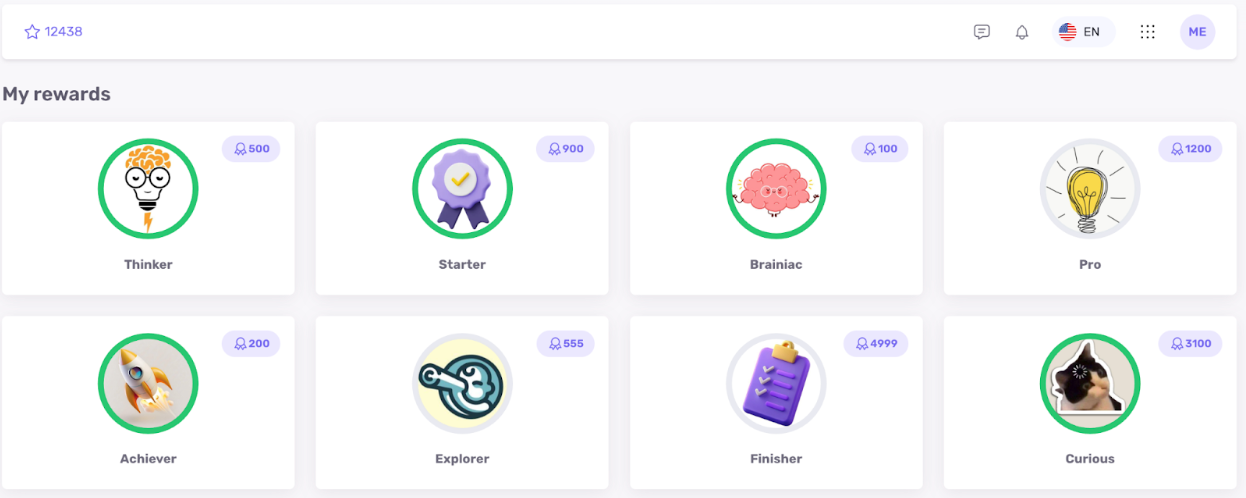
🎖️ Rewards
- Custom reward scenarios
- Upload your own image in the builder
- Award points when a reward is received (optional)
- Reward visibility before receiving it; if the student is in progress, they see progress
- Restrict scenarios to specific student groups
⚡ Triggers for receiving a reward
- Start a lesson:
- Specific lesson
- Number of lessons from a particular course
- Number of lessons from the entire platform
- Complete a lesson:
- Specific lesson
- Number of lessons from a particular course
- Number of lessons from the entire platform
- Complete a course:
- Specific course
- Number of courses from the entire platform
- Pass a test:
- Specific lesson
- Number of lessons from a particular course
- Number of lessons from the entire platform
- Fail a test:
- Specific lesson
- Number of lessons from a particular course
- Number of lessons from the entire platform
- Successfully complete homework:
- Specific lesson
- Number of lessons from a particular course
- Number of lessons from the entire platform
- Fail homework:
- Specific lesson
- Number of lessons from a particular course
- Number of lessons from the entire platform
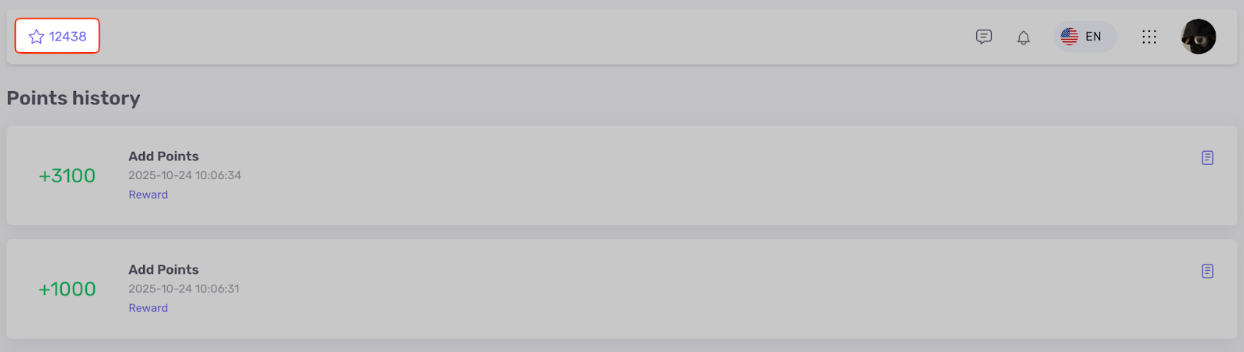
💎 Points
- Point scenarios
- Specify the exact number of points for conditions
- Restrict scenarios to specific student groups
⚡ Triggers for awarding points
- Start a lesson:
- Specific lesson
- Number of lessons from a particular course
- Number of lessons from the entire platform
- Complete a lesson:
- Specific lesson
- Number of lessons from a particular course
- Number of lessons from the entire platform
- Complete a course:
- Specific course
- Number of courses from the entire platform
- Pass a test
- Specific lesson
- Number of lessons from a particular course
- Number of lessons from the entire platform
- Fail a test
- Specific lesson
- Number of lessons from a particular course
- Number of lessons from the entire platform
- Successfully complete homework
- Specific lesson
- Number of lessons from a particular course
- Number of lessons from the entire platform
- Fail homework
- Specific lesson
- Number of lessons from a particular course
- Number of lessons from the entire platform
- Self-registration in the school via link
- Purchase of a specific product
Additional options
- Add or subtract points from the student card
- Enable or disable point visibility for students
- Enable or disable the rewards page for students
- Enable or disable leaderboards for rewards and points; choose the size of the top
💬 Social Network (beta)
- Personal student profiles within the school.
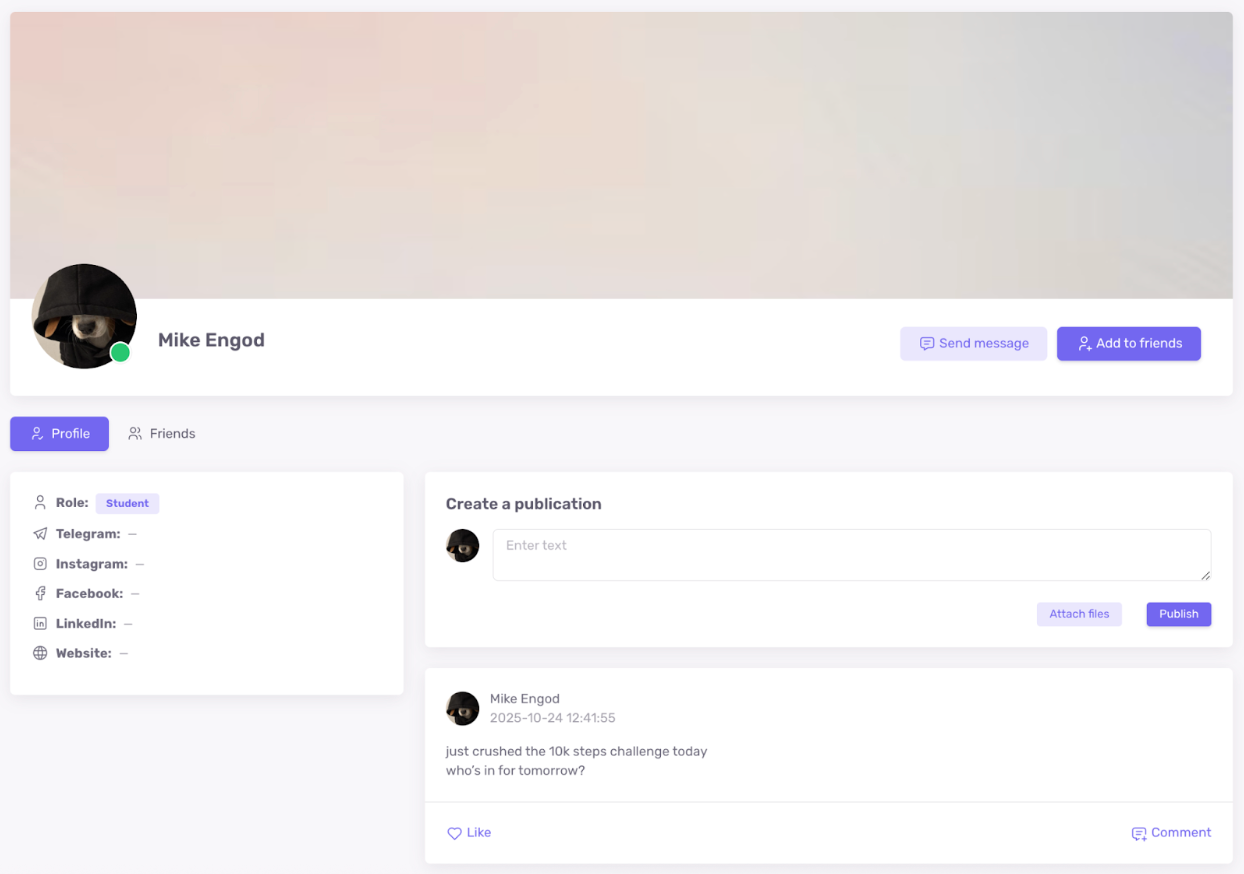
- Each profile has a “wall” for posts (students, administrators, instructors).
- Optional general news feed; when enabled, a “Feed” item appears.
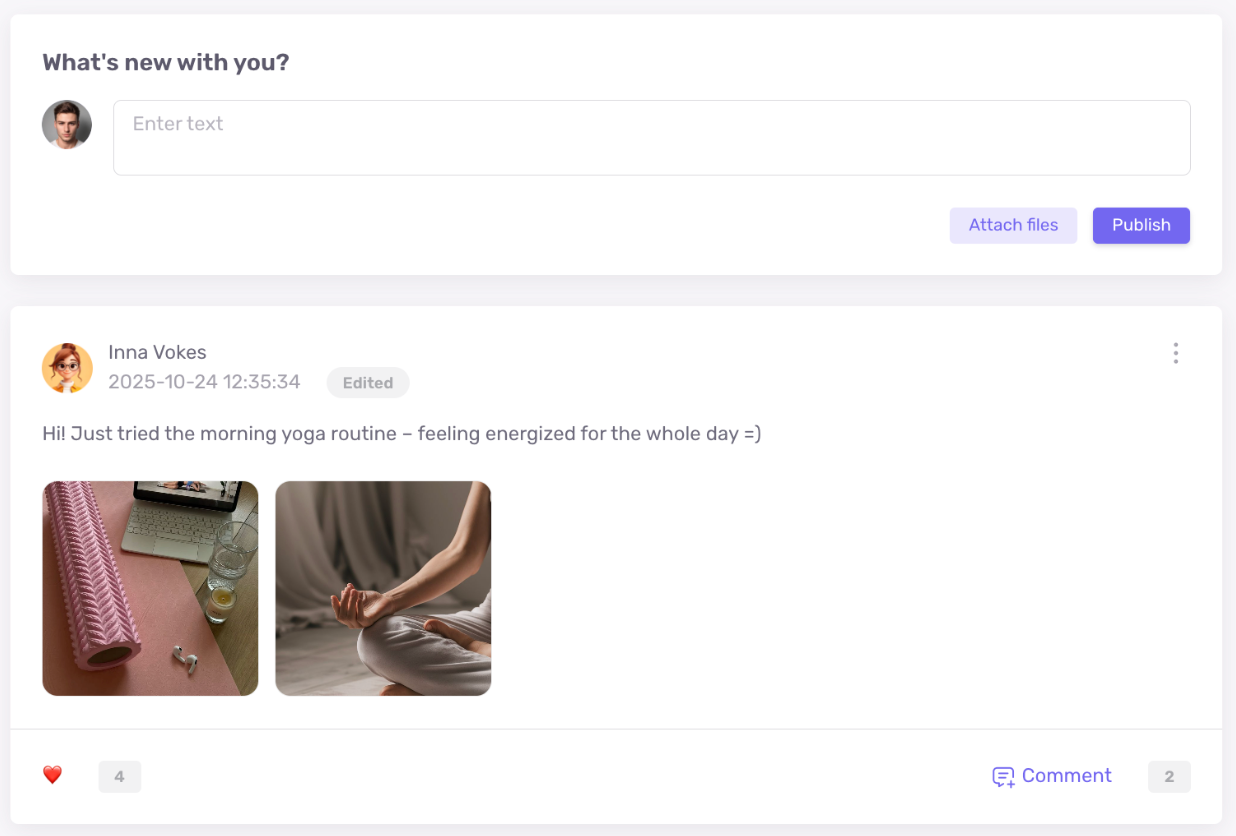
- Posts can be made on other users’ profiles
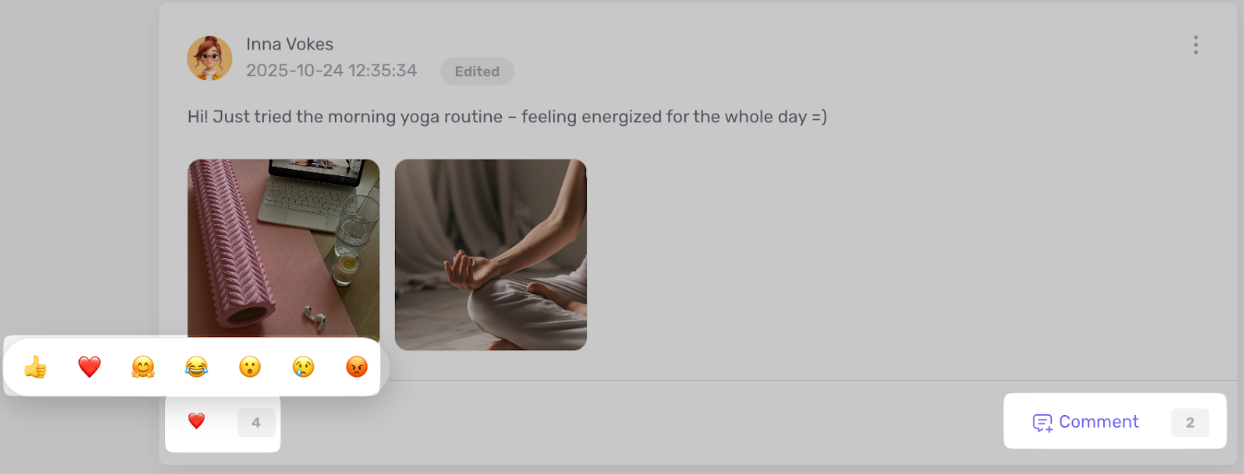
- Comments and reactions on posts
- Attachments in posts (files)
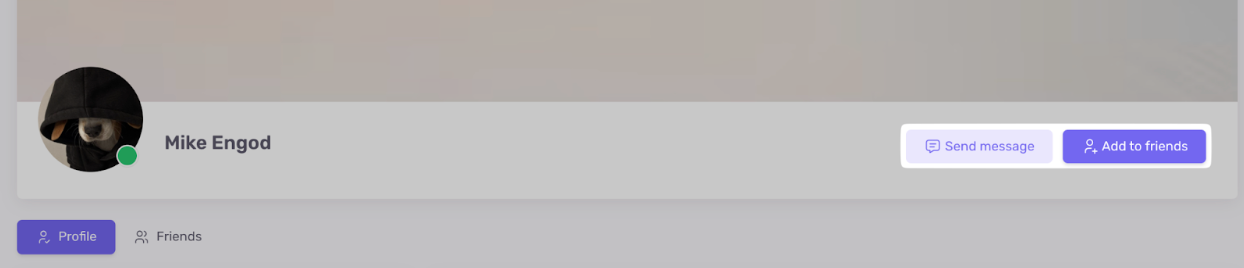
- Optional page with all school users: add friends and chat via messenger (if settings are enabled)
- Option to restrict student visibility to only their group
💌 Internal Messenger (beta)
- Optionally enabled messenger within the school
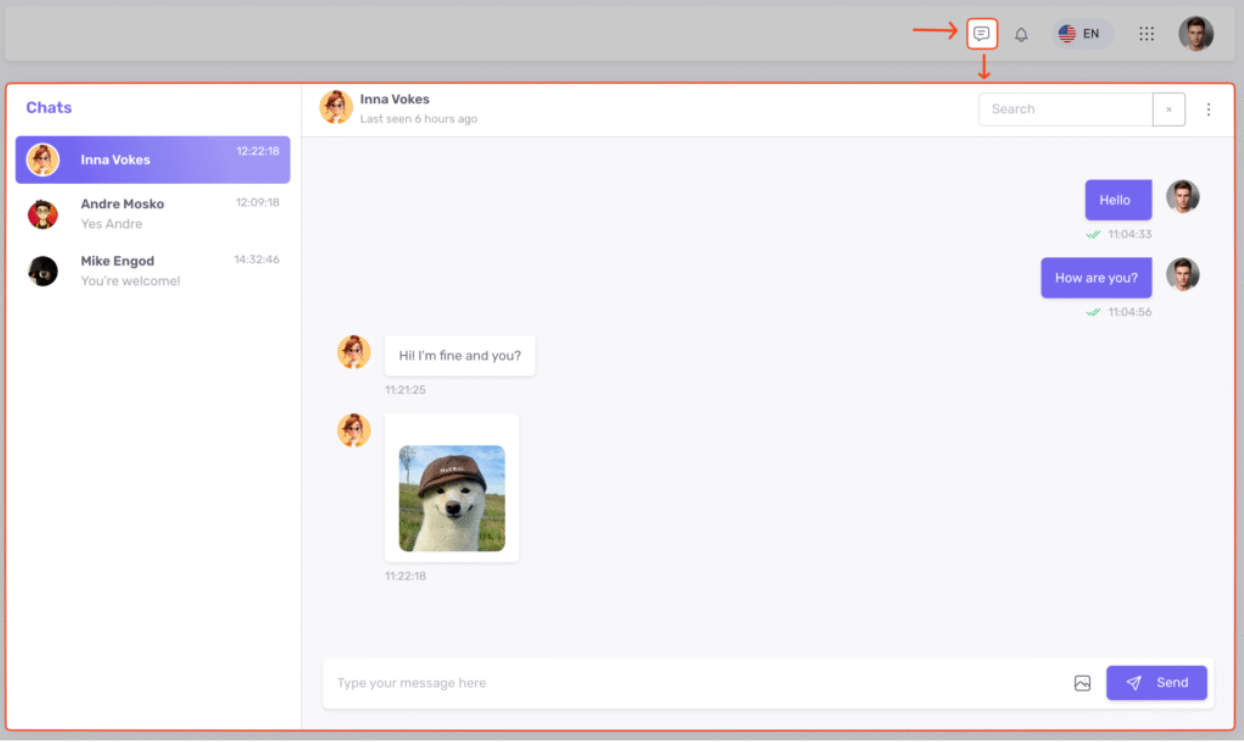
- Setting that allows students to send private messages to each other
- Owner, instructors, and administrators can always create a chat with a student (if the messenger is enabled)
- Pop-up notifications for new messages

- Social network and messenger status: beta
🎥 Zoom Integration
- Updated integration: connect Zoom account in a few clicks, run conferences and webinars.

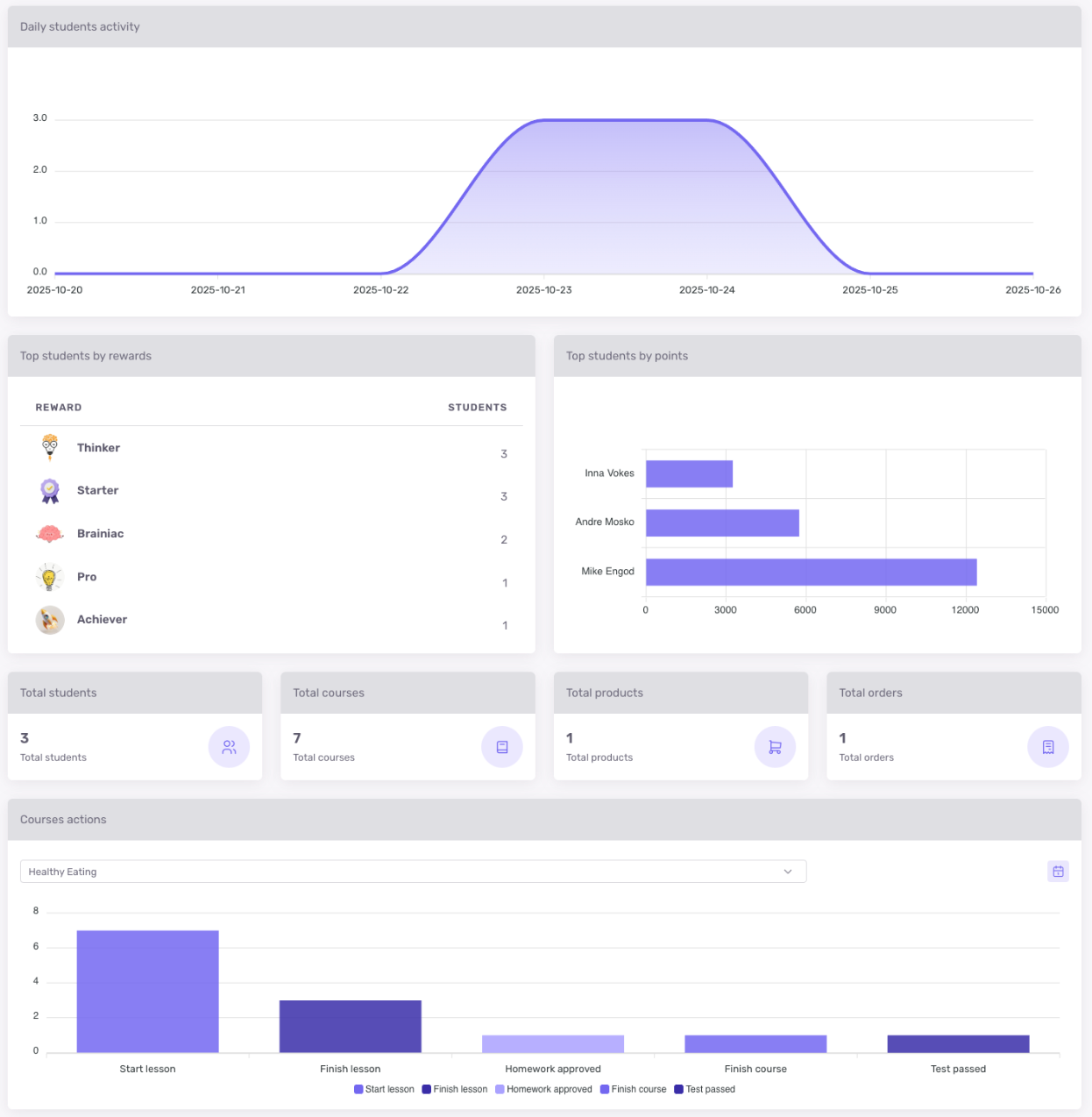
📊 Custom Dashboards
- Custom dashboards for roles (excluding students) or for specific administrators, instructors, and the owner.
🧩 API
In API v2, Add Student method: added email language parameter (en, uk, pl, ru). Details: https://developers.softbook.app/api/lms/version/2#add_student
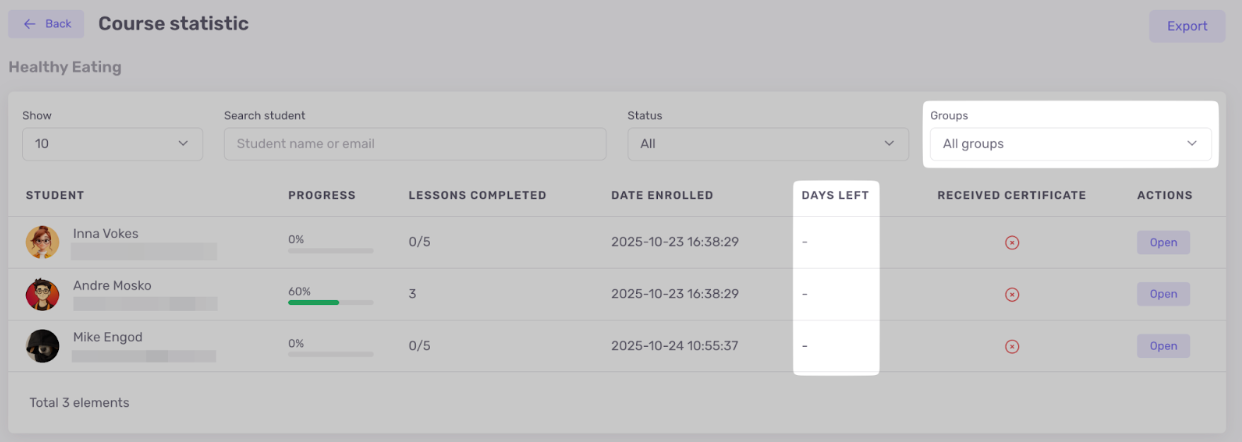
📈 Course Statistics
- New column with remaining access days for students
- Filter by groups
🛒 Softbook Store Integrations
- Portmone: sell courses and products (no subscriptions)

- Hutko: sell courses and products (no subscriptions)

📍 Analytics
Added events in team actions analytics:
- Student enrolled in a course
- Student removed from a course
- Student added to a group
- Student removed from a group
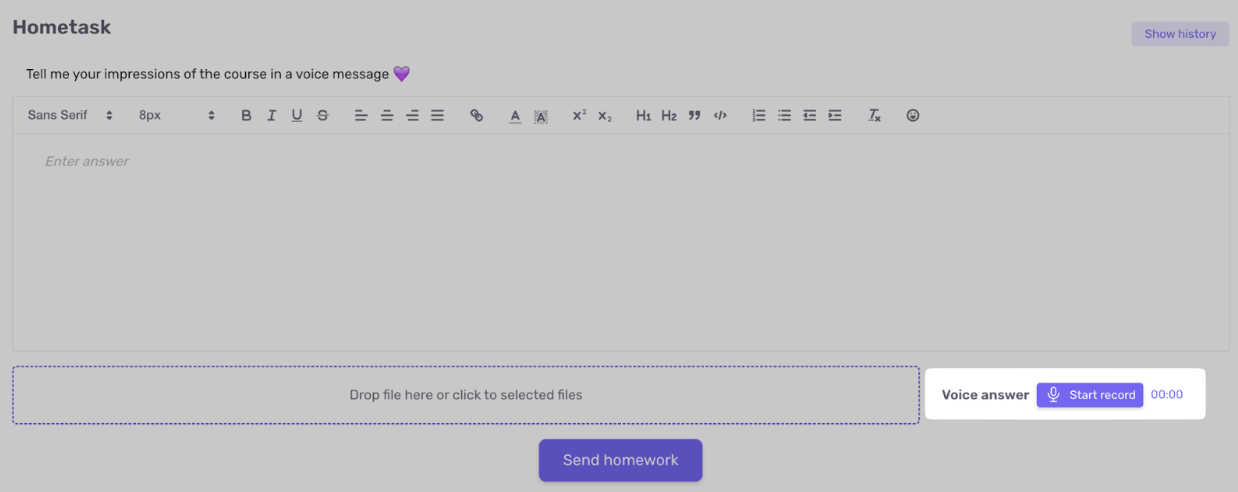
🎙️ Voice Responses in Homework
- In lesson settings (during homework creation), you can allow voice responses. Audio is sent along with text and files.
⚙️ Miscellaneous
- Ability to change homework status (if accepted or rejected by mistake). Important: access to the next lesson or block is not retroactively blocked if the course is staged
- Smart checkout for logged-in students: data is filled automatically; option to “Switch Account” and return to the product
- Added “Deal Stage Change” trigger in Webhooks
🌐 Availability
All functions are available in the current version of Softbook. Social network and messenger are temporarily in beta.
Want to try it now? Start with step-by-step instructions in the knowledge base, and if questions arise – contact our support team.
Softbook – the platform where learning becomes engaging, measurable, and convenient for the entire team
Frequently asked questions
How does gamification work in Softbook 2.1?
Softbook 2.1 lets schools create custom rewards and point scenarios tied to learning actions. Students can earn achievements for starting or completing lessons, finishing courses, passing tests, submitting successful homework, registering, or purchasing a product. Progress, reward visibility, points, and leaderboards can be configured for selected student groups.
What is included in the Softbook social network and messenger?
The beta social network adds personal profiles, profile walls, a shared feed, posts, comments, reactions, attachments, friends, and optional group-based visibility. The beta messenger supports private chats and new-message notifications. Owners, administrators, and instructors can contact students whenever the messenger is enabled, while student-to-student messaging remains optional.
Can reward and point rules be customized for different students?
Yes. Administrators can upload a reward image, choose whether students see it before earning it, award an exact number of points, and limit a scenario to particular groups. Schools may also show or hide point totals, the rewards page, and leaderboards, as well as manually add or subtract points on a student card.
What administrative and analytics improvements are in version 2.1?
The update adds simpler Zoom connection, custom dashboards for team roles or individual staff members, and improved course statistics with remaining access days and group filters. Analytics now records enrollment and group changes, while API v2 can set a student’s email language. Portmone and Hutko integrations also support product and course sales.
Are all Softbook 2.1 features available now?
The release features are available in the current Softbook version, although the social network and internal messenger are still marked beta. Schools can start using gamification, Zoom, dashboards, statistics, integrations, analytics, voice homework responses, and the other improvements now. Setup guidance is available in the knowledge base, with support for additional questions.